Work / Case study 06
NuORDER by Lightspeed · 2025 · Concept complete · Research in progressAI Assortment Assistant
Retail buyers spend hours gathering context before they add a single product to an assortment. This is one connected AI workflow that compresses that work, doing analysis first and creation second, so buyers spend their time refining, not starting from zero.
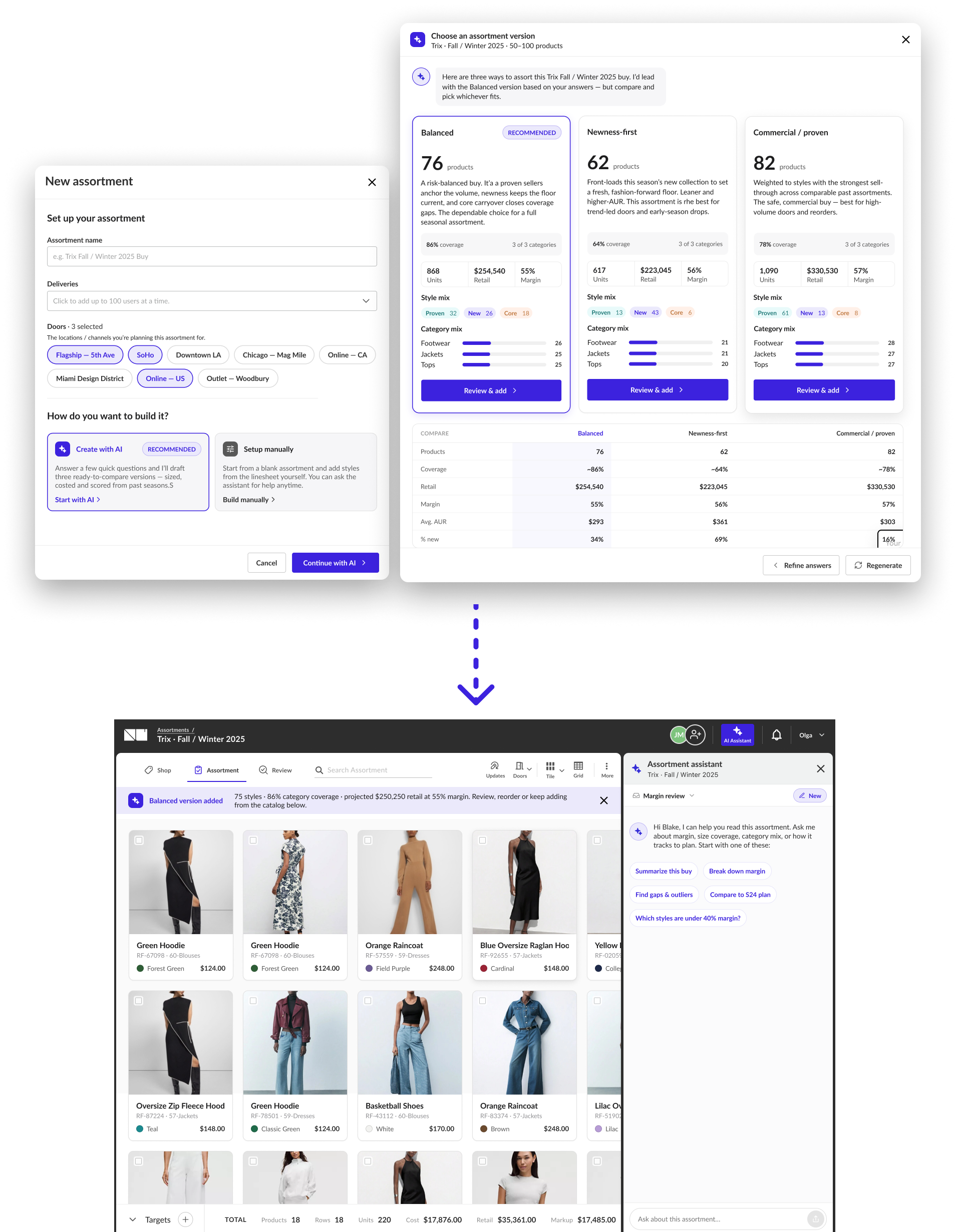
The full arc at a glance - the analysis assistant that shipped first, the seven-question creation wizard, and the hand-off that connects them. Browse it here, or read the full story below.
Every assortment starts from a blank page.
Retail buyers build seasonal assortments by working from requirements set by their divisional merchandising manager, then manually reviewing previous buys, analysing past performance by category, and building a plan from scratch. Before a single product is added, a buyer has already spent hours pulling last season's numbers, cross-referencing category targets, and reconstructing a picture of what worked and what didn't.
This preparation work is real, necessary, and skilled. But much of the data needed to do it sits in systems the buyer has to navigate separately. The information exists - it just isn't connected at the moment decisions are being made.
Four disconnected sources a buyer reconciles by hand - every season, before the building even begins.
The platform already held the data.
NuORDER Assortments connects to a retailer's ERP, which means historical assortment data, past-season performance, and category-level sell-through signals are all available at the moment a buyer is planning their next buy.
The opportunity was to make that data visible and useful, not as a report the buyer had to go find, but as a layer of intelligence embedded directly into the assortment workflow.
Already in the platform
Embedded in the workflow
Make AI useful where buyers already work.
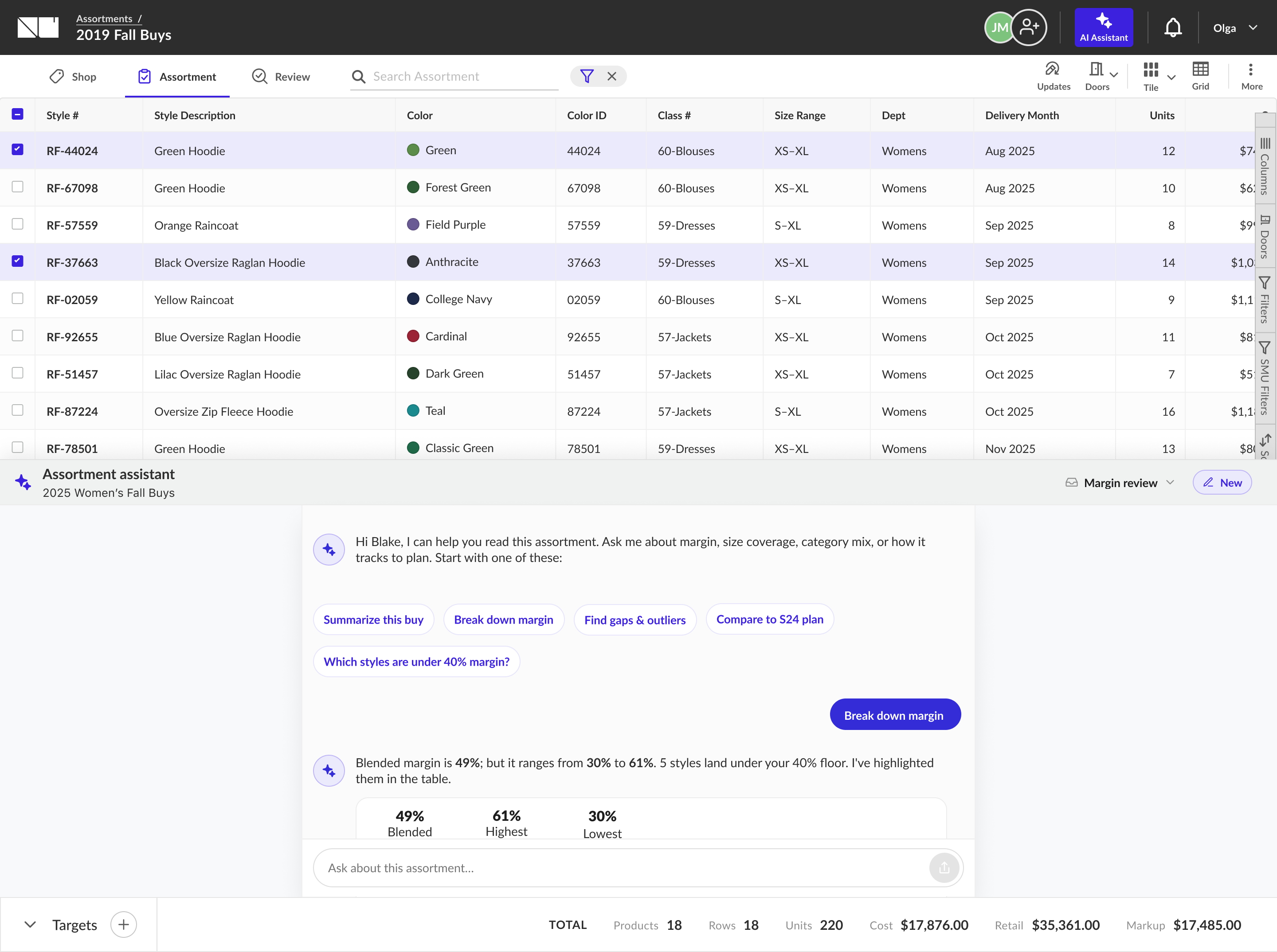
Before designing a creation workflow, the first step was to make AI useful in the place buyers already spent their time: inside an existing assortment. The AI Assistant shipped as an analysis layer embedded in the assortment page, working on any assortment, whether a buyer built it manually, copied it from a previous season, or imported it from a template.
The assistant didn't make decisions. It helped buyers see things that are hard to see in a grid of 80 products, and gave them a starting point for improving what they had.
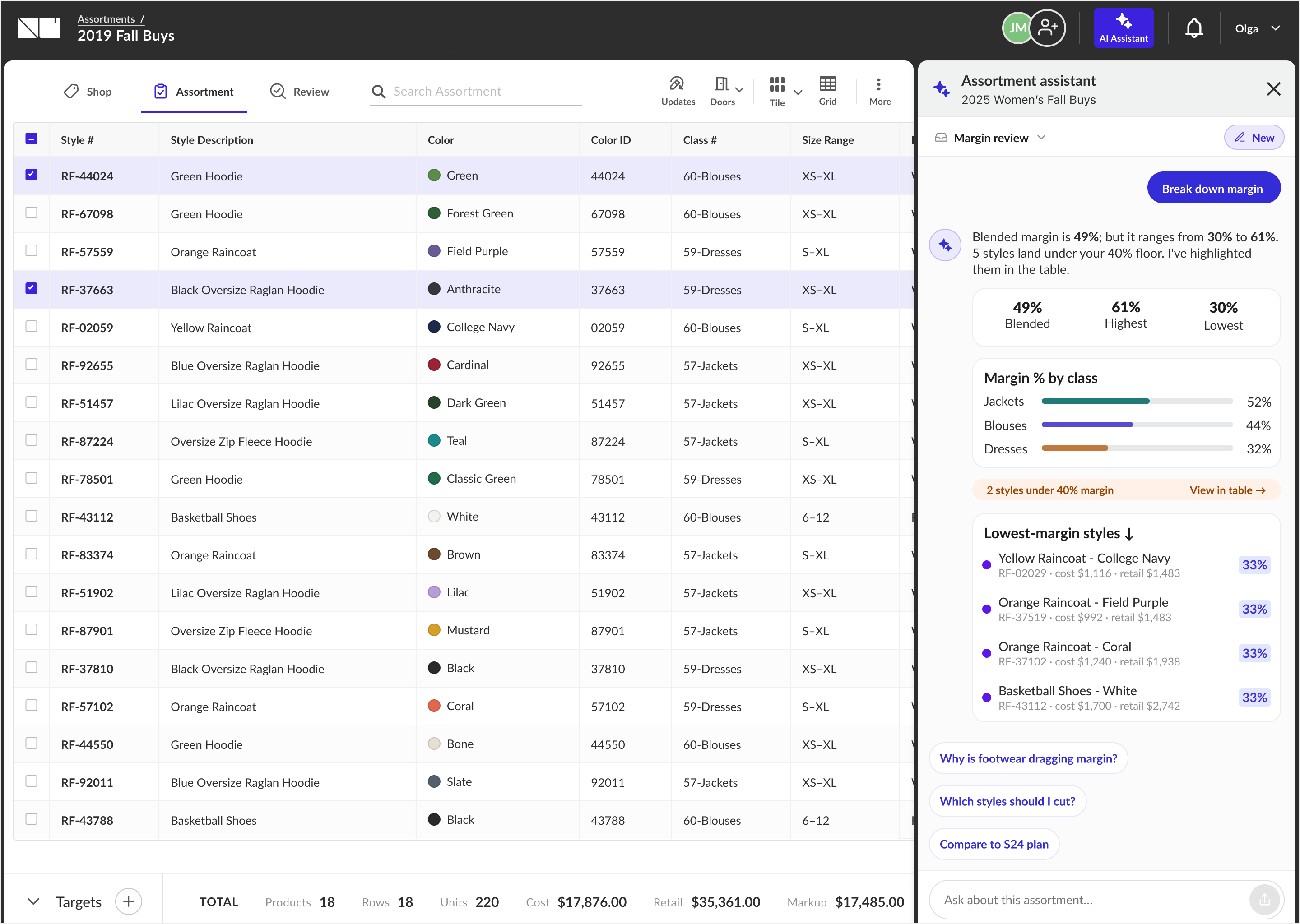
The assistant sits alongside the assortment grid. Answers reference the buyer's live data. Here, a margin breakdown that flags the styles under the 40% floor and ranks the lowest-margin ones with follow-up questions to keep going.
Questions buyers could finally ask in place.
A blank chat box is intimidating in a brand-new paradigm, so the default state opens with a greeting and suggested questions - showing buyers what the assistant can do and giving them a confident first move. From there I explored how an answer should feel: scannable findings grounded in the live buy, not a wall of text.
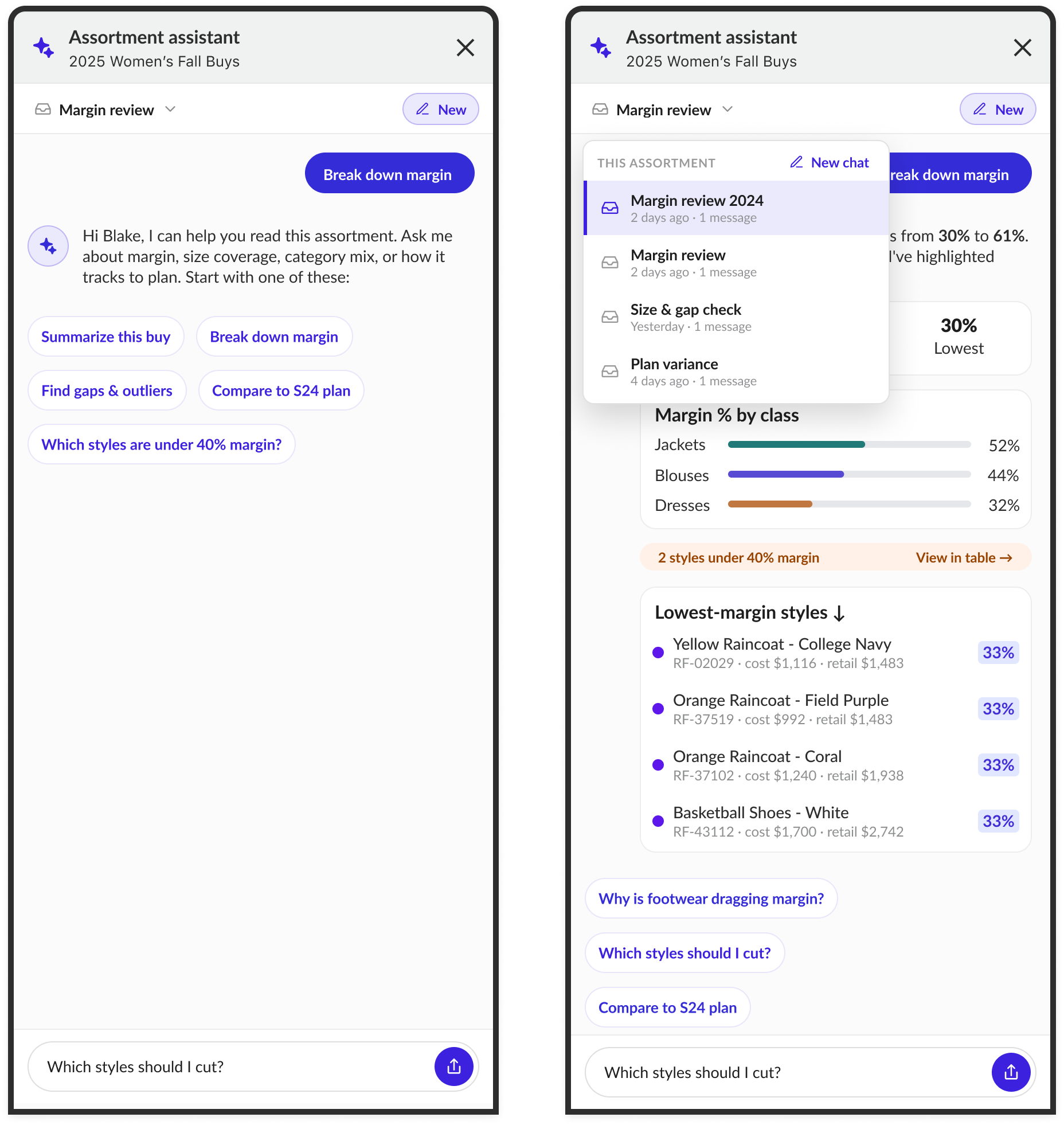
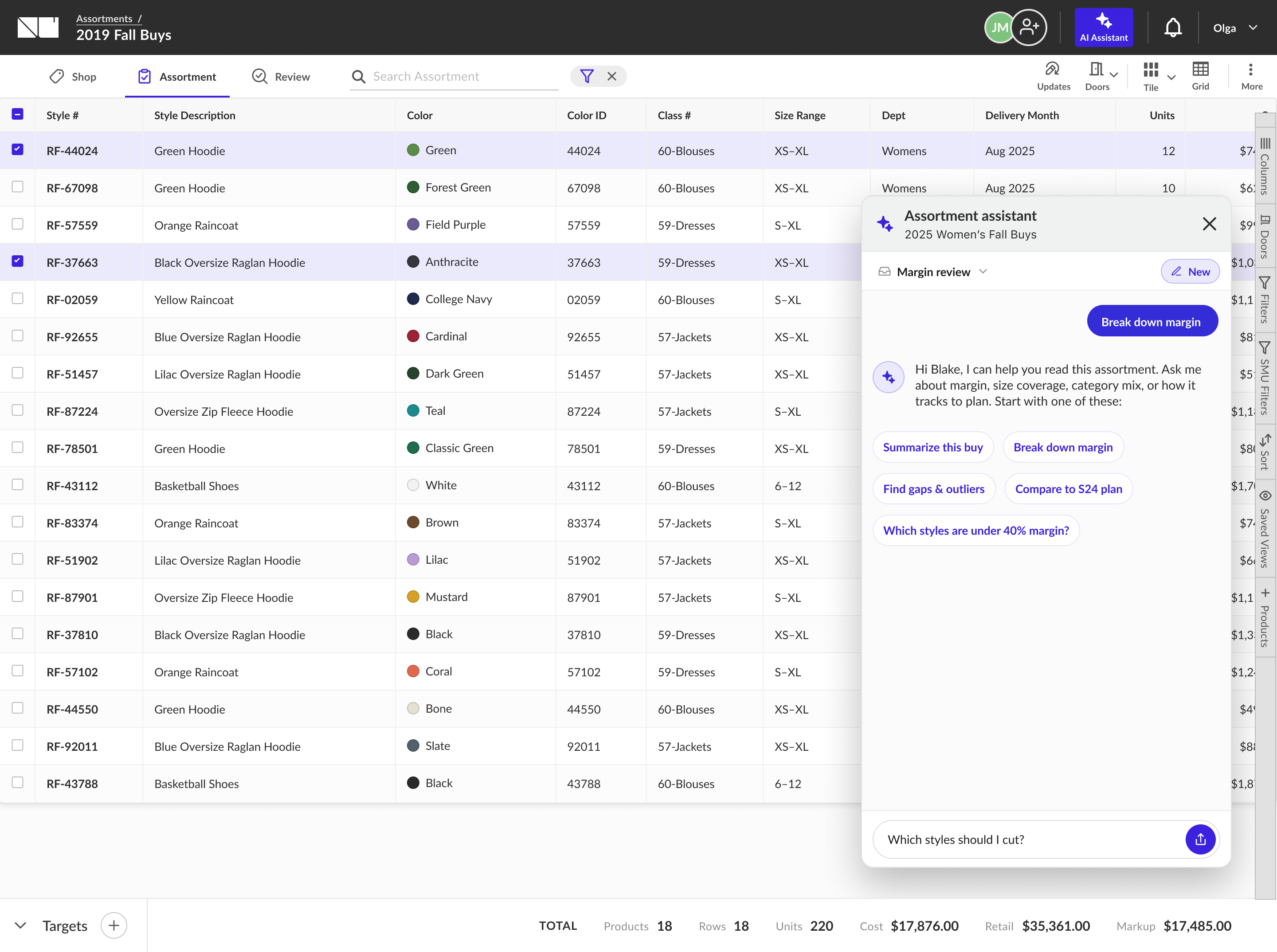
Because the assistant has to answer about the grid the buyer is looking at, I tested two placements against the live assortment - weighing how much of the buy stays in view while a buyer asks, and how a flagged answer can point straight back into the table.
From a blank grid to a first draft.
The next step was to extend the AI experience earlier in the journey - into the moment before an assortment exists at all. Instead of starting from a blank grid and analysing it afterward, the wizard gives the buyer a first draft. A short set of questions, each one giving the assistant the context it needs to generate a relevant recommendation.
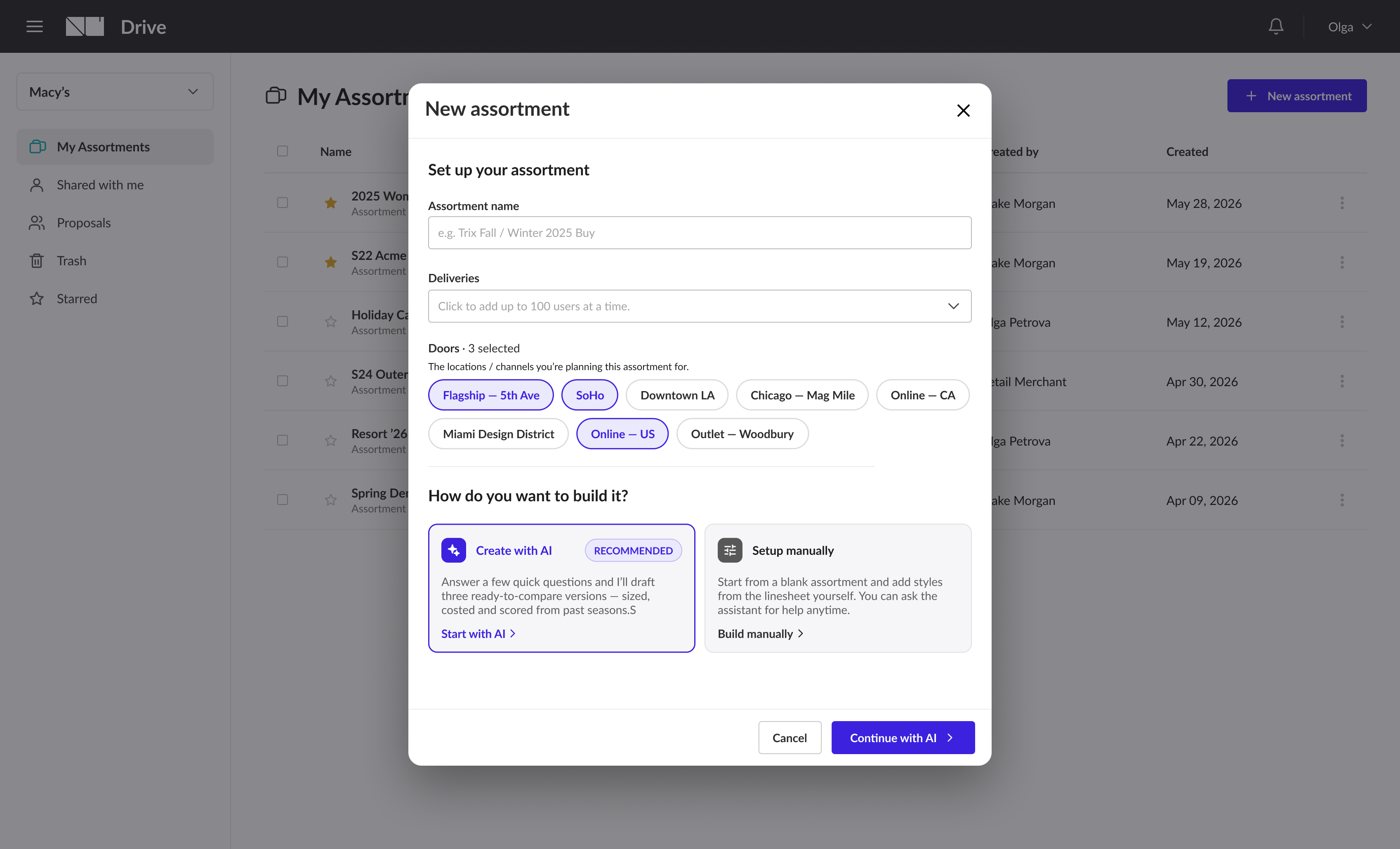
The buyer names the assortment, selects deliveries, and chooses doors. The AI path is positioned as the faster route, not the only route - buyers who already know exactly what they want can skip the wizard entirely.
Five questions, each narrowing the draft.
Every answer hands the assistant another piece of context - so the recommendation it returns is focused, not generic.
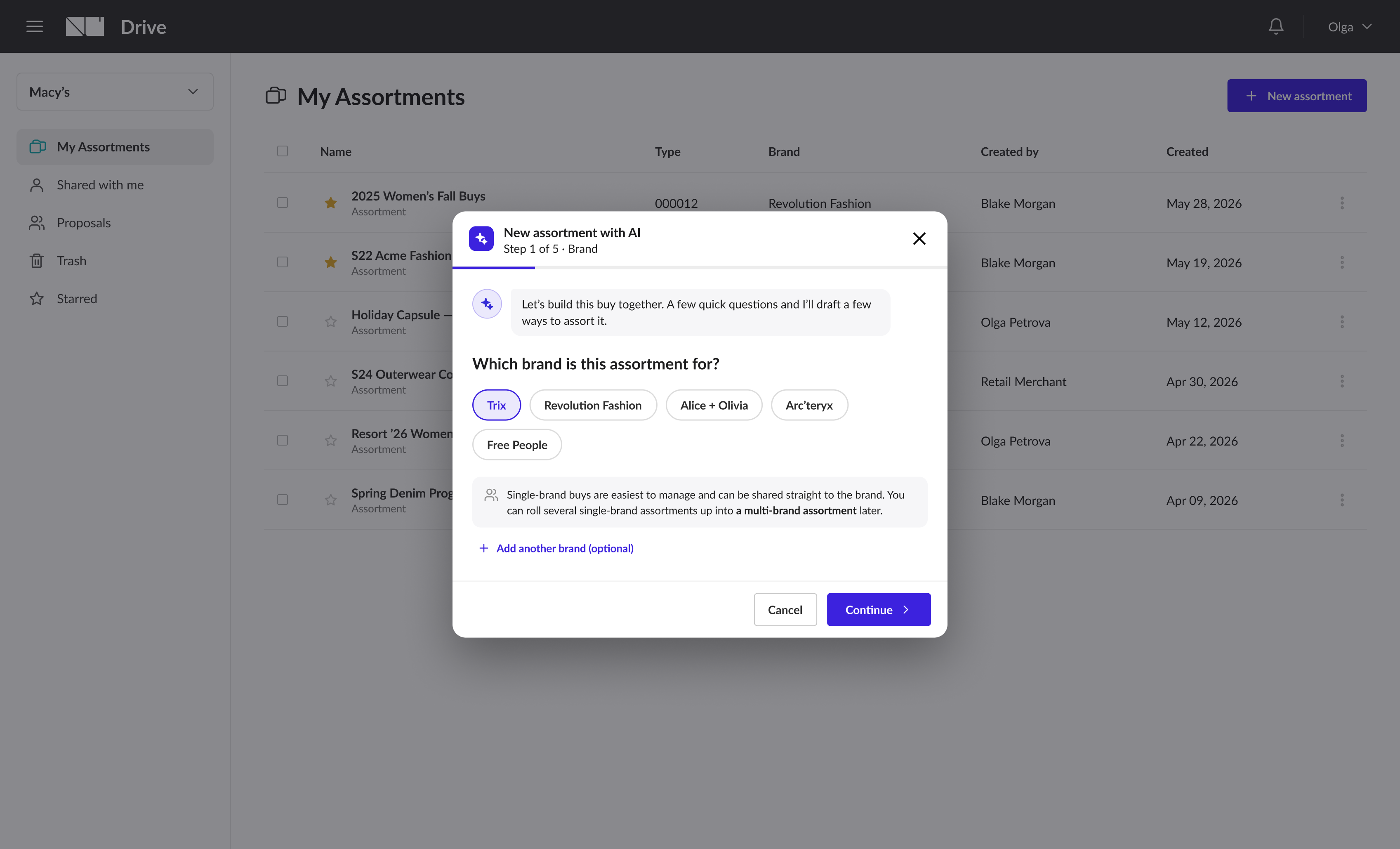
Single-brand buys are recommended - they can be shared directly back to the brand partner via Order Intent.
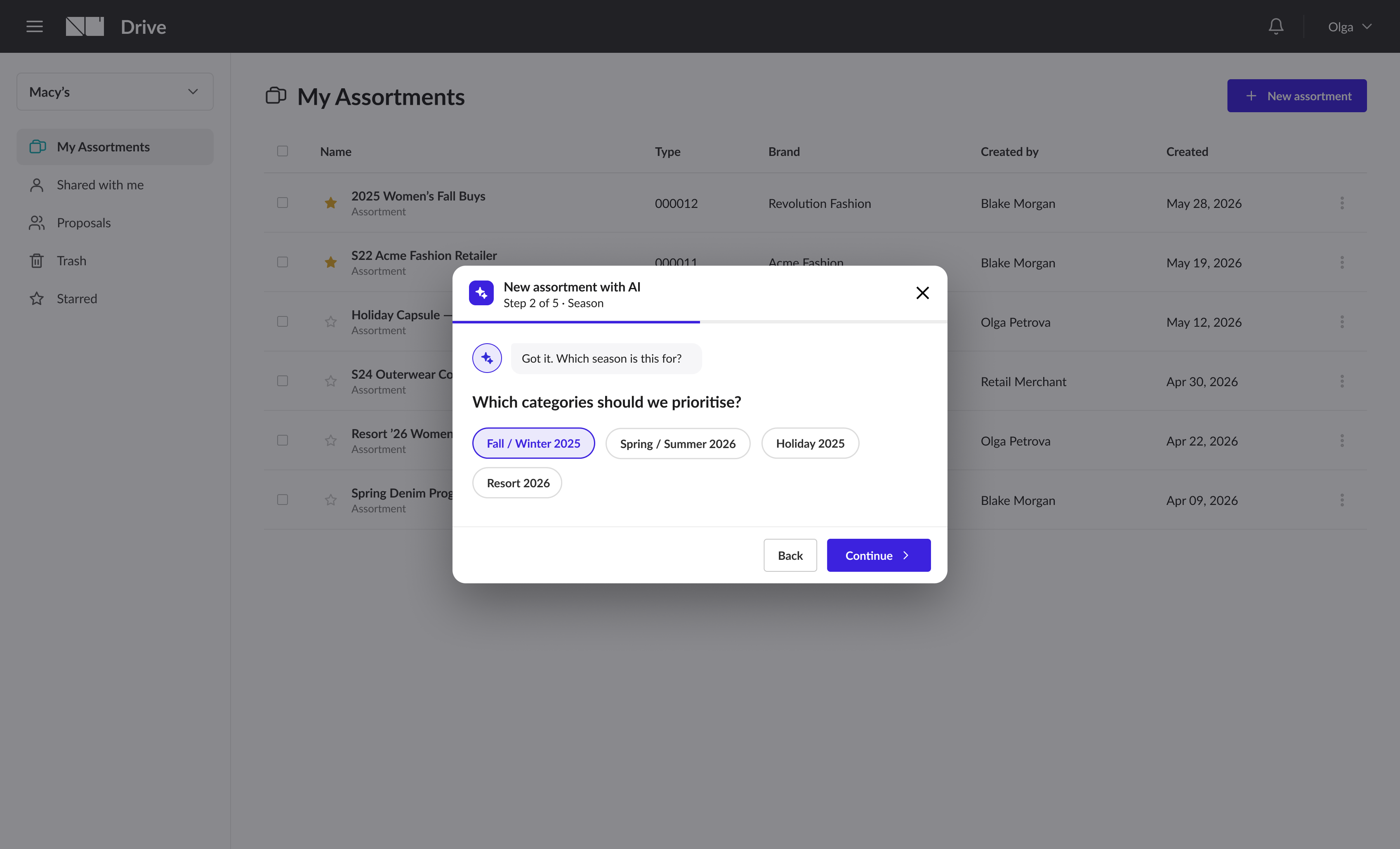
Seasonal context narrows the product universe to what's relevant, so the assistant isn't pulling from the full catalog.
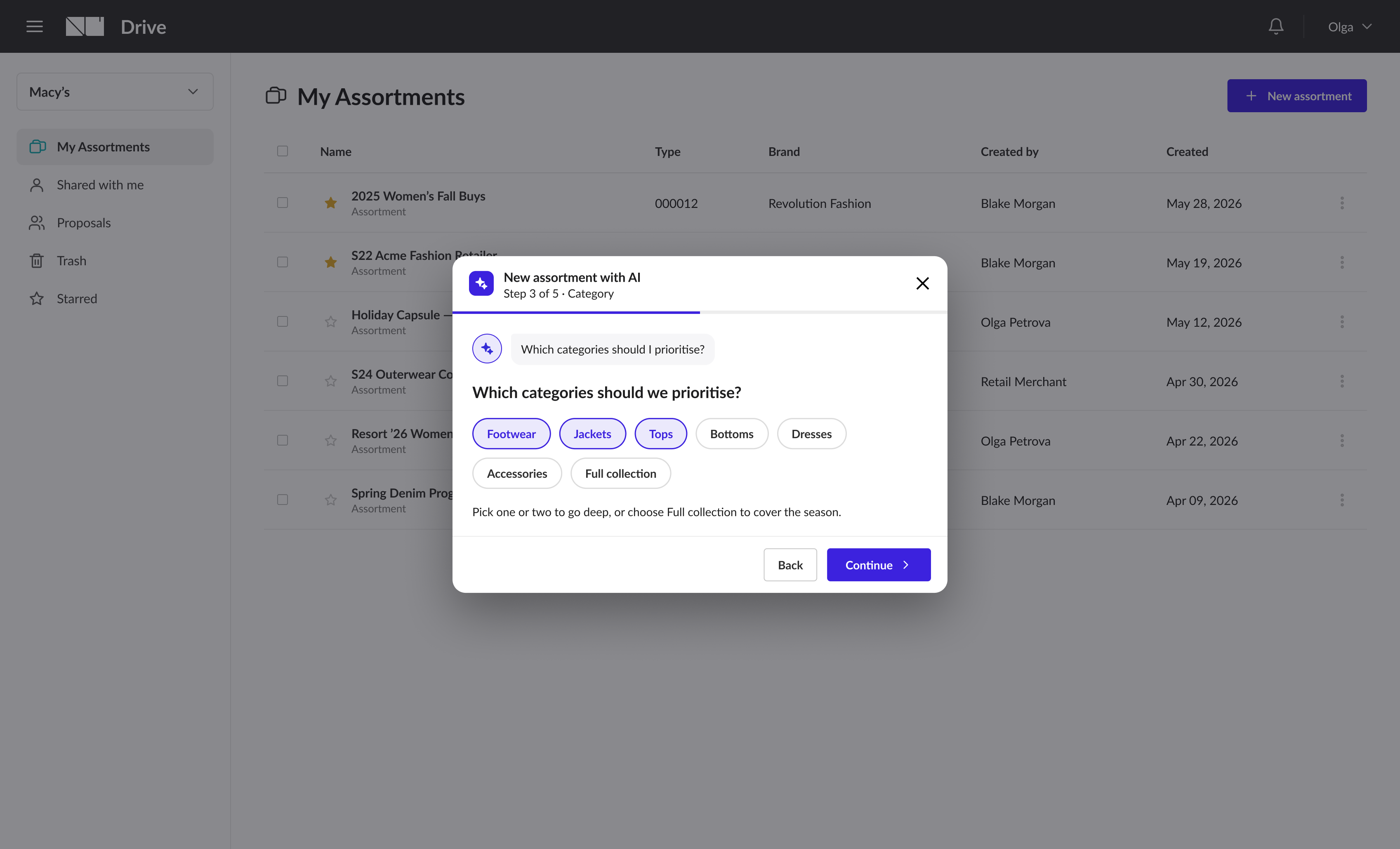
A multi-select. The more specific the buyer, the more focused the output - or pick Full collection to cover the season.
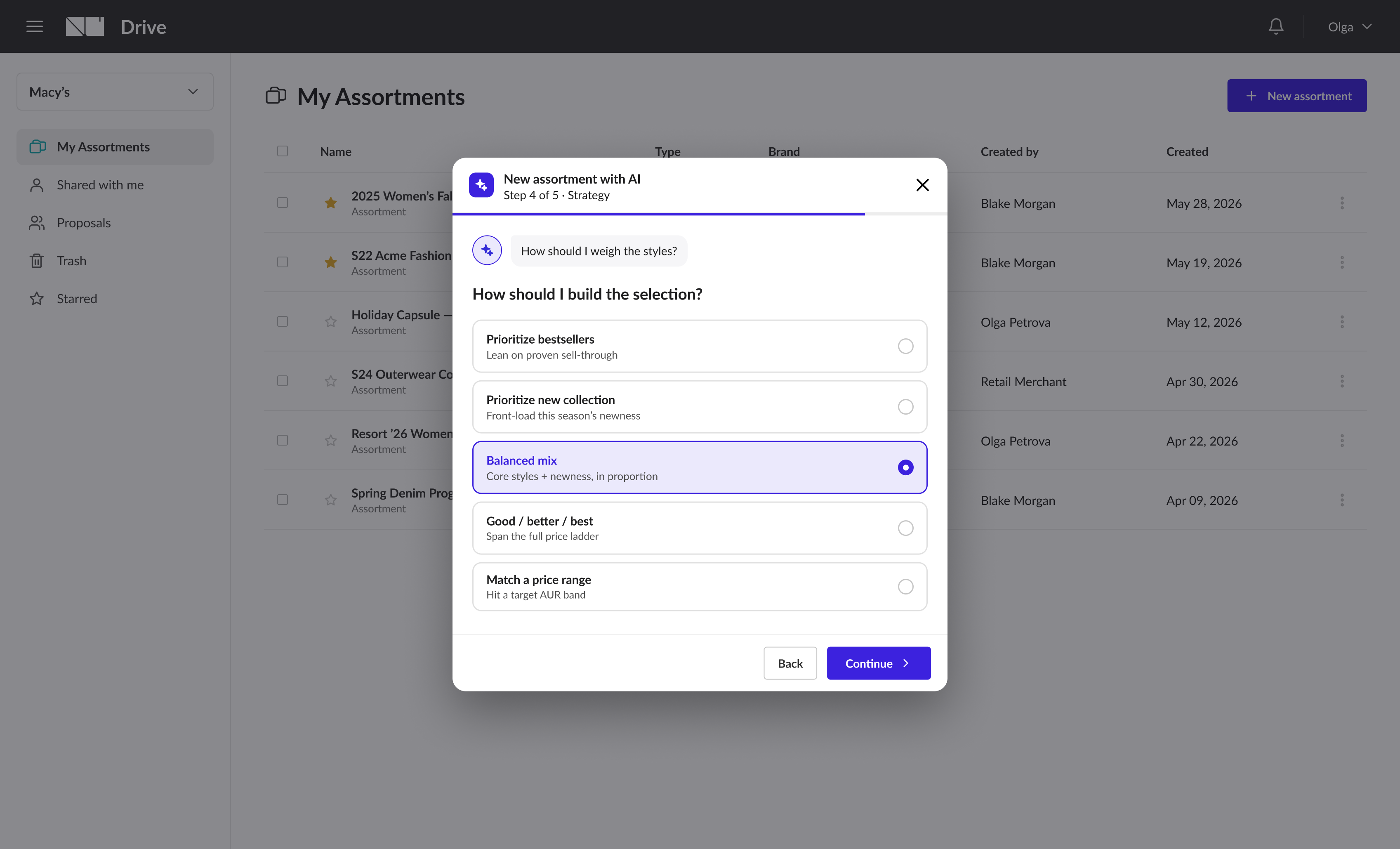
One consolidated question - how should this assortment be built? One answer, clear intent.
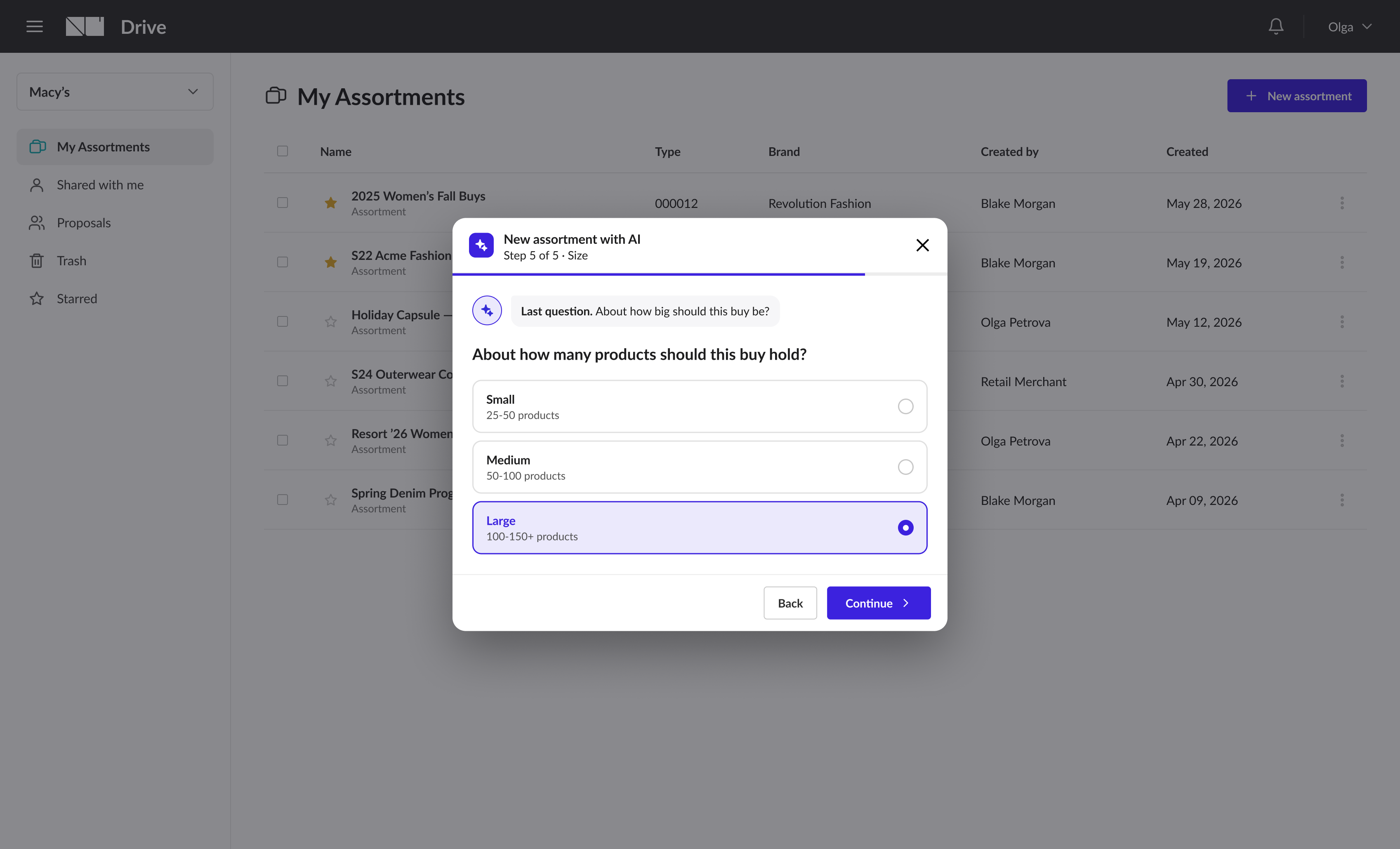
Small, Medium, or Large. This gives the assistant a target and prevents over-generating - a common way AI tools erode buyer trust.
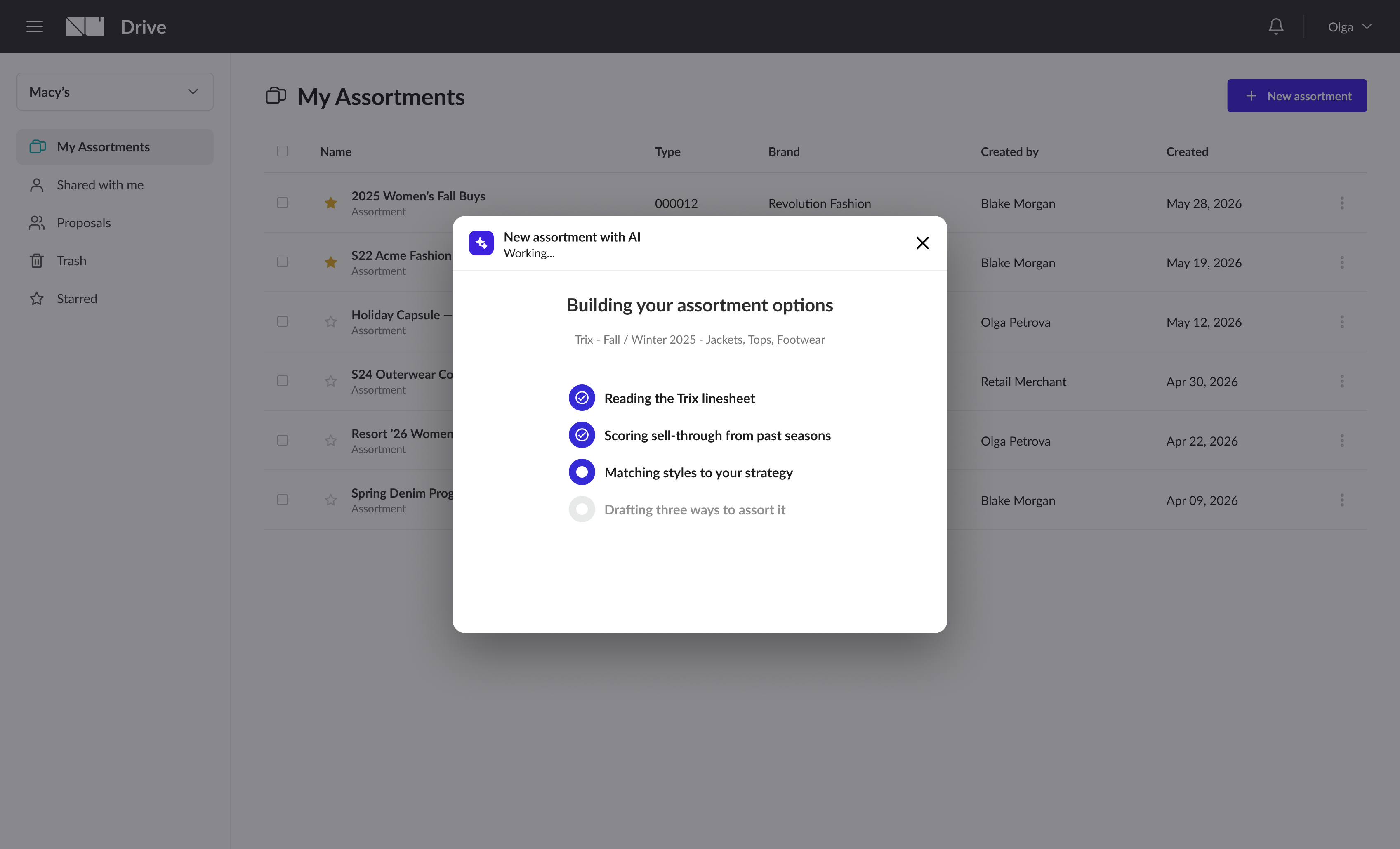
Before results appear, a loading screen shows what the assistant is doing. Trust starts with understanding what produced the output.
Three ways to assort the buy - not one answer.
Rather than returning a single take-it-or-leave-it result, the assistant presents three versions to compare - each sized, costed, and scored from past seasons, with a side-by-side table. It leads with a recommendation, but the buyer picks whichever fits.
Newness, proven, coverage
Proven sellers anchor the volume, newness keeps the floor current, and core carryover closes coverage gaps. The dependable choice for a full seasonal assortment.
Fresh, fashion-forward floor
Front-loads this season's new collection, leaner and higher-AUR. Best for trend-led doors and early-season drops.
The safe, commercial buy
Weighted to styles with the strongest historical sell-through. Best for high-volume doors and reorders.
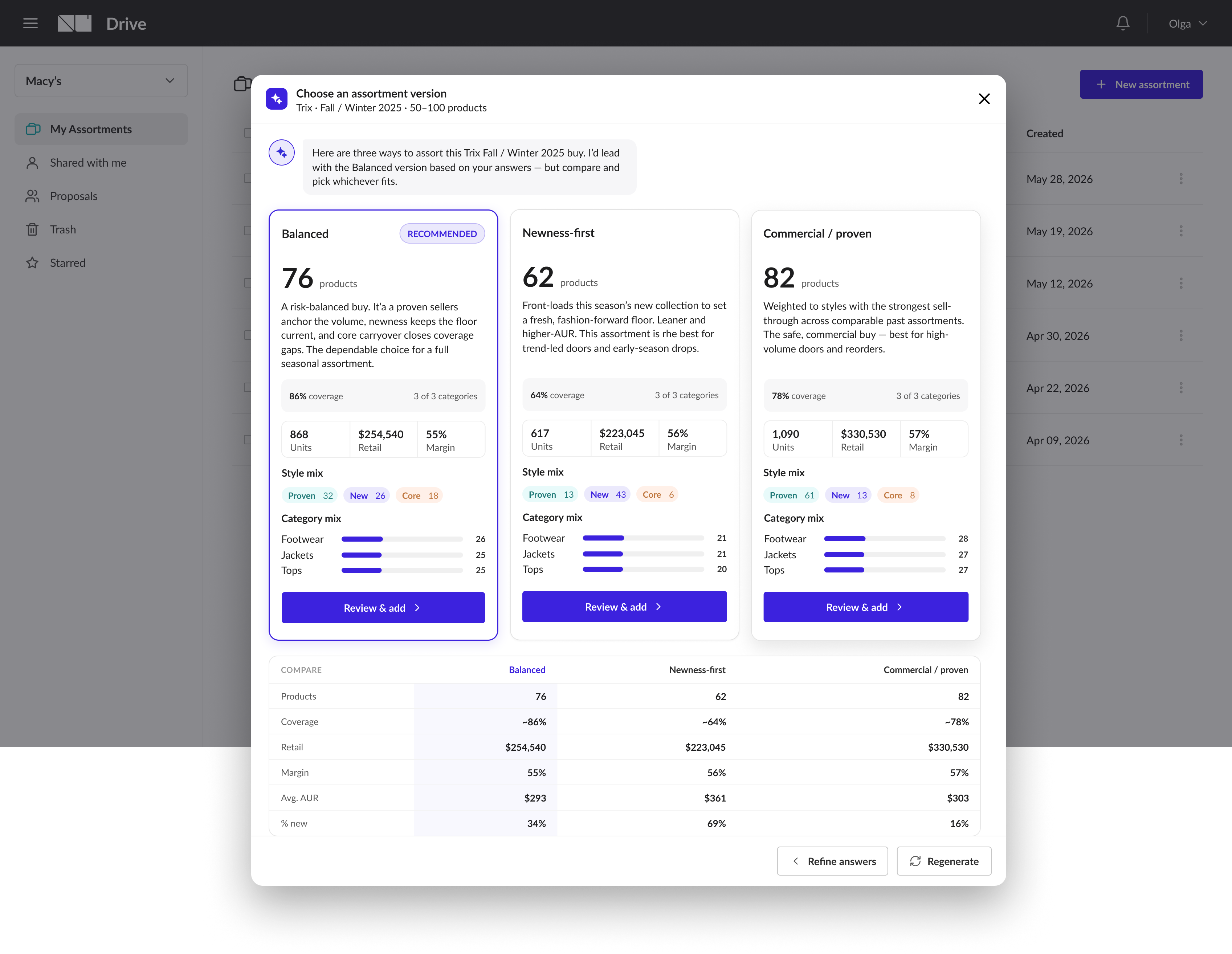
Each option carries the numbers a buyer reasons with, coverage, units, retail, margin, AUR, % new, and a compare table puts them side by side. The assistant has proposed; the buyer decides.
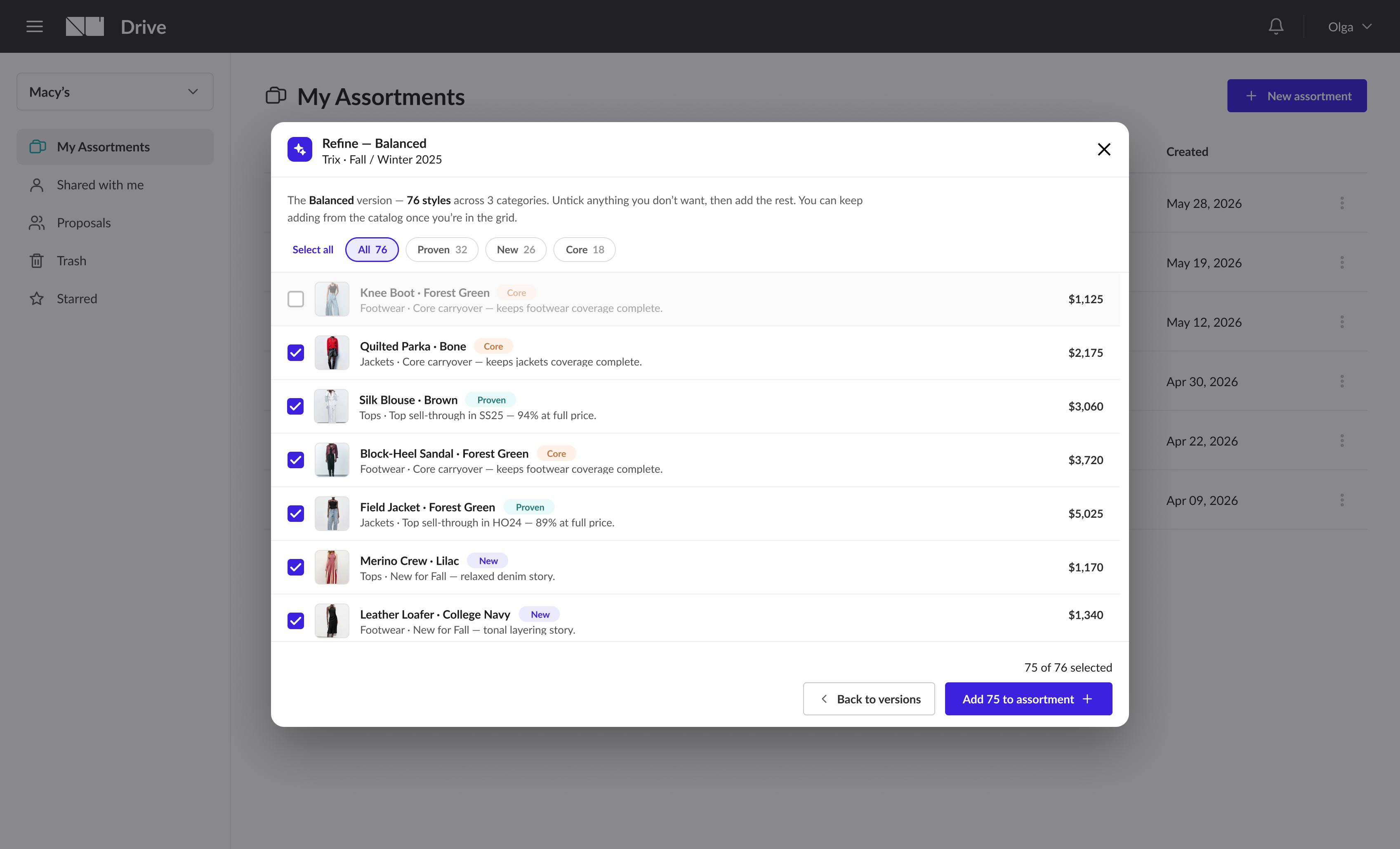
Nothing is added until the buyer says so.
Before anything lands in the assortment, the buyer reviews the full suggested product list. They can select all, untick individual styles, check the category distribution, and confirm.
This step preserves the principle that runs through the entire experience: the assistant generates a starting point; the buyer makes the call.
"The wizard creates the first draft. The assistant continues the work."
Once confirmed, the buyer lands on the assortment page with the AI Assistant already open and a dismissible banner explaining what was created. From here they're inside the analysis experience that shipped in Phase 1. So, no context switch, no starting over.
The analysis assistant
Helps buyers understand assortments they already have, category mix, gaps, new vs proven, what to remove. Established as a trusted tool before anything more consequential.
The creation wizard
Helps buyers generate a strong first draft faster. When it completes, it hands off directly to the assistant, which is already open, already grounded in the new assortment.
The summary banner names the recommendation used, the styles added, category coverage, and the balance of new versus proven - and the assistant is open right beside it, so the buyer keeps the conversation going without moving.
The concept is built. Now we validate it.
The concept is complete and the screens are built. User research is underway with retail buyers to validate the wizard flow, test the three-option recommendation model, and understand how buyers want to interact with the assistant after the initial assortment is created.
"Designing for AI means designing for trust - and trust is built incrementally."
Shipping the assistant as an analysis tool before building the creation wizard wasn't a compromise - it was the right sequence. Buyers who'd already used it to understand an existing assortment were in a far better position to trust it when asked to generate one from scratch.
Sequence builds trust
Analysis first, creation second. Each phase shipped with real value, and the second landed on a foundation buyers already trusted.
One question beats two
Consolidating type and strategy into a single Direction step was a small decision with an outsized impact on how the wizard feels. When two questions ask the same thing, ask one.
Reduce uncertainty, don't maximise automation
The loading screen, three options instead of one, the review step, the assistant that stays open - each gave buyers enough visibility and control to make the AI a collaborator, not a black box.