Work / Case study 02
NuORDER · 2023–2024 · In useOrder Intent × NuORDER Assortments
Every season, enterprise retail buyers finish building their assortment plan in NuORDER - then export it and email it to brands, who re-enter it by hand. Order Intent made that handoff disappear.
The full scope at a glance - the Order Intent flow and the design-system and accessibility work underneath. Browse it here, or read the full story below.
A seasonal plan, trapped behind a manual handoff.
Retail buyers at department stores like Macy's and Nordstrom build detailed seasonal assortment plans in NuORDER Assortments: products, stores, quantities, and visual merchandising, all mapped out.
Then the workflow fell off a cliff. They extracted the plan, exported it to a spreadsheet, and emailed it to each brand. Brands re-keyed every line into their own platform by hand. This process is slow, error-prone, and disconnected from the live catalog. Order Intent replaced that gap with a direct, structured connection.
Connecting Assortments to the brand platform.
NuORDER ran two separate products serving opposite sides of wholesale buying. Both built independently, with no connection between them. Order Intent was the bridge.
NuORDER B2B brand platform
Brands like Adidas, Nike, and New Balance manage their product catalogs and receive purchase orders from retail partners.
NuORDER Assortments
Retailers like Macy's, Nordstrom, and Target plan store floors each season. They decide which products go to which locations, in what quantities, with what merchandising.
Built into the workflow buyers already knew.
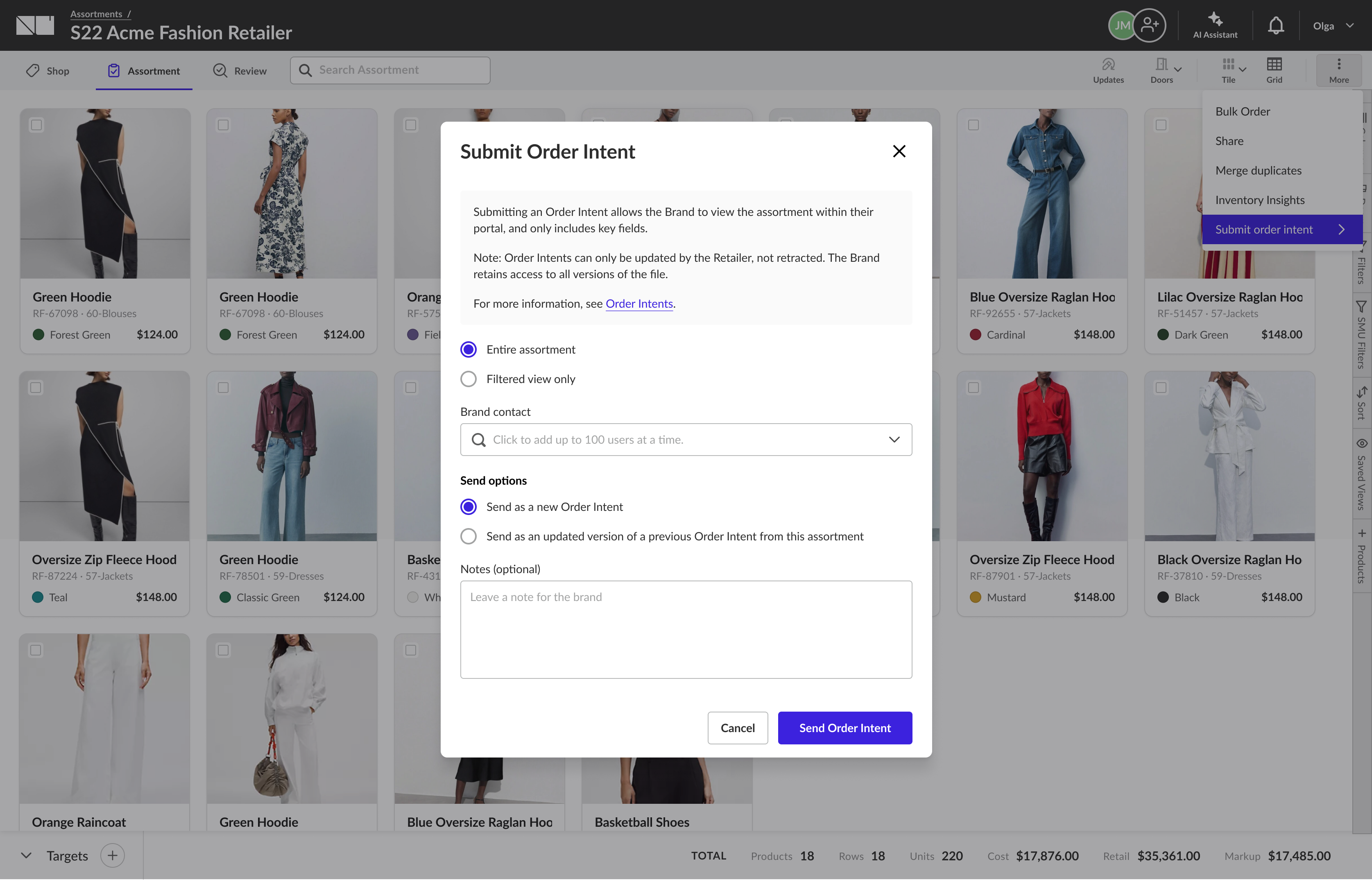
The whole interaction lives inside the assortment a buyer is already working in. "Submit order intent" sits in the assortment action menu (shown above) - no new tool, no export step, no new workflow to learn. From there, three decisions shape what the brand receives.
Entry point
"Submit order intent" lives in the assortment action menu. No new workflow to learn.
Scope control
The buyer chooses to send the entire assortment, or a filtered view only.
Version tracking
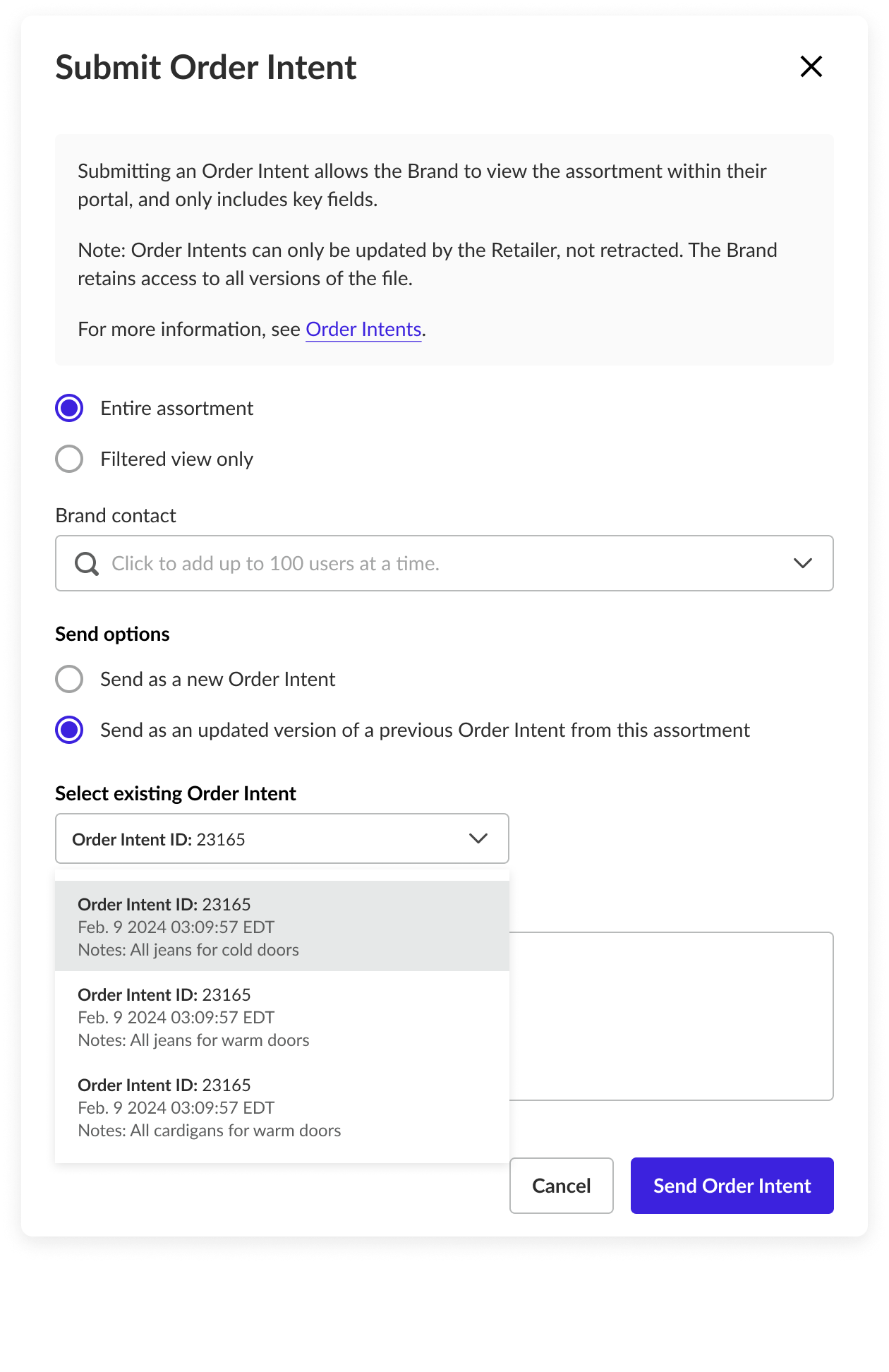
Send as a new intent, or update a previously shared version from this assortment.
Submitting an Order Intent lets the brand view the assortment inside their own portal, including only the key fields. Intents can be updated by the retailer but not retracted - and the brand keeps access to every version.
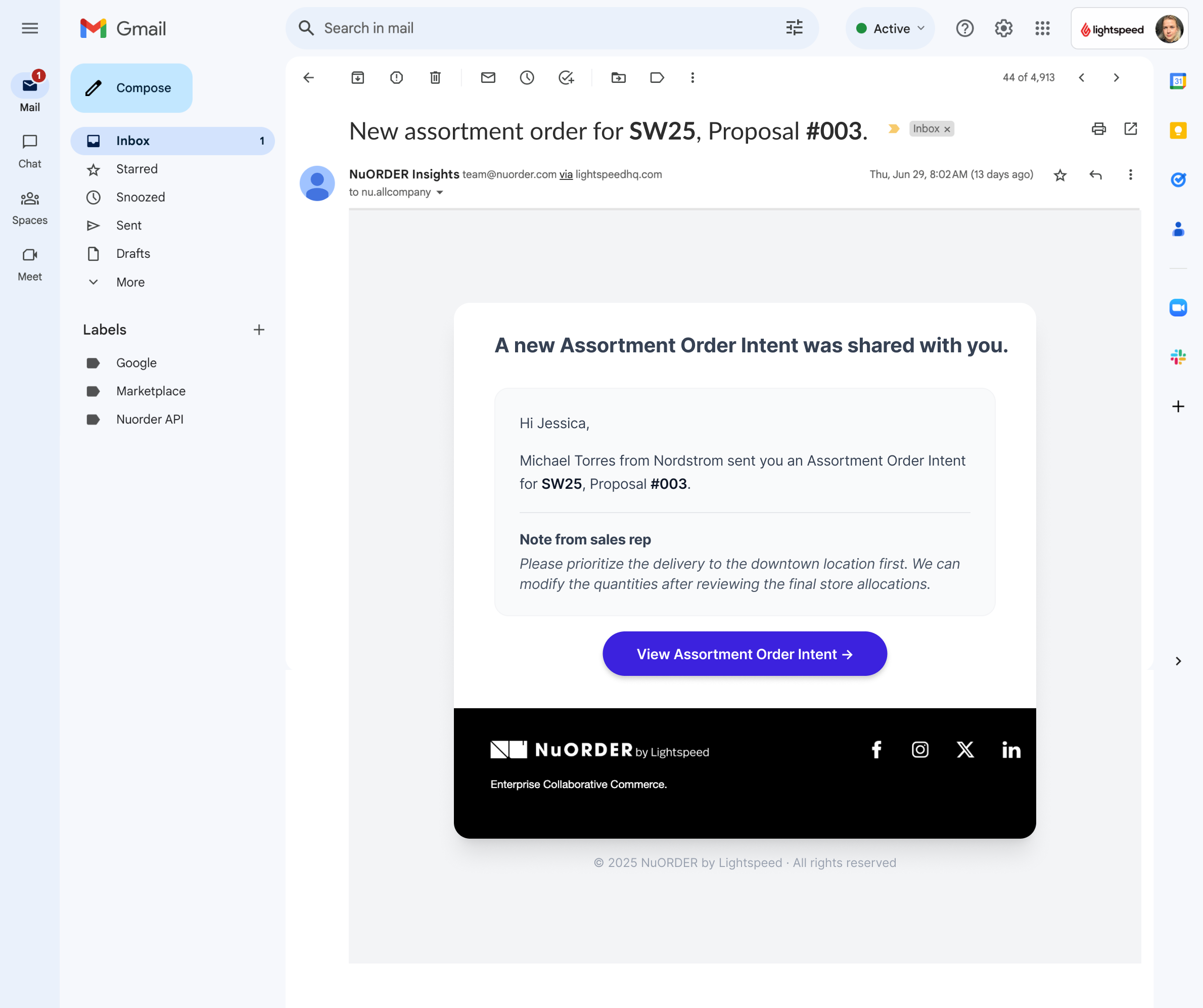
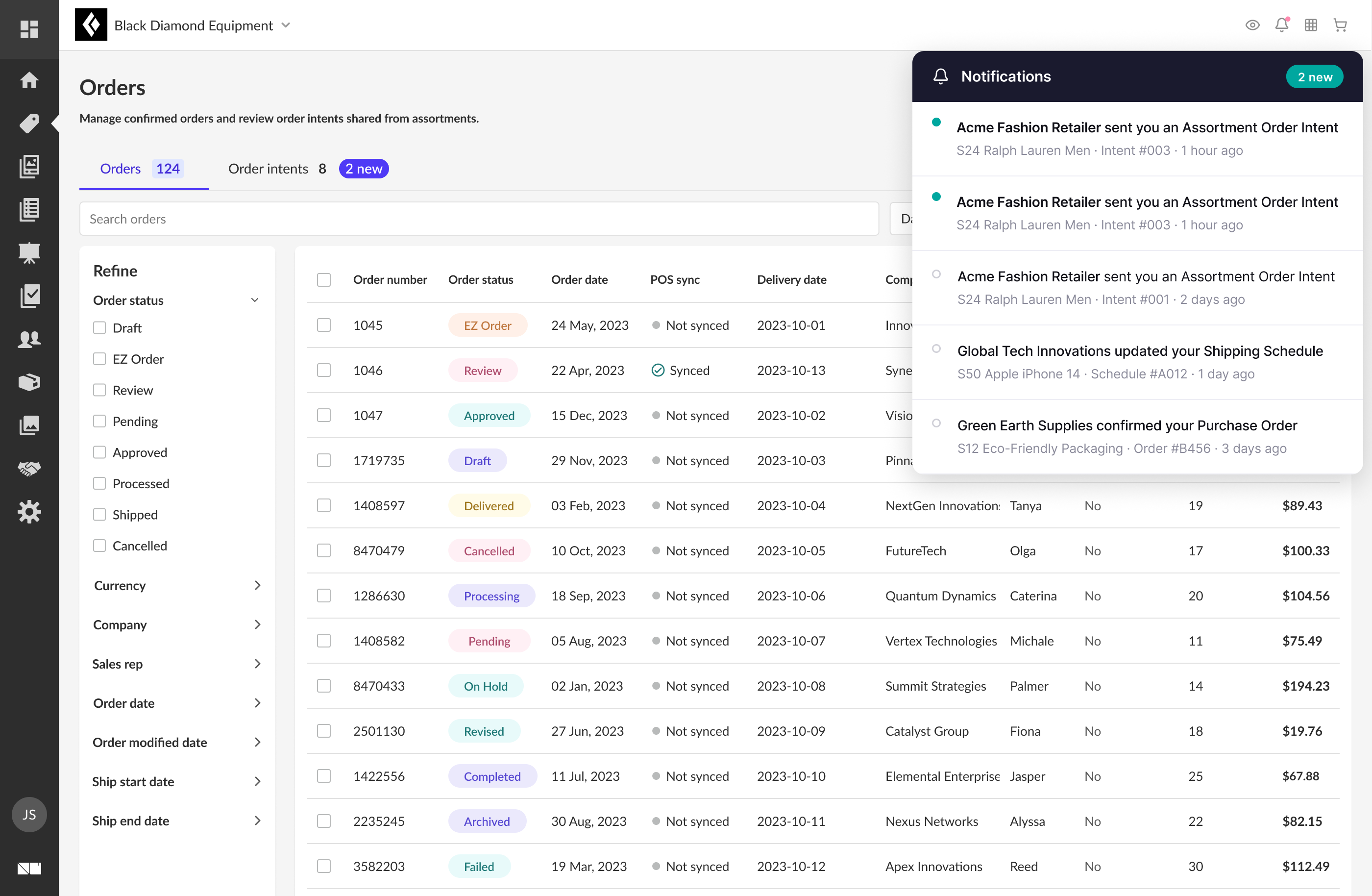
The brand is notified the moment intent is sent.
Brand reps are notified the moment a retailer sends an Order Intent - by email and inside the platform. Both channels carry the same key context: who sent it, which assortment, and a direct link to view it.
One source of truth, every version preserved.
On the brand side, the rep opens the intent, previews the assortment, and assigns ship dates - working directly against the order, not a spreadsheet attachment.
Because retailers can revise and resend, brands can see the full history of updates and always know exactly which version they're looking at.
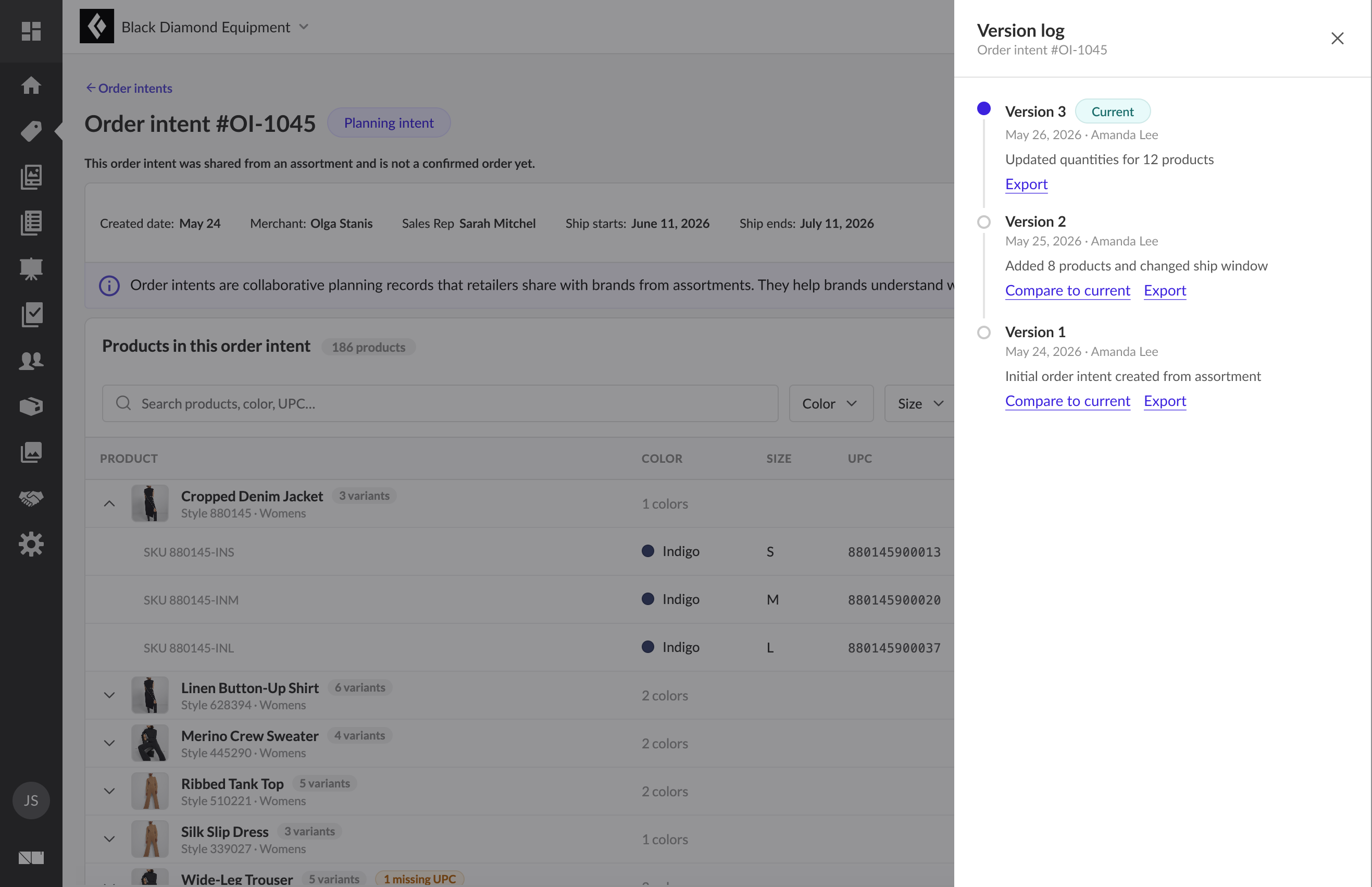
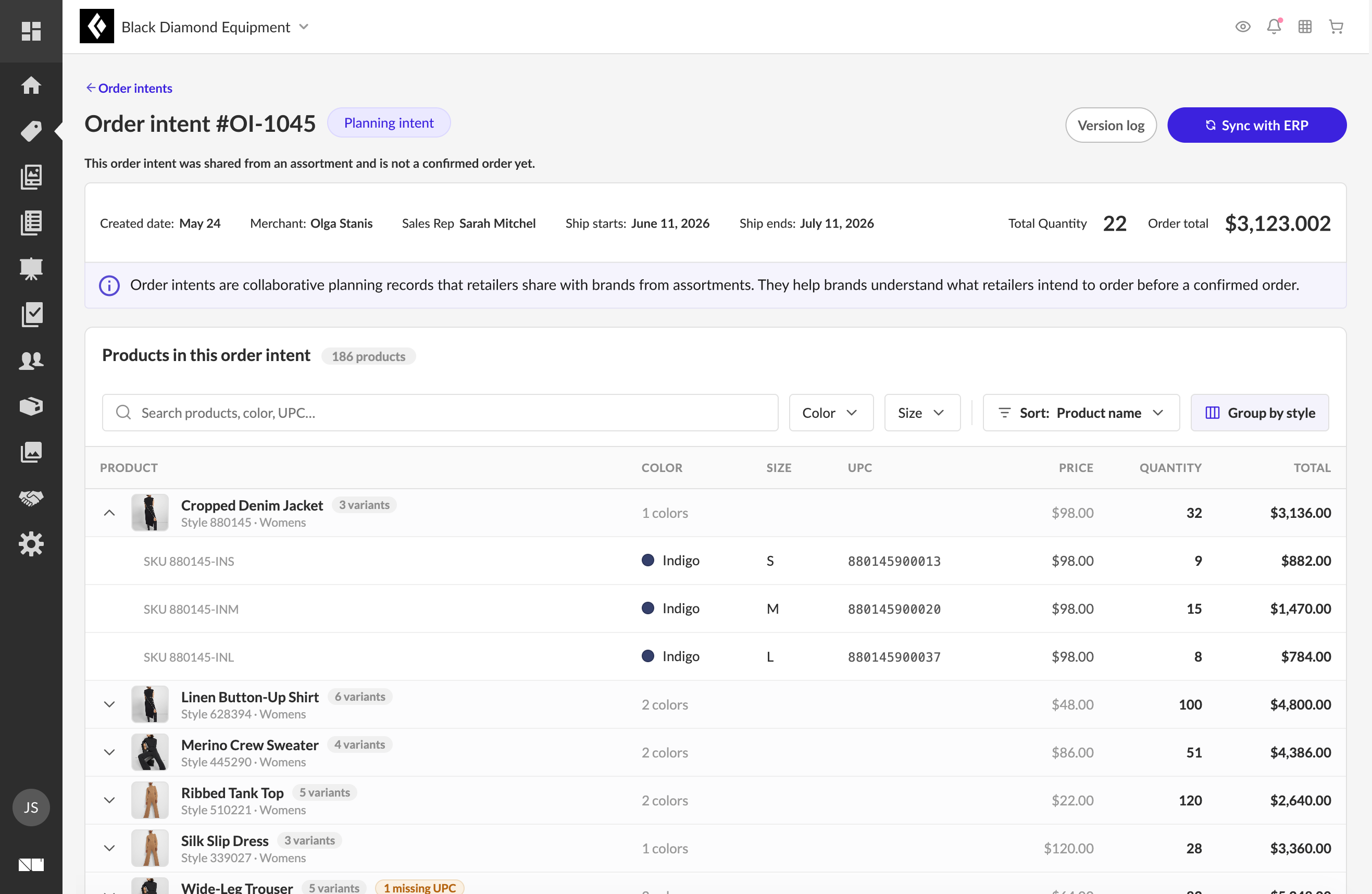
The brand opens the intent to a full preview - merchant, buyer, rep, totals, and every line with color, size, UPC, price, and quantity - with a version tag and a direct path to assign ship dates and export.
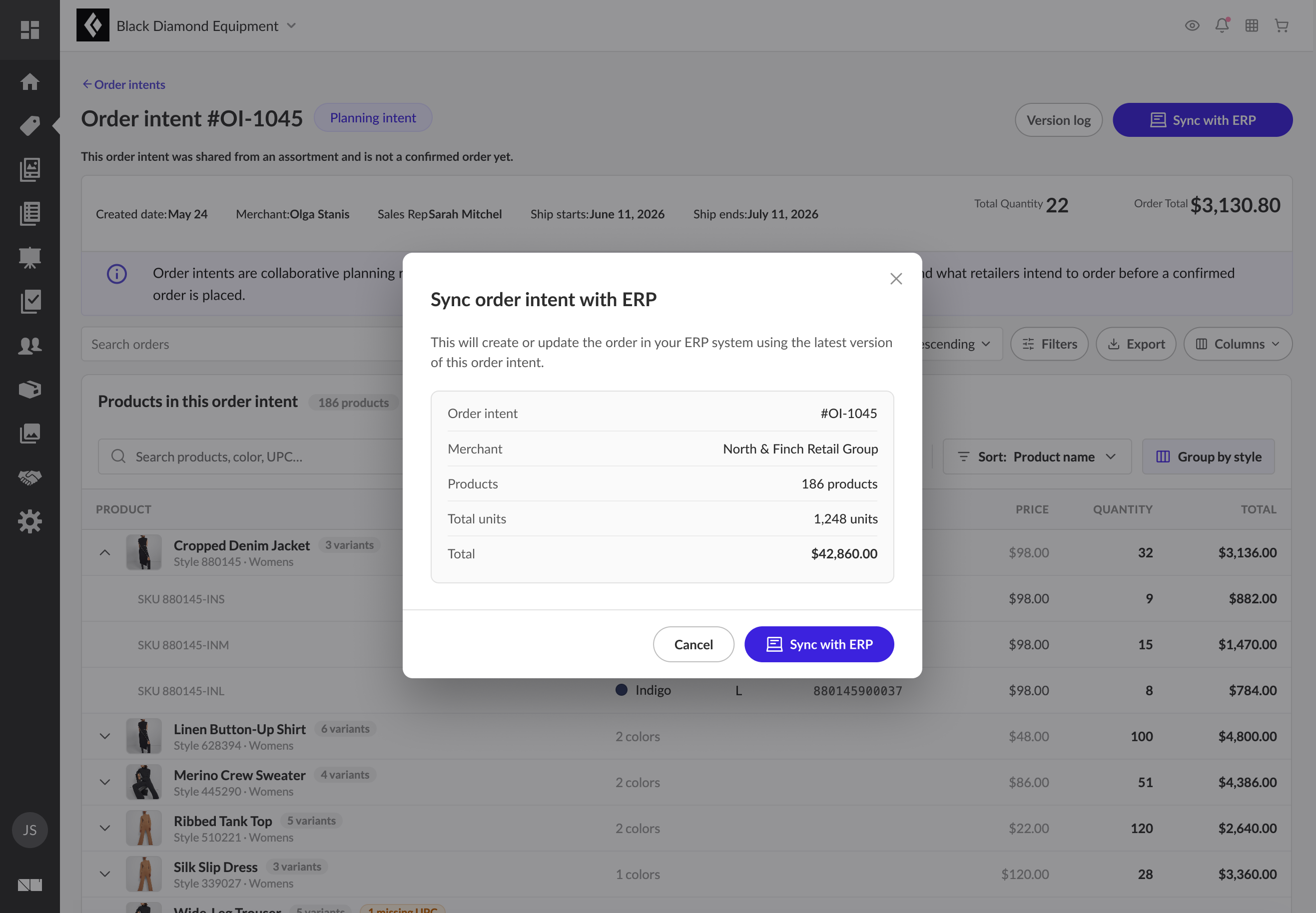
From the same detail view, the brand syncs the intent straight into their ERP - creating or updating the order from the latest version, with every line carried across. The handoff that used to mean re-keying a spreadsheet becomes a single confirm step.
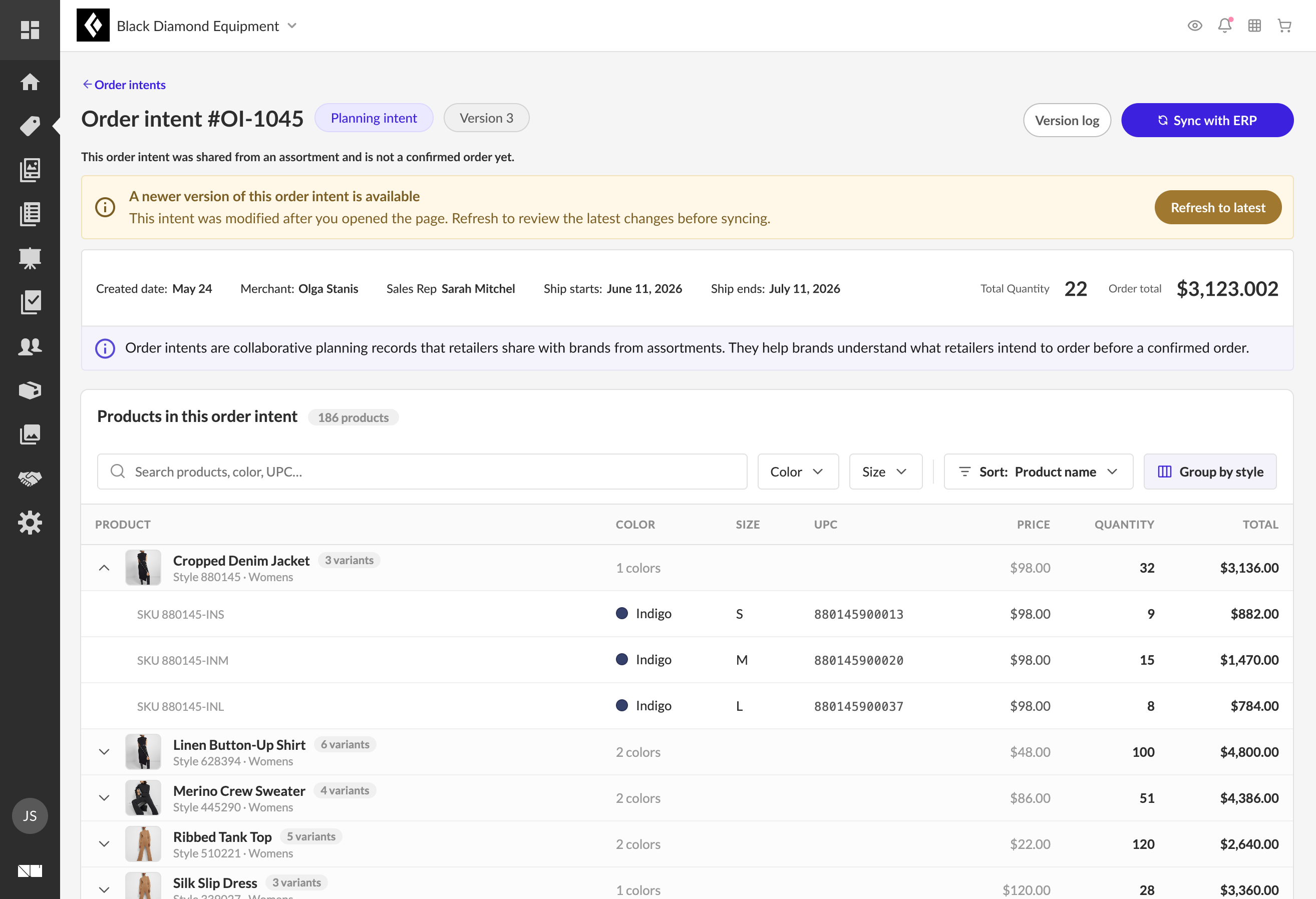
Because retailers can revise and resend at any time, the page a rep opened can go stale mid-review. When a newer version lands, a banner surfaces it in place - and steers them to Refresh to latest before they sync or export, so a confirmed order is never built from an outdated intent.
"This linkage is what separates Order Intent from a spreadsheet attachment."
The products in an Order Intent are referenced, not copied. When a brand rep clicks through, they're looking at their own catalog data - not a retailer's interpretation of it.
From the Order Intent
Linked in the brand catalog
Retailer quantities map to the brand's own SKU structure - sizes and colors matched to brand variants. Clicking a product opens the actual catalog entry.
Brand Assortment Proposals - the other direction.
Order Intent let retailers send purchase intent to brands. Brand Assortment Proposals completed the reverse: brands like Ralph Lauren can now send a seasonal proposal directly to their retail partners - Macy's and Bloomingdale's - giving buyers a ready-made starting point for their planning.
The result: a genuinely two-way collaboration channel between brands and retailers, built on the same infrastructure as Order Intent.
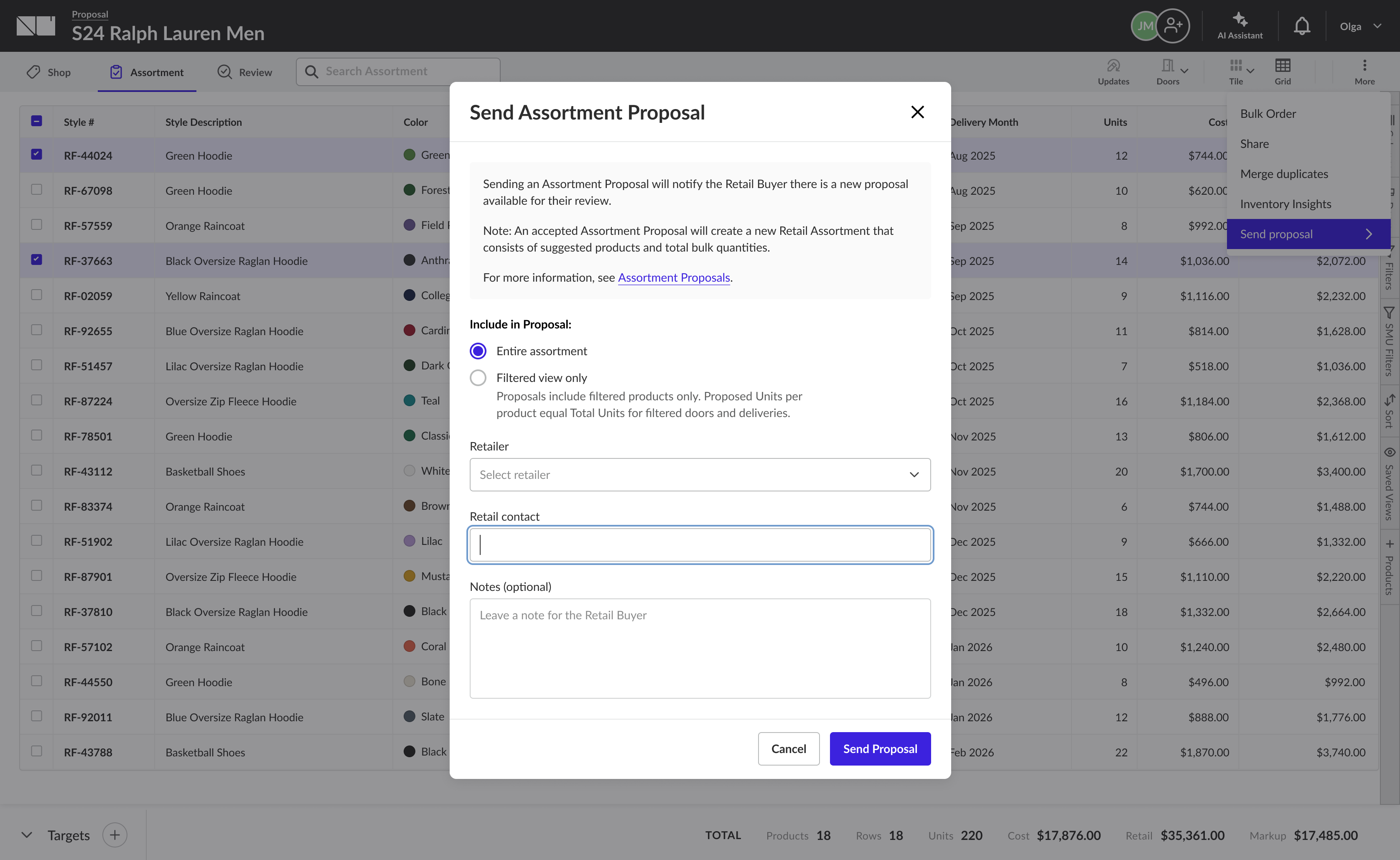
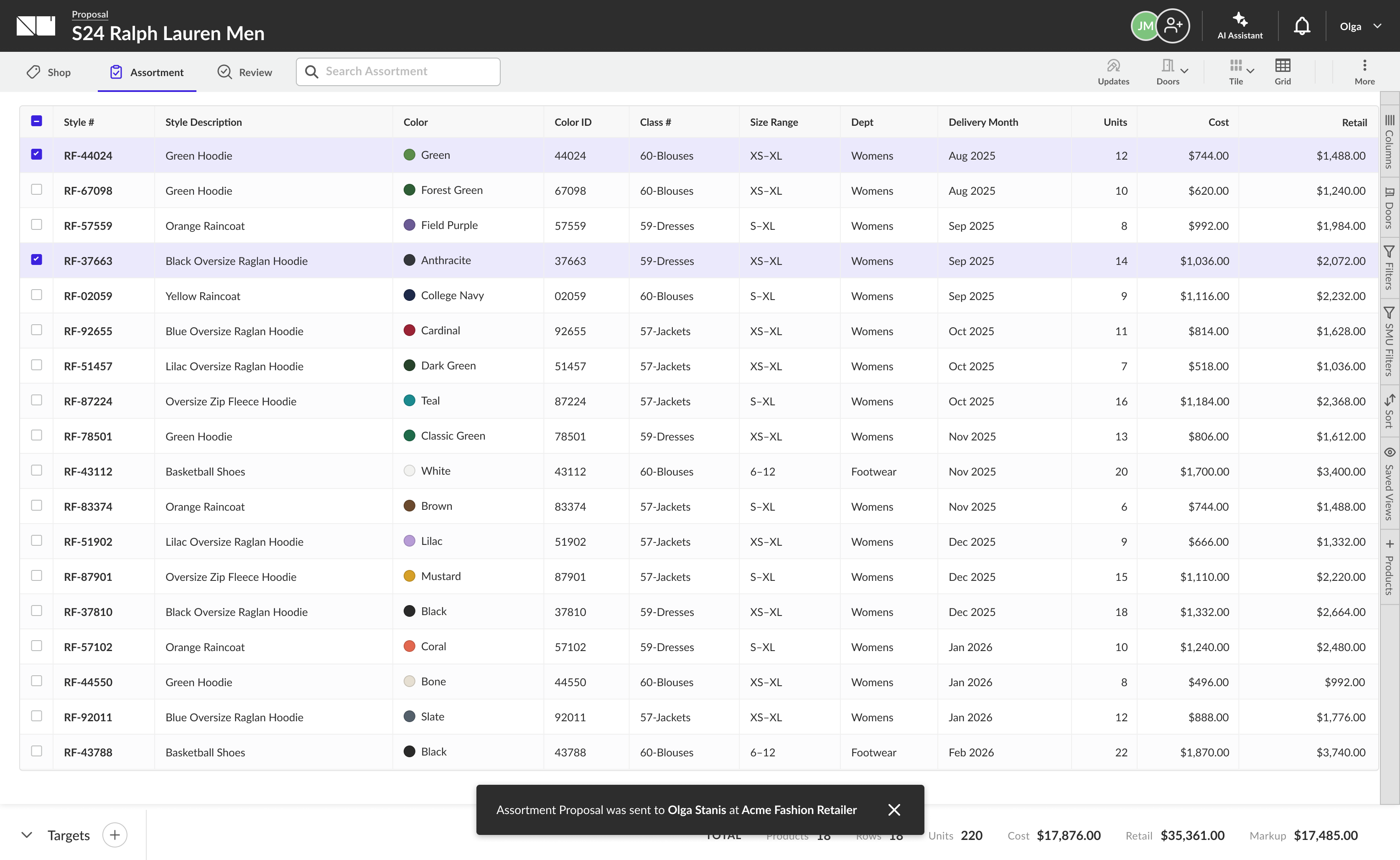
On the brand side, a proposal starts inside the order workflow the brand already lives in. From their orders, a brand user moves into Assortments, drafts a proposal from their own product data and seasonal strategy, and sends it to a chosen retail partner - who receives it as a shared planning asset, not a finished order.
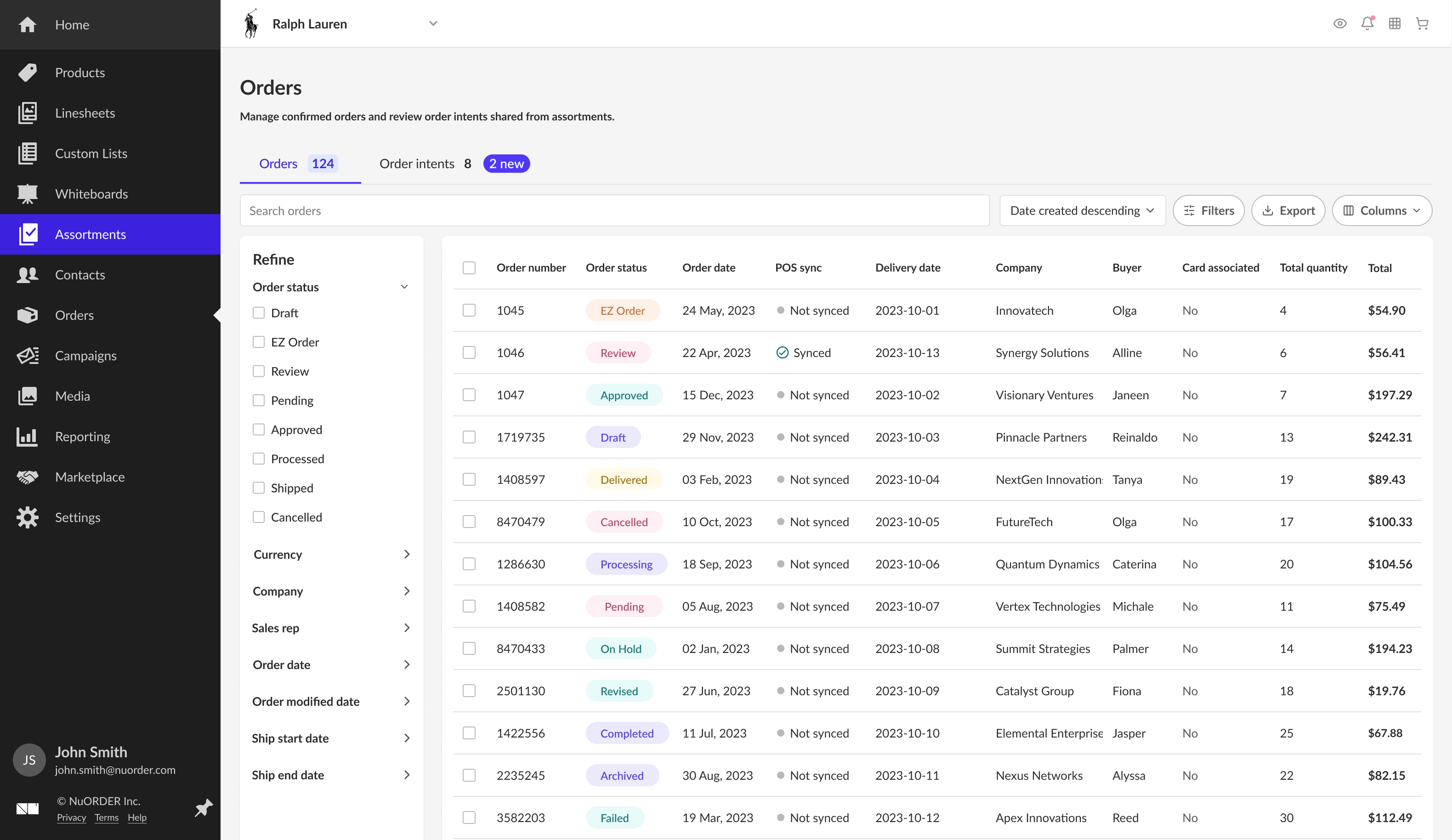
The brand works from Orders - confirmed orders plus an Order intents tab carrying what retailers have sent. From here they move into Assortments to build a proposal of their own.
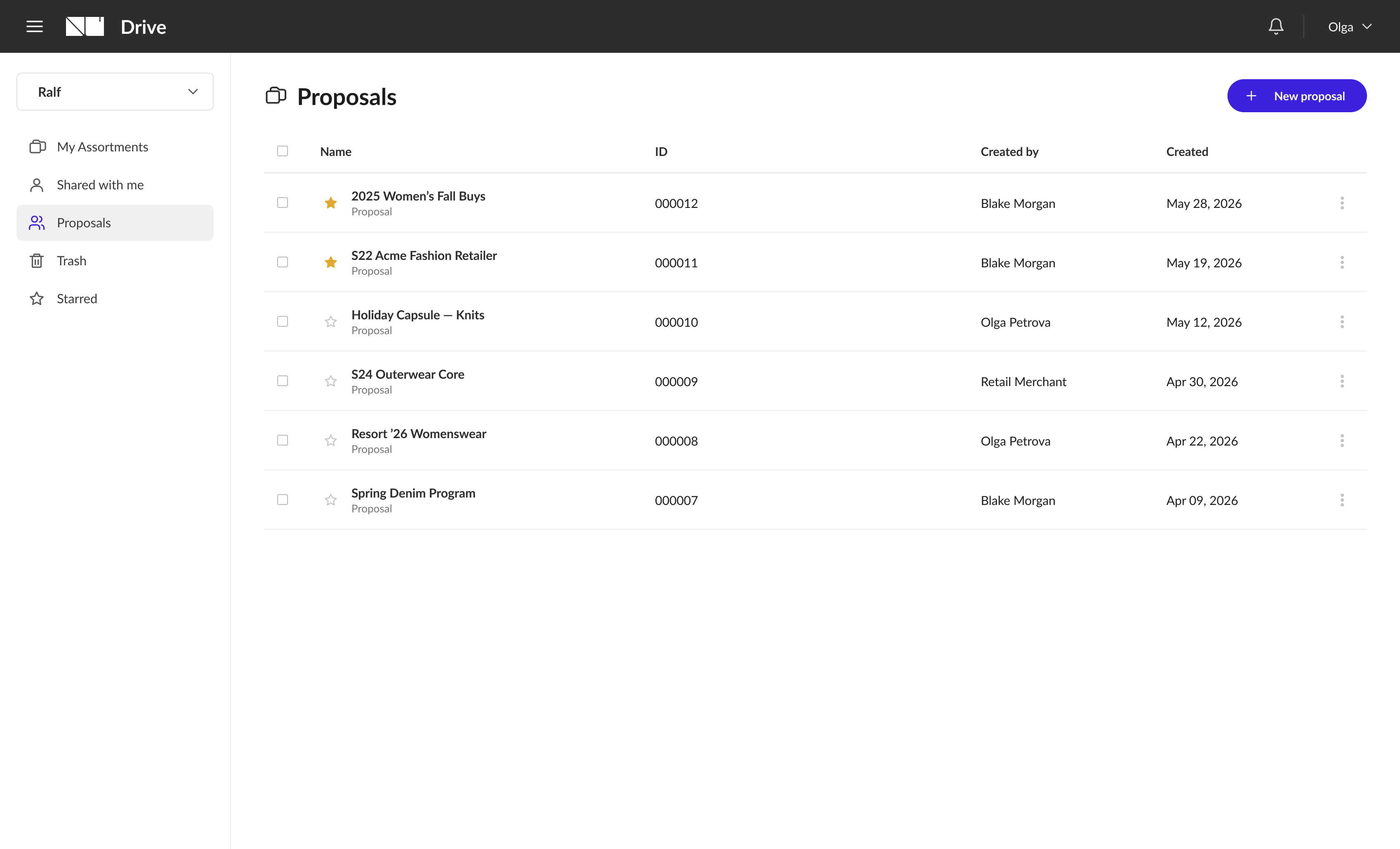
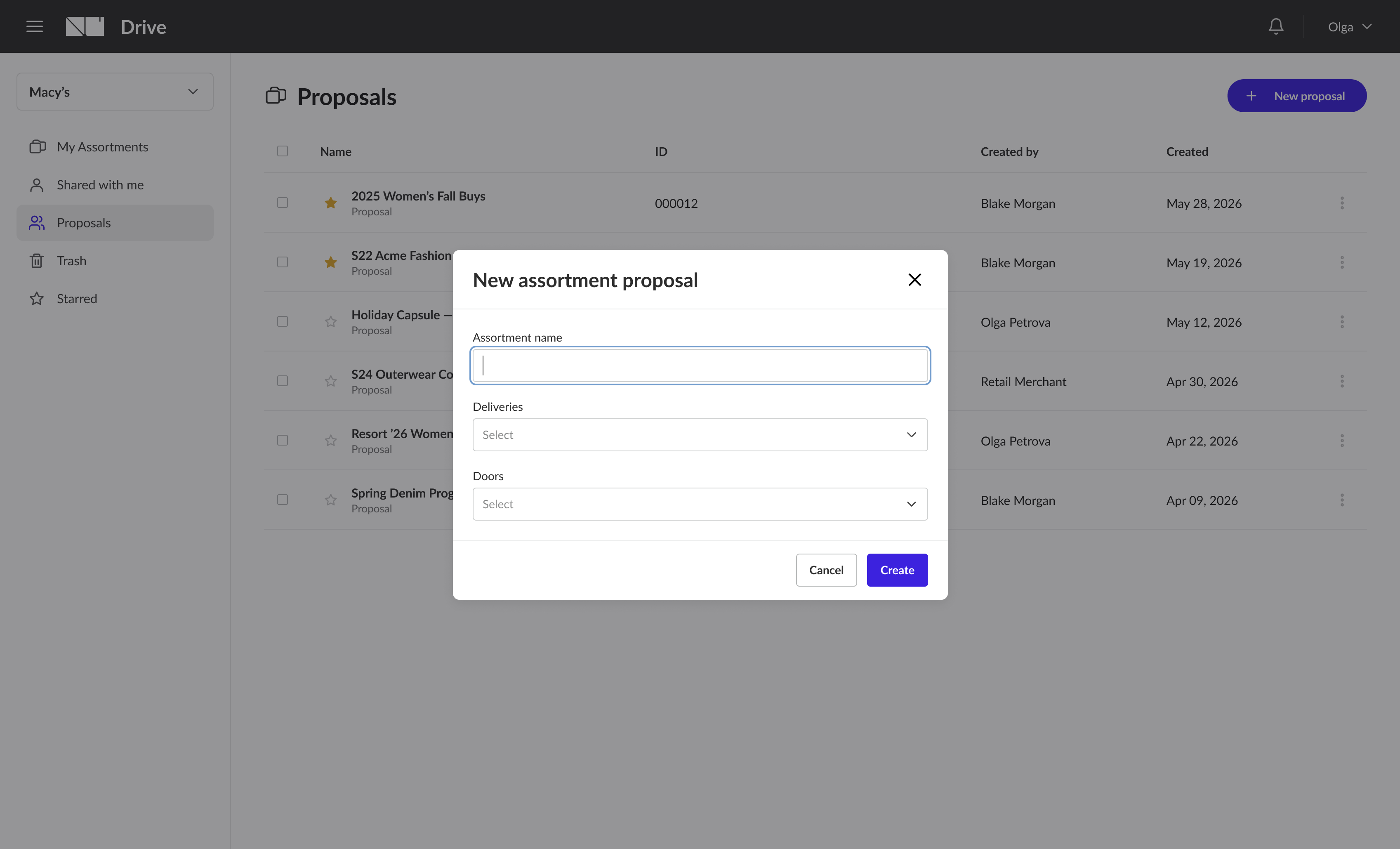
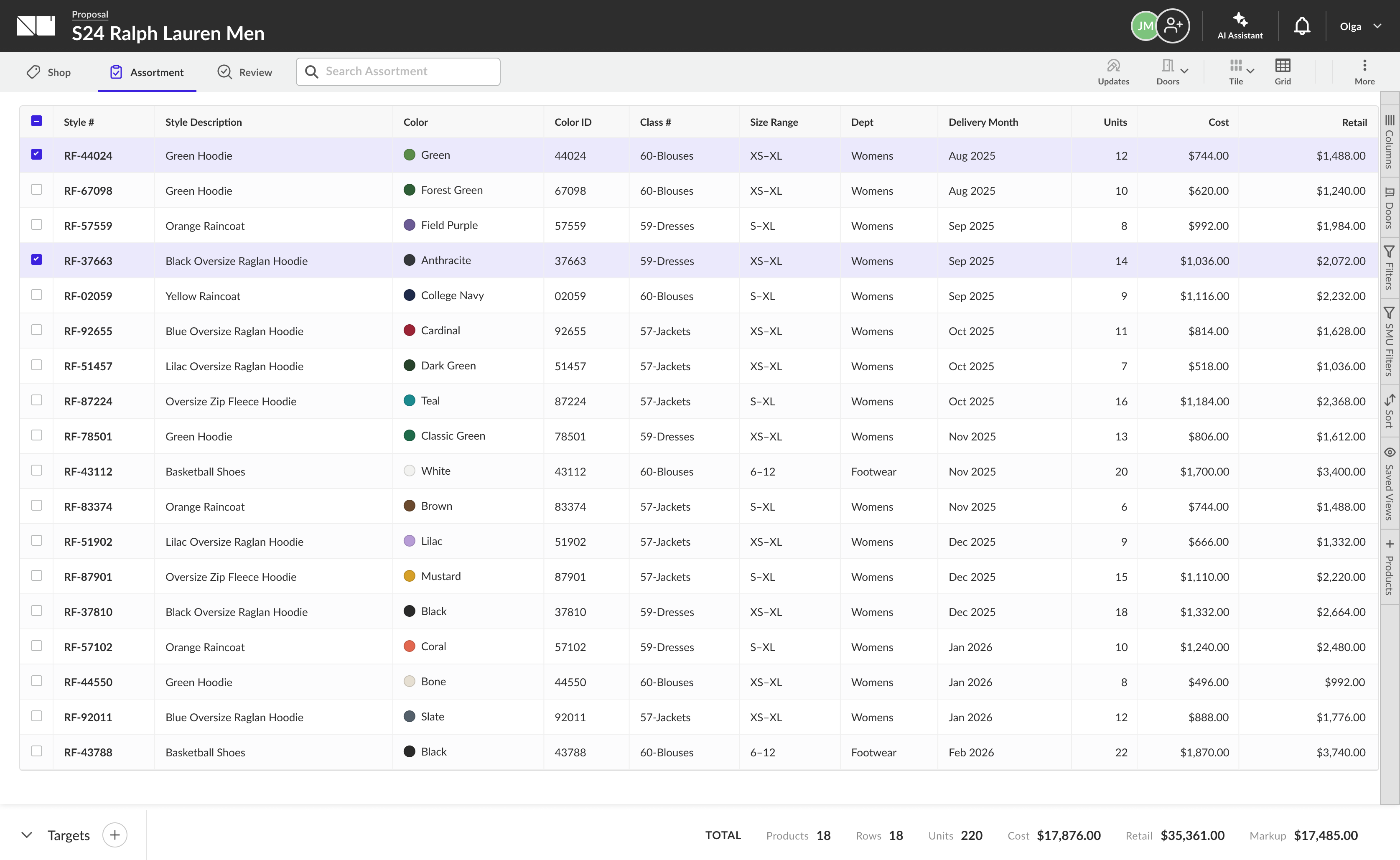
The brand drafts the proposal in the same Assortments grid retailers use - styles, colorways, delivery months, and bulk quantities from its own catalog, with live cost, retail, and markup totals.
On the retailer side, the proposal arrives as a shared planning asset, not a finished order. The buyer is notified by email and inside the platform, reviews a read-only preview, and - when ready - accepts it, mapping the brand's data into a native retailer assortment they can plan against.
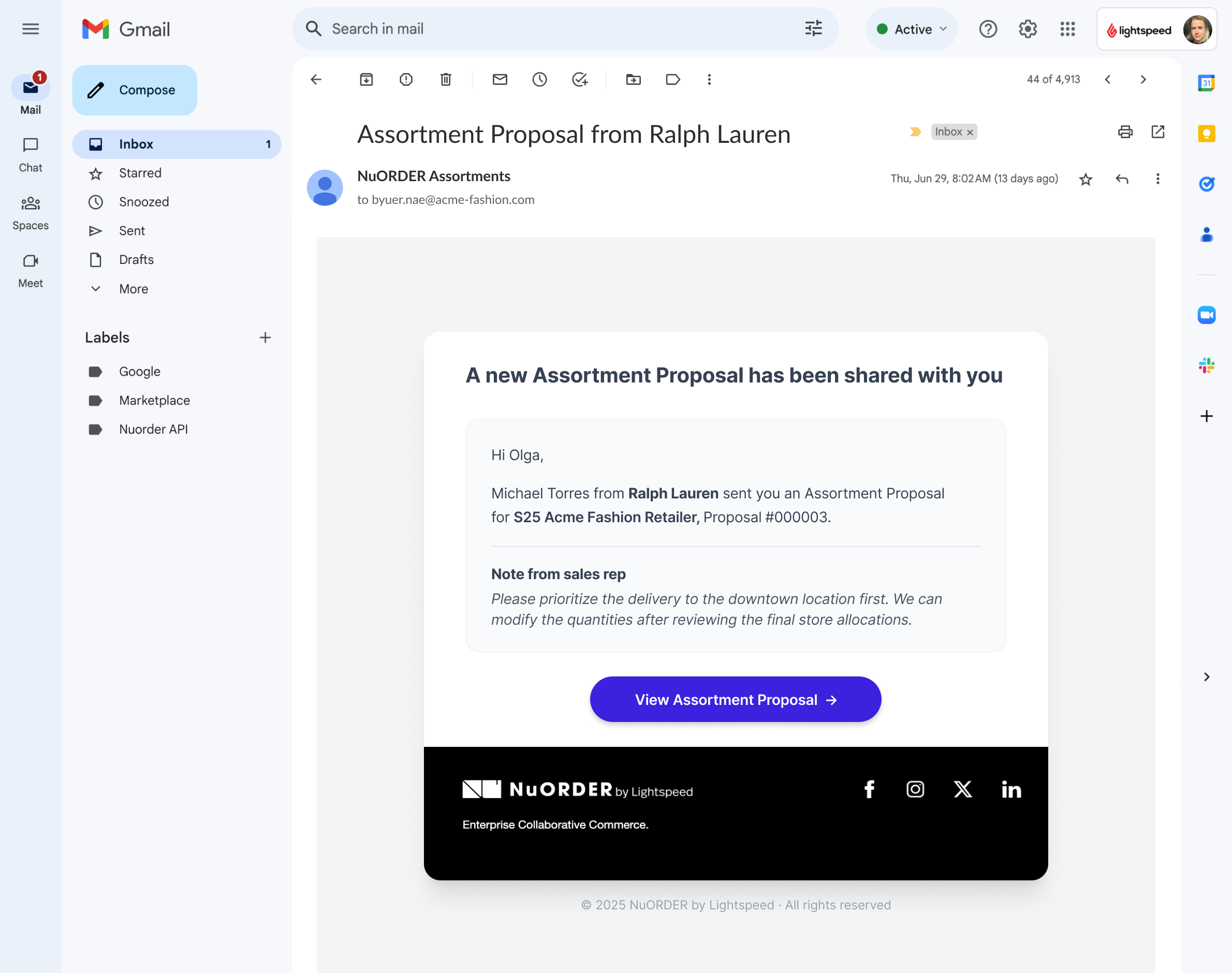
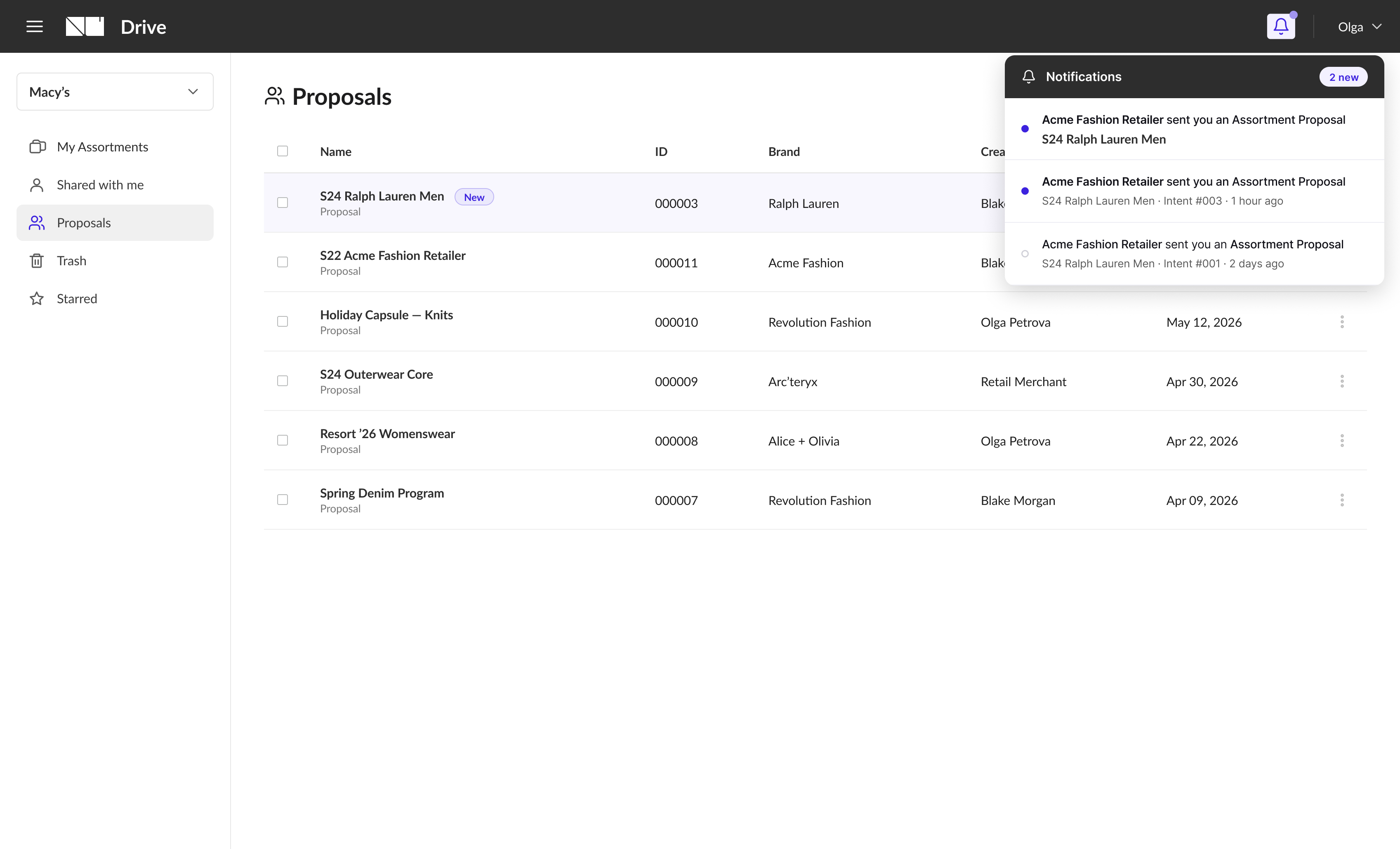
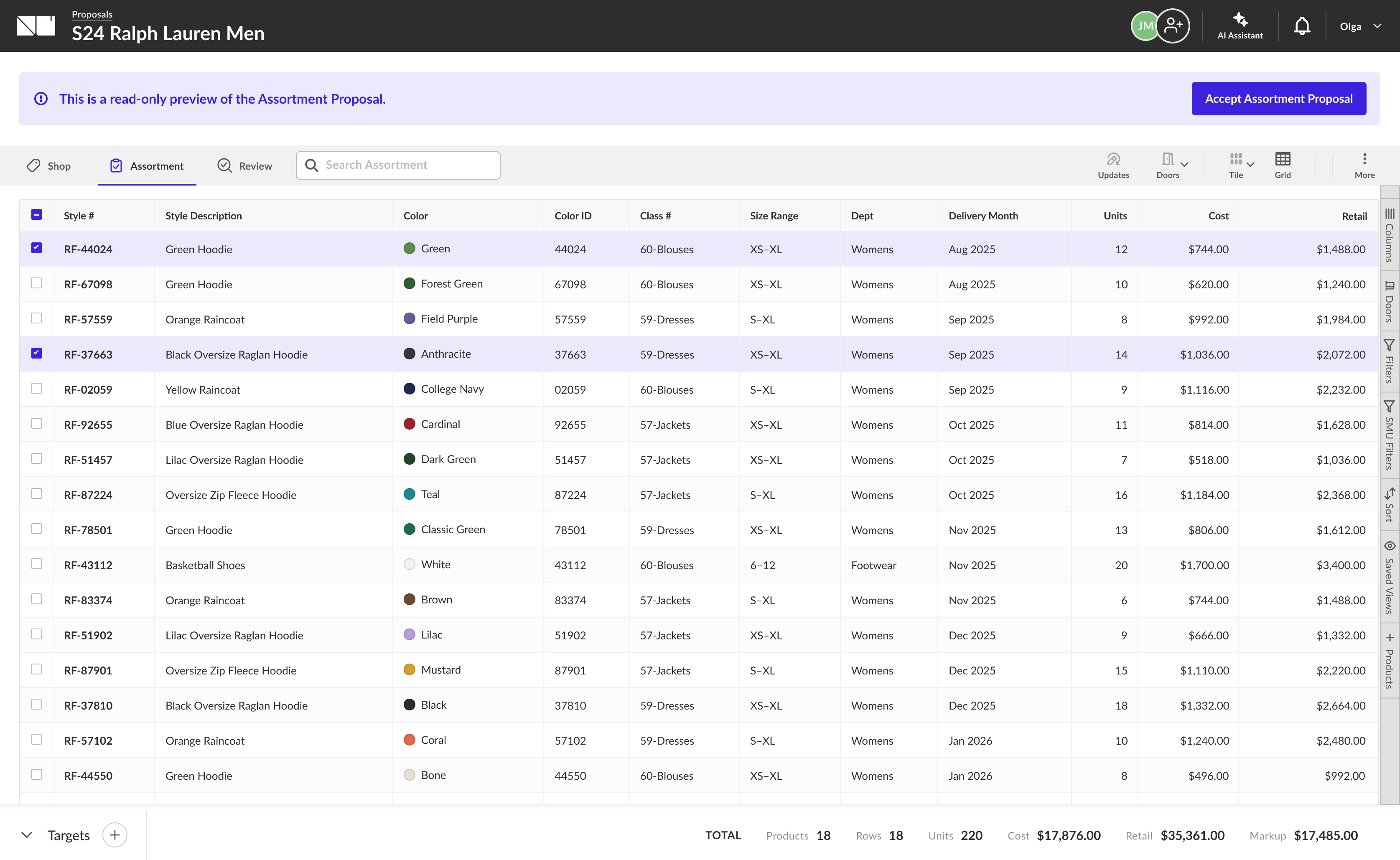
Because brand and retailer assortments can use different data structures, the proposal opens read-only first. The buyer reviews products, quantities, and delivery context before anything is mapped into their own planning infrastructure.
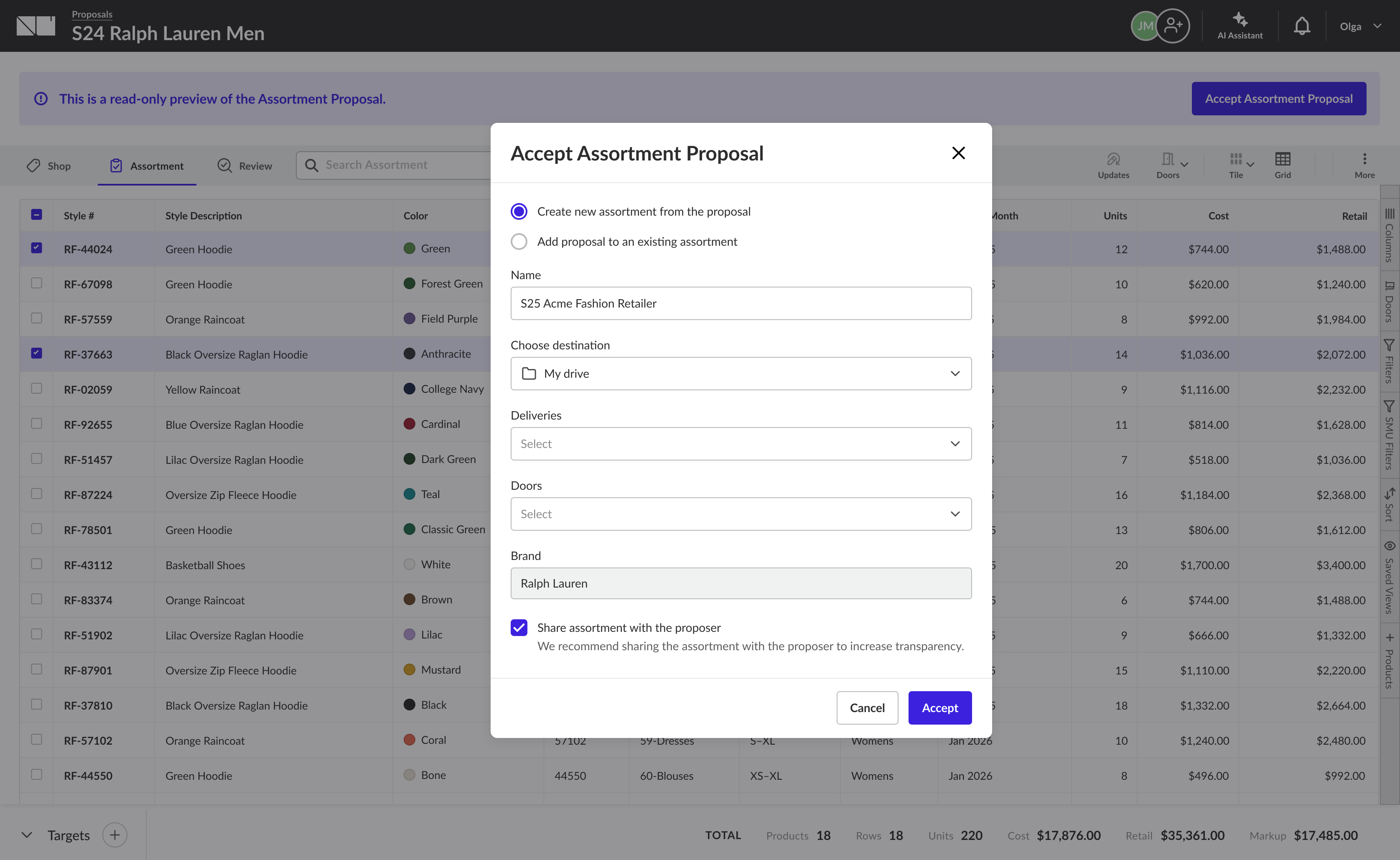
On accept, the buyer decides how it enters their workflow - a new assortment or merged into an existing one - renaming it, picking deliveries and doors, with the brand pre-filled. The proposal becomes a native retailer assortment, ready to plan and turn into an order.
The same assortment, seen visually.
Buyers build assortments in a dense data grid - rows of products against columns of doors, quantities, and targets. But merchandising is a visual act, and a spreadsheet hides what a line actually looks like. So I added a Tile view: the same assortment rendered as large product cards - imagery, colorway, price, and SKU - switchable from the toolbar with a single Tile / Grid toggle.
The hard part wasn't the cards. It was that tile and grid are two windows onto one assortment - so everything a buyer does in one has to be true in the other, instantly.
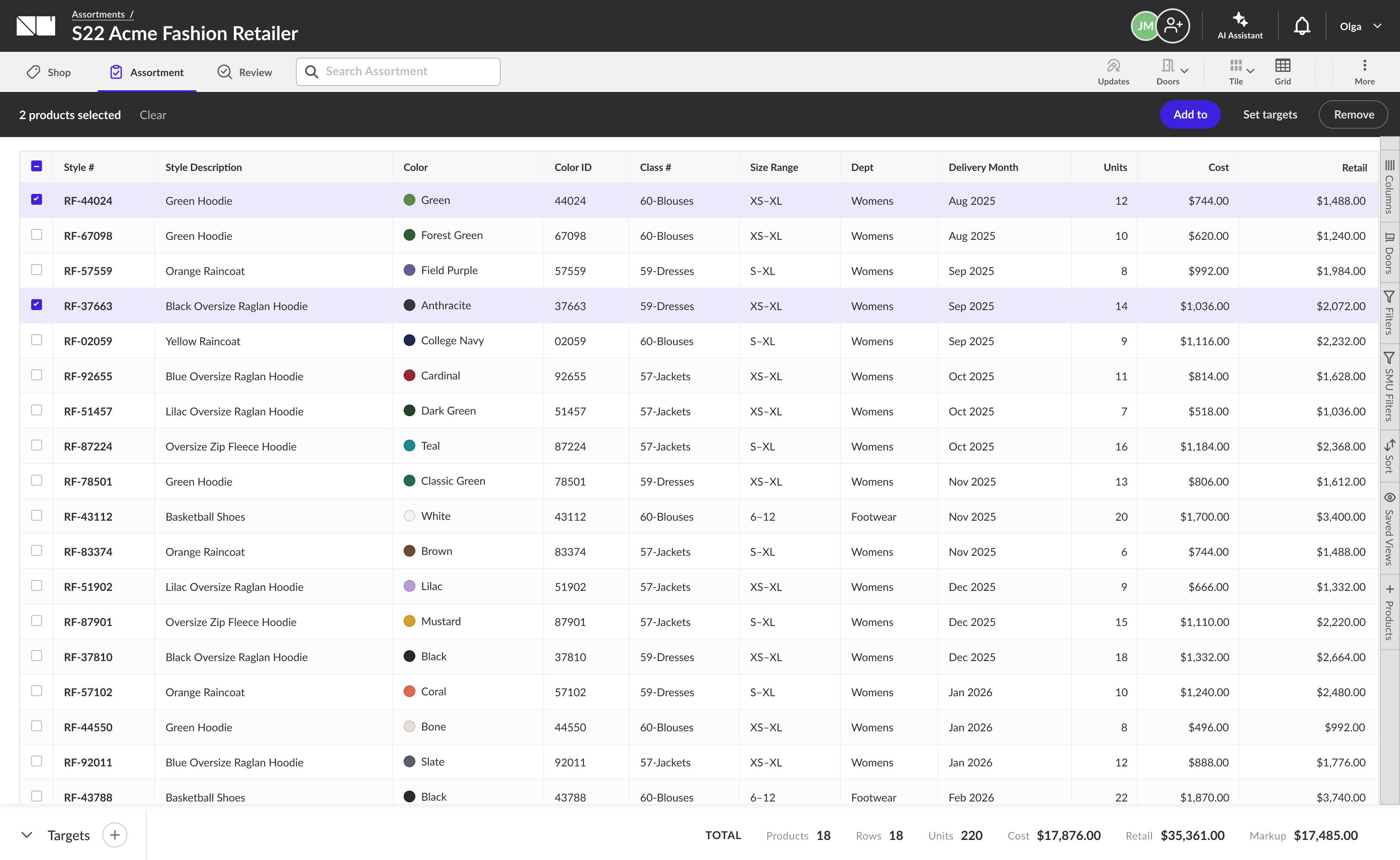
Grid view - the dense, data-first default: every product is a row, with color, class, size range, delivery month, units, cost, and retail in sortable columns.
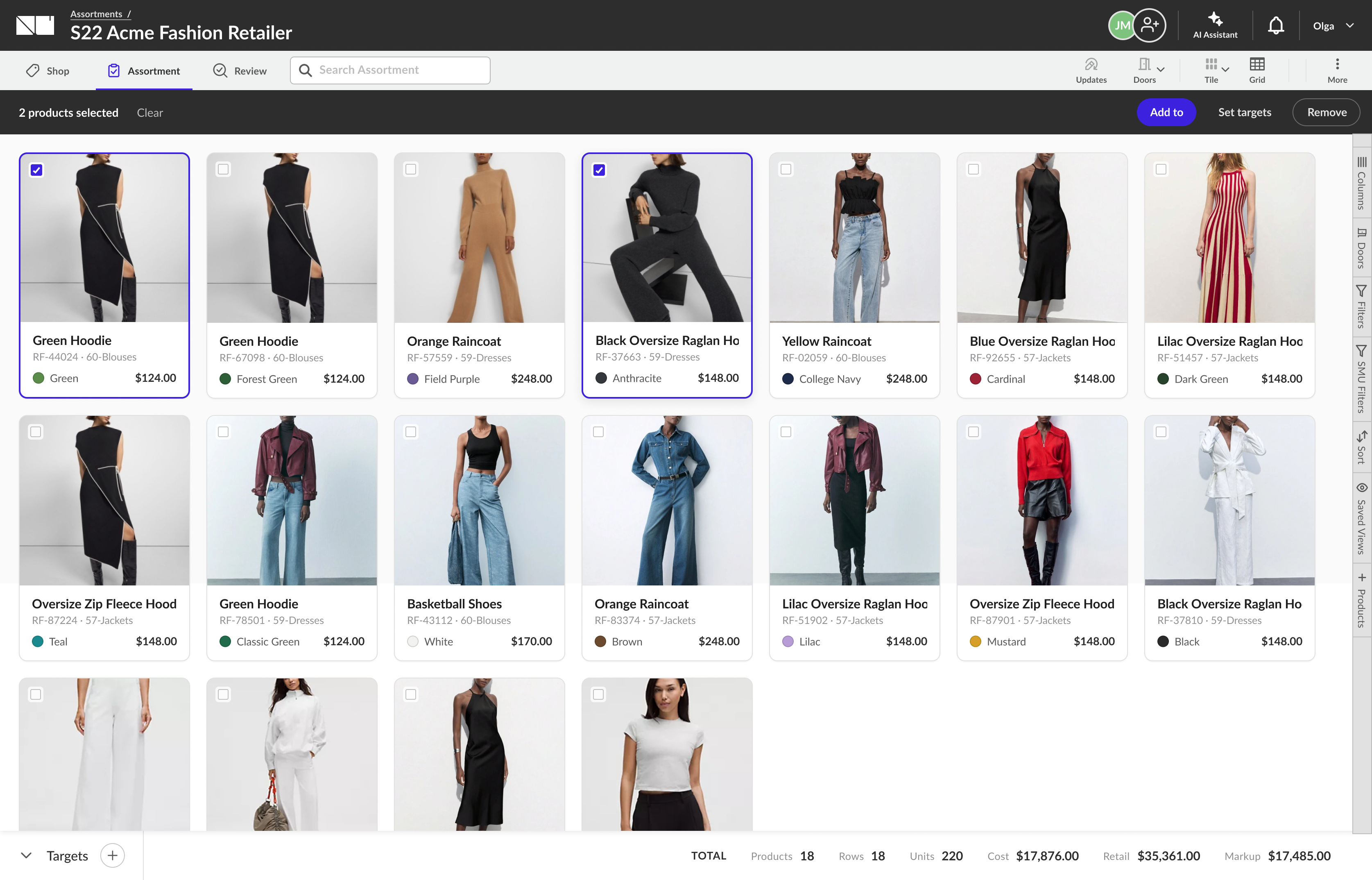
Tile view - the same assortment as the grid above, made visual: a buyer can read it at a glance while the toolbar, selection, and footer totals stay identical.
One assortment, kept in sync both ways.
Tile and grid don't hold their own copies of the data - they share a single underlying model, so a change made in either view is the same change.
Drag to reorder, everywhere
Drag a tile to a new position and the product's order updates in the grid's rows too. Both views read and write the same sequence, so the order a buyer arranges visually is the order their team sees in the data.
Selection & actions carry over
Selecting products, Add to, Set targets, and Remove all operate on the same set - select two tiles, switch to grid, and exactly those two rows are still selected and actionable.
Totals never diverge
Products, units, cost, retail, and markup in the footer are computed once from the shared model. Switching views re-presents the plan - it never recalculates a different number.
It's rarely just screens
The hardest problems lived in data models, legacy systems, and platform conflicts between two independently built products. My job was to understand that complexity deeply enough to design around it - not expose it to users.
Legacy changes through collaboration
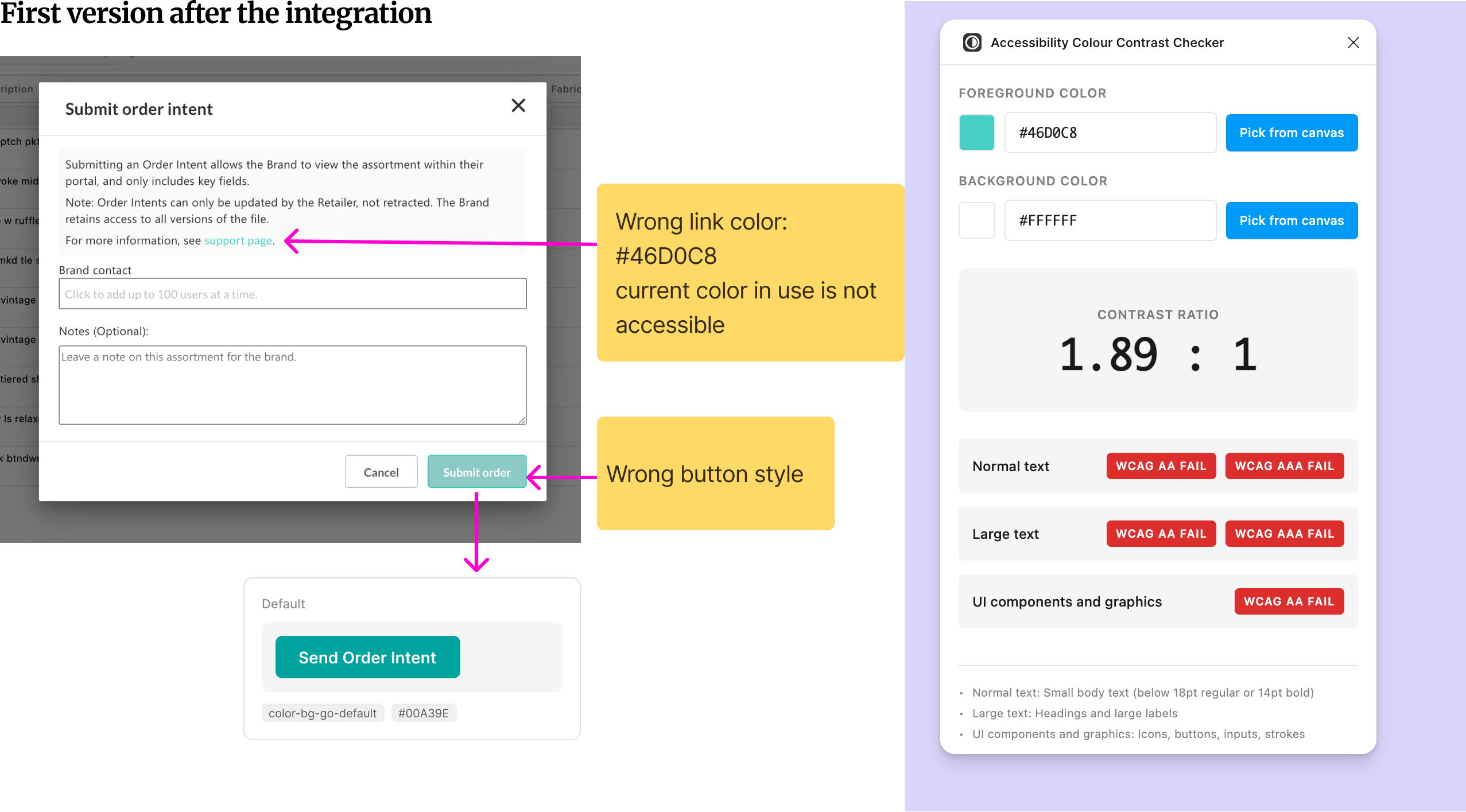
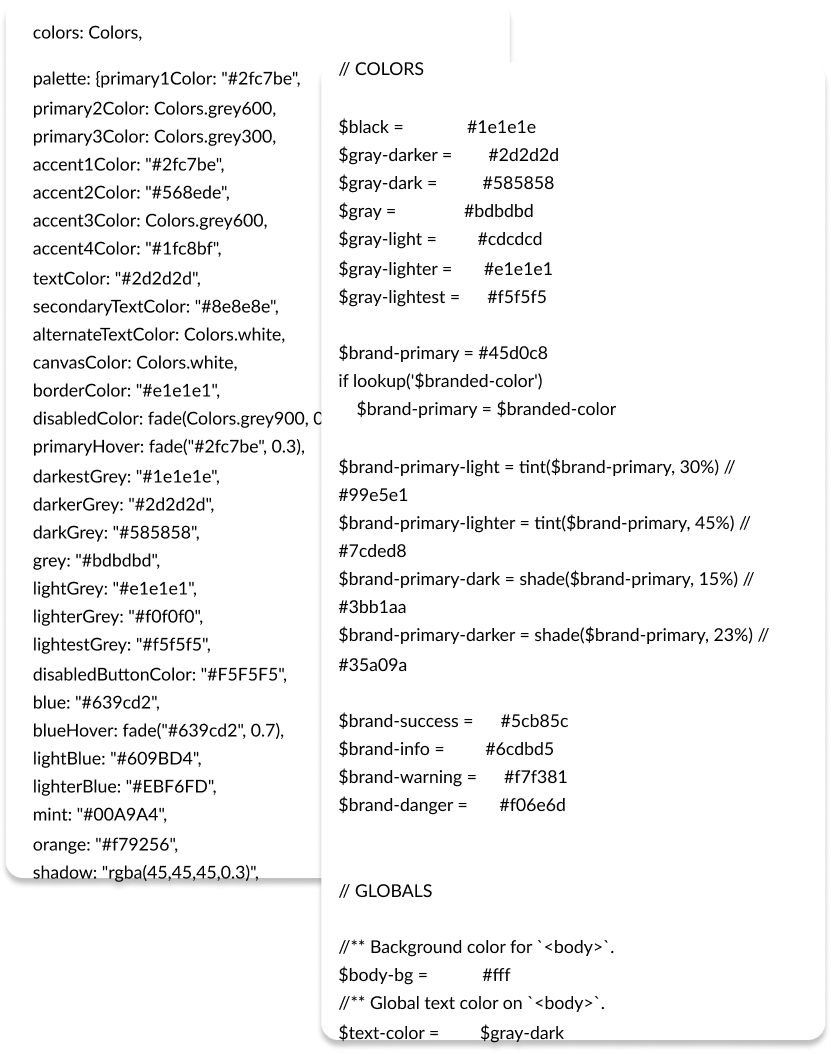
Colors and components were embedded in code, not a library. I audited the CSS, translated it into clearer design decisions, and partnered with engineering to make changes safely.
Make progress shippable
Instead of handing over a big batch of improvements, I worked within engineering rituals - breaking changes into tickets and aligning them with sprint planning so they moved alongside product work.
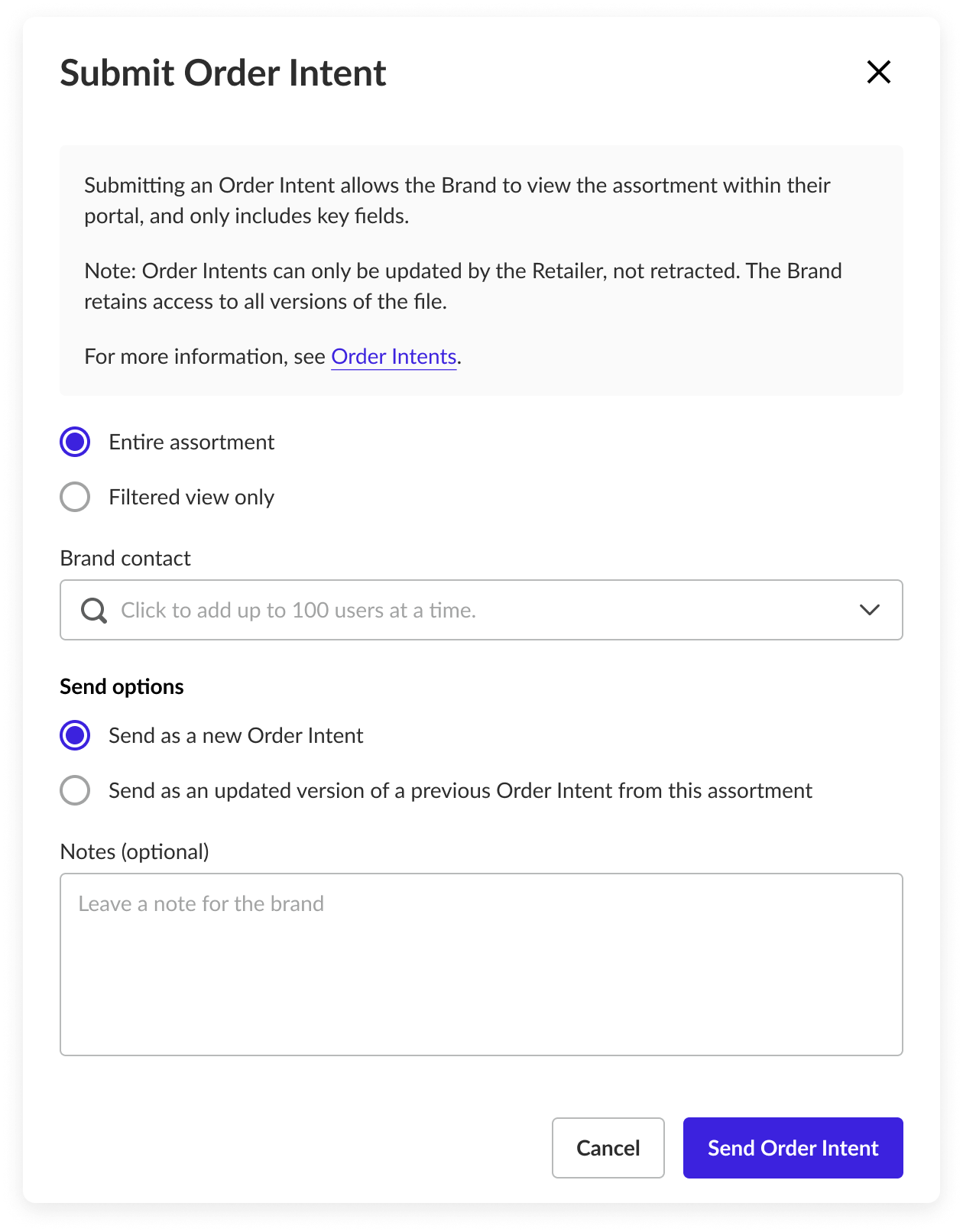
The Submit Order Intent modal, in full
The complete dialog: an explanatory note, scope control (entire assortment / filtered view), brand-contact picker (up to 100 users), send options (new / updated version), and an optional note to the brand.
Two variations of the same dialog, driven by the Send options choice:
Accessibility audit notes
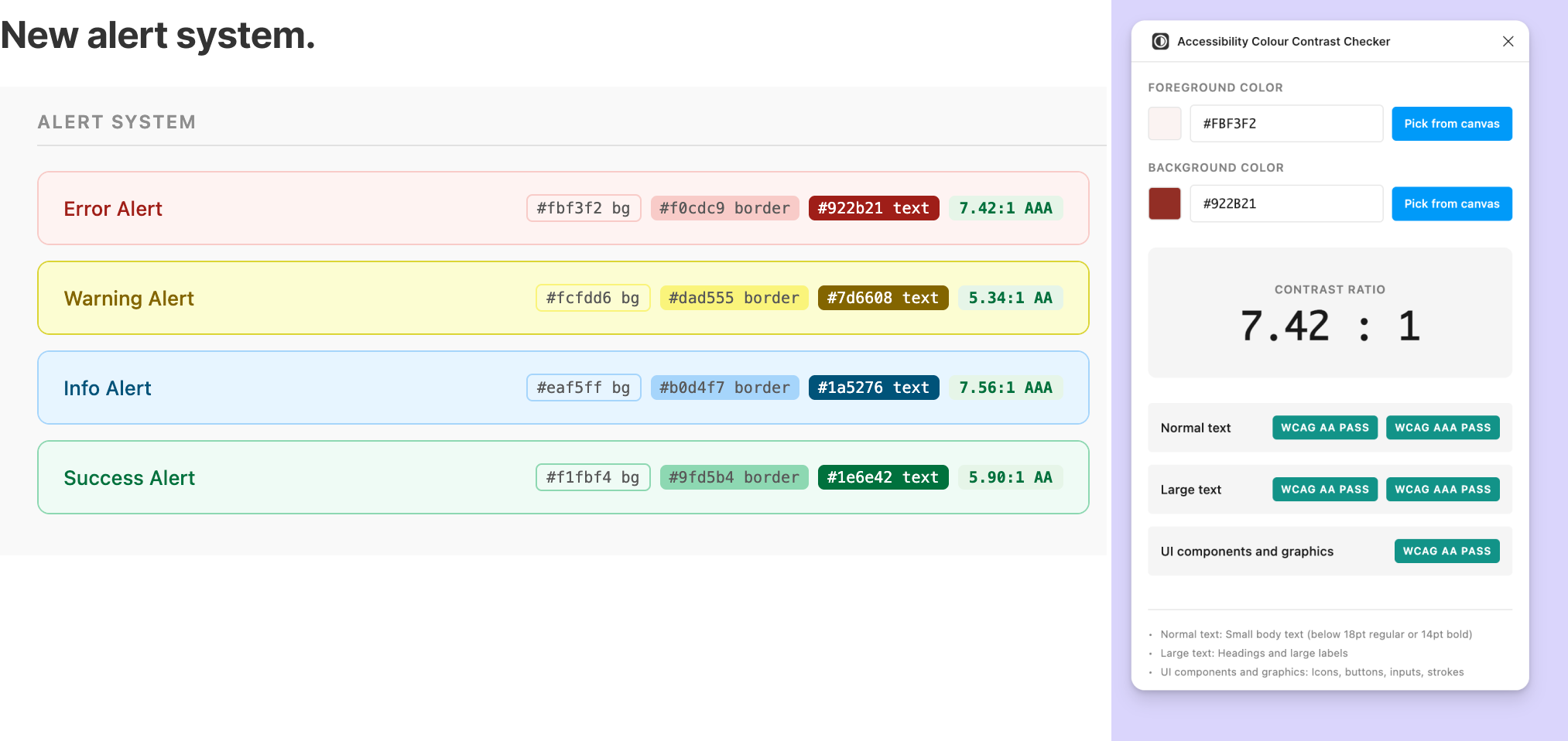
The token migration was also an accessibility pass: I documented contrast ratios, flagged failing pairs, and defined accessible defaults for interactive states.
Shipping a feature is only half the work. When engineers implemented the designs, the UI wasn't matching what I'd specified - not from carelessness, but because they were referencing their own internal color library rather than the design tokens I'd defined.