Work / Case study 04
Lightspeed × Google · Strategic pilotBringing Google Local Inventory Ads into Lightspeed POS
Helping brick-and-mortar retailers promote in-store products on Google, directly from their point of sale.
I designed a pilot integration between Lightspeed POS and Google that let retailers connect their store, sync product and inventory data, and create local inventory advertising campaigns without leaving Lightspeed. The work involved close collaboration with Google, multiple compliance reviews, and cross-functional alignment across product, engineering, legal, and partnerships.
 ×
×

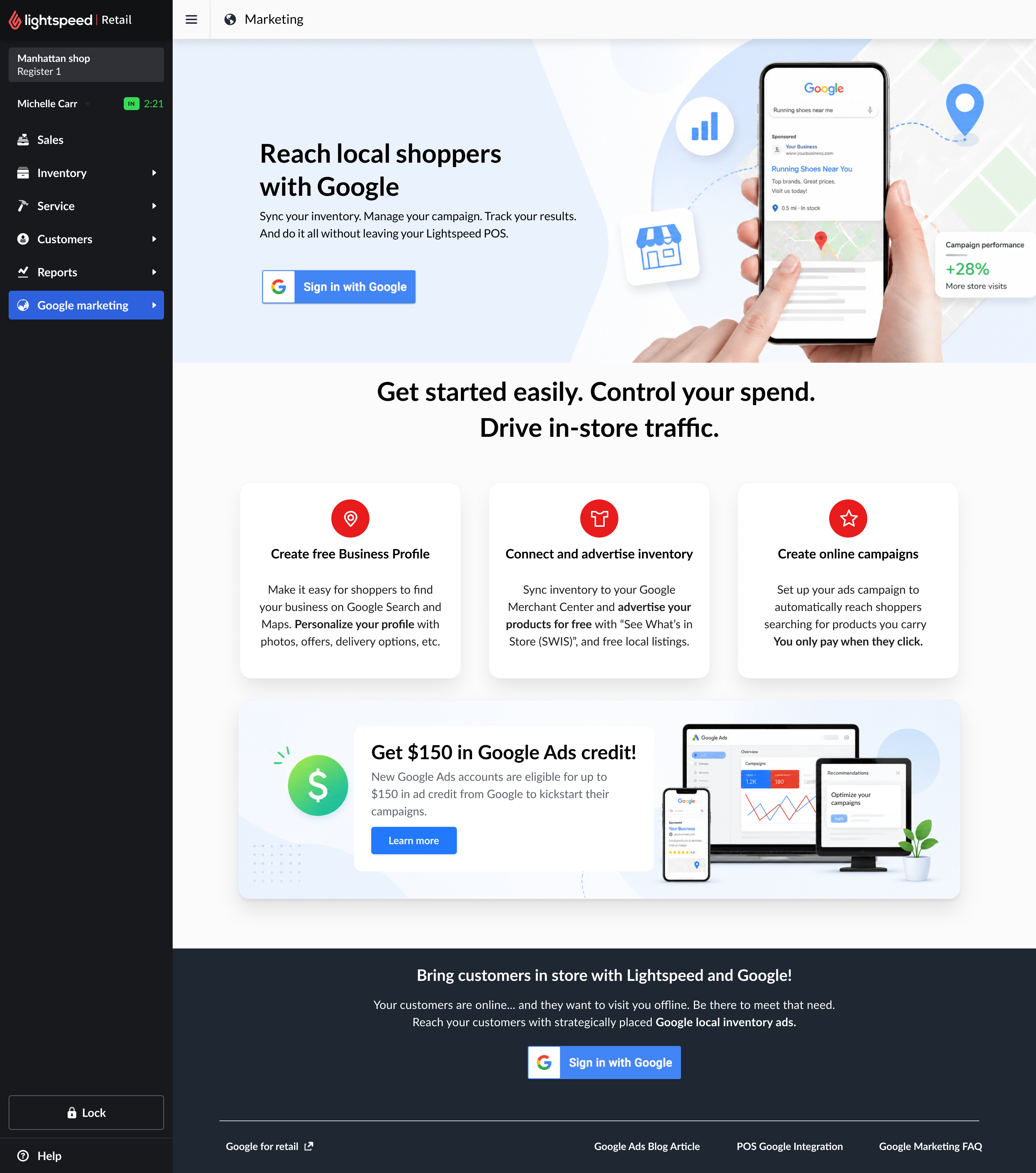
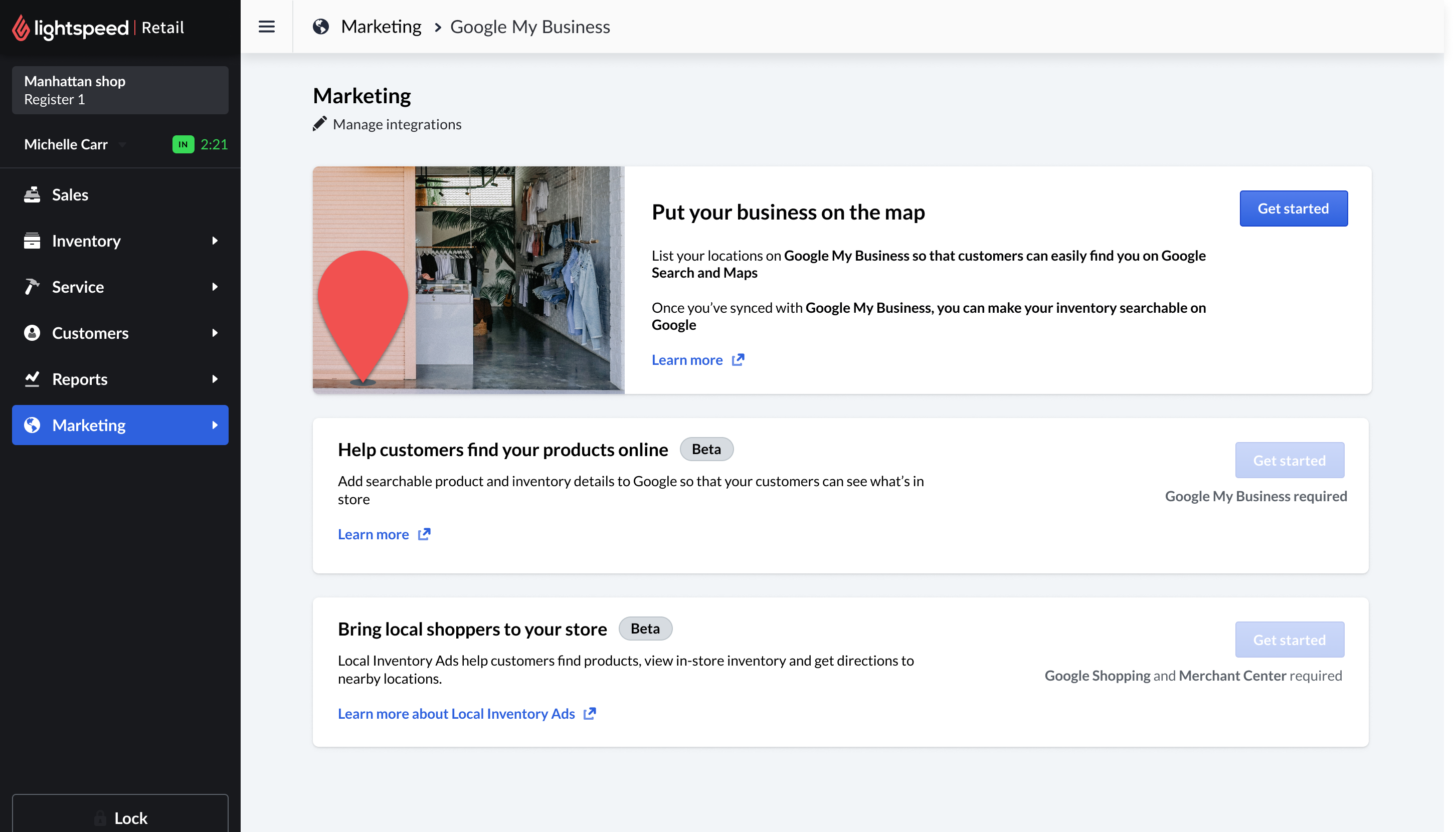
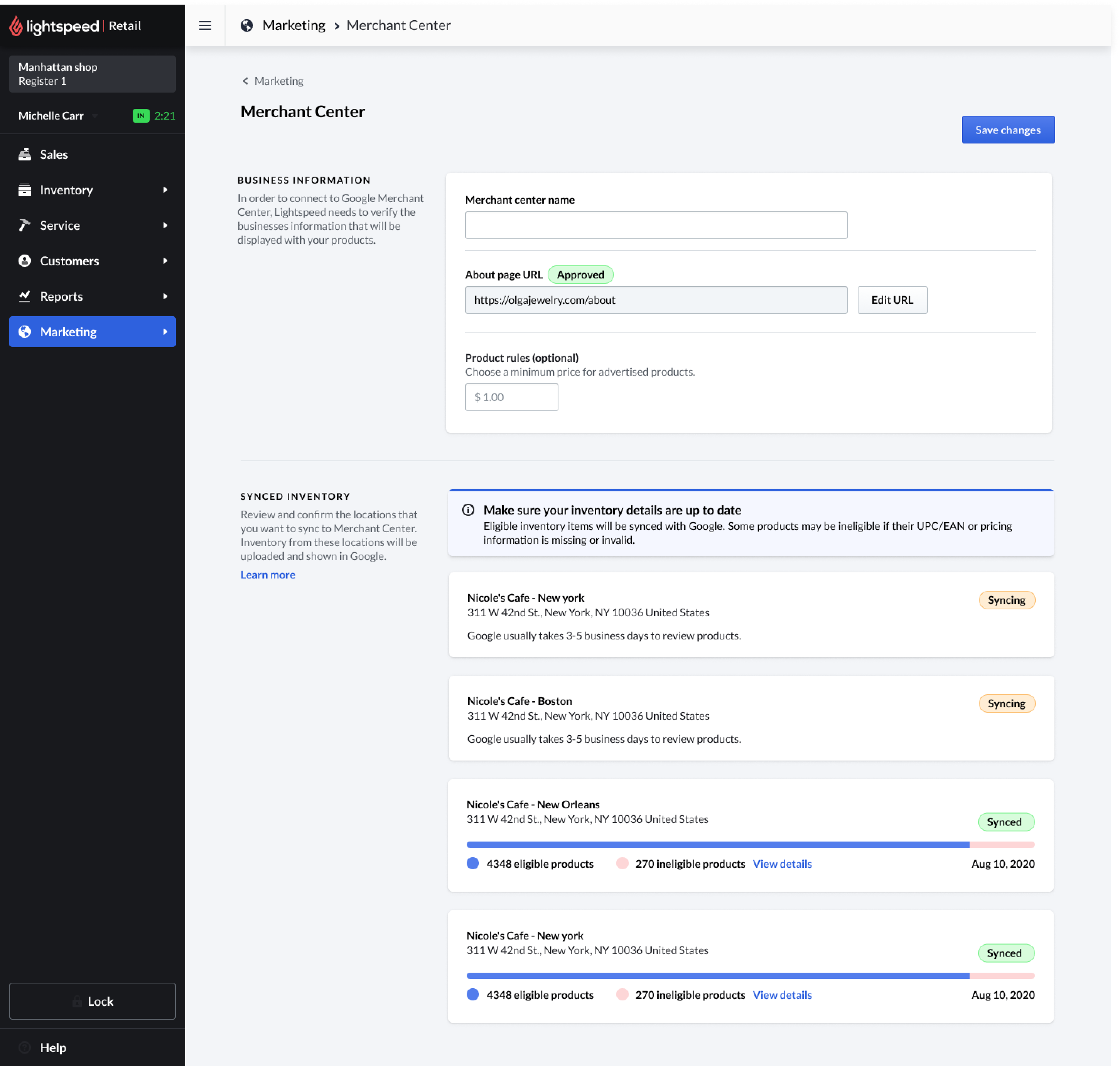
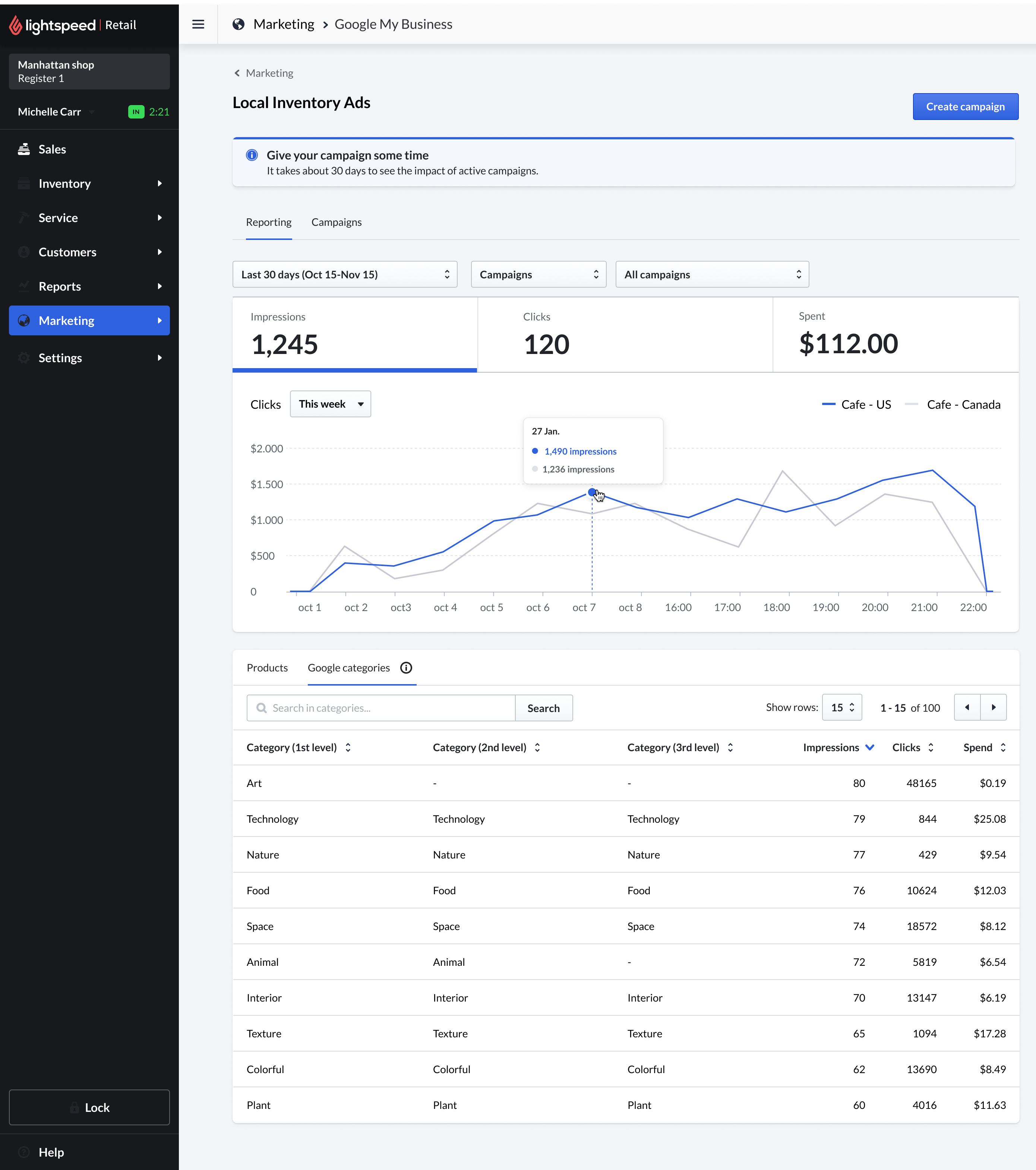
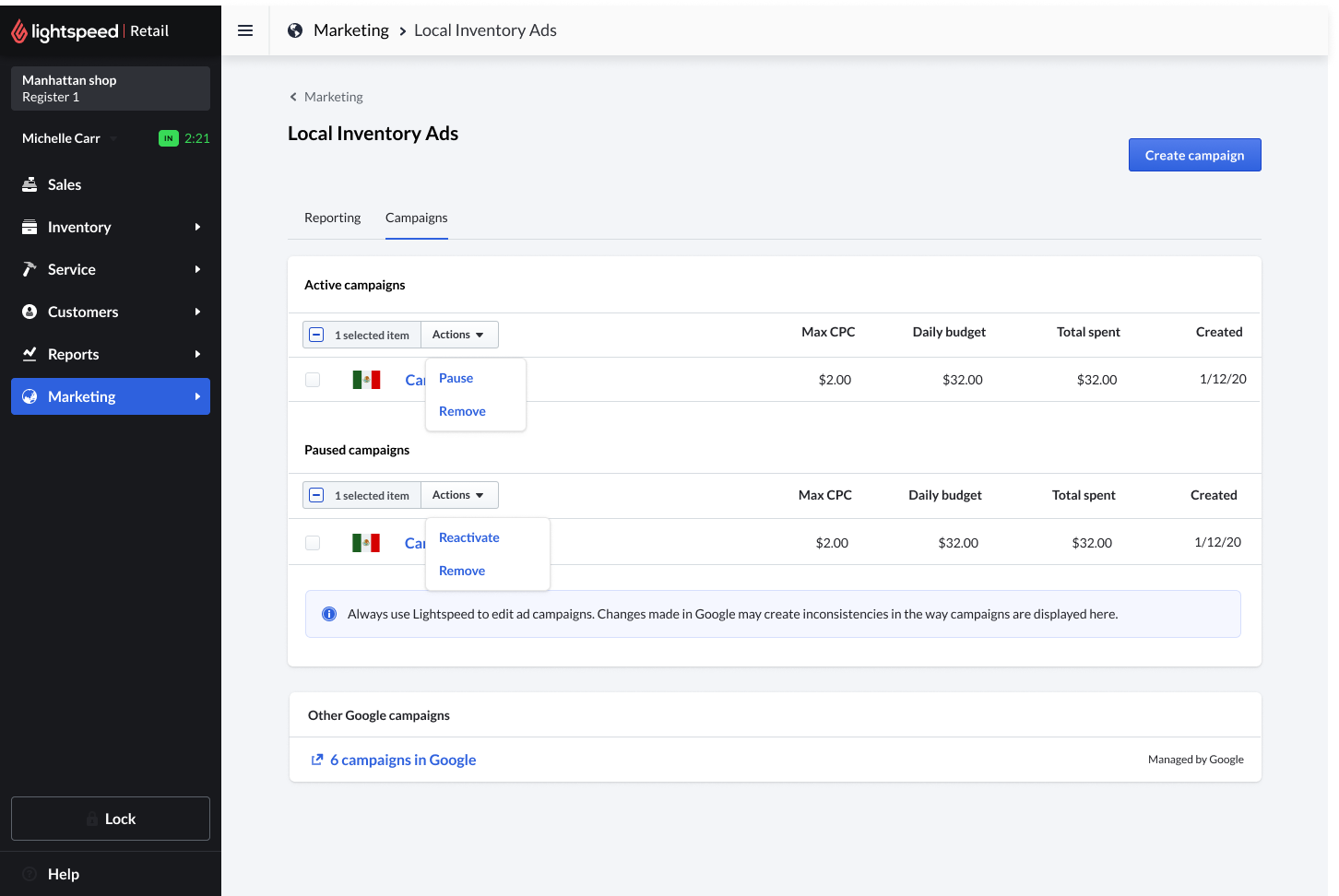
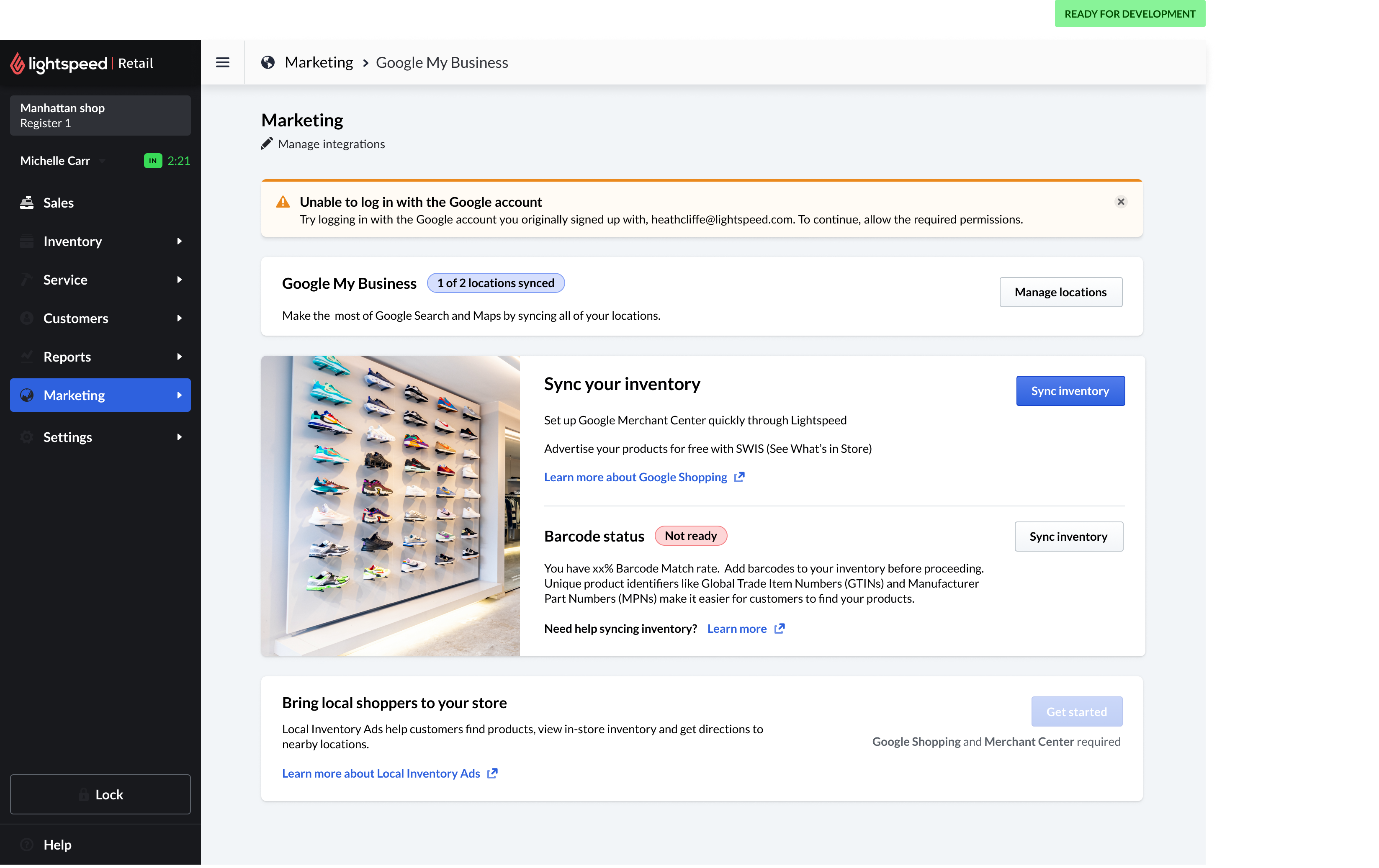
The work at a glance - merchant onboarding, inventory and campaign setup, the live reporting loop, and the verification flows behind it. Browse it here, or read the full story below.
Turn POS inventory into local advertising inventory.
Many independent retailers want to reach local shoppers online, but they don't always have a website, a marketing team, or the technical knowledge to manage Google Merchant Center and product feeds.
Lightspeed POS already held the most important data for local advertising: store information, product catalog, pricing, and inventory availability. The opportunity was to turn that operational data into a simple advertising setup flow inside the POS.
Lightspeed POS inventory
Store location, product catalog, prices, and live in-store availability.
Google Merchant Center
Eligible products and inventory synced and verified for Google.
Local discovery on Google
Nearby shoppers find in-store products on Google Search and Maps.
Making a complex Google workflow feel simple.
The design had to simplify a workflow that spanned multiple Google services, store verification, product data, inventory sync, eligibility rules, campaign settings, and compliance requirements.
The merchant-facing experience needed to feel clear and approachable, even for retailers with no advertising experience.
Connect Google account
Sign in with Google and authorize Lightspeed to manage the integration.
Verify store & business profile
Confirm locations on Google My Business so shoppers can find the store.
Sync products & inventory
Push catalog, pricing, and availability to Google Merchant Center.
Review eligibility & requirements
Surface barcode, feed, and data issues as clear, fixable readiness states.
Create local inventory campaign
Set budget, max cost-per-click, and a local target radius in a few steps.
Submit & monitor status
Track approval, billing, and live campaign performance from the POS.
Designing inside a strategic Google pilot.
Because this was part of a Google pilot, the process included frequent reviews with Google teams and multiple rounds of compliance feedback. Lightspeed was one of the early POS partners building this kind of integration, ahead of some larger commerce platforms.
The challenge was to balance Google's requirements with a simple POS experience. Every step had to be clear, compliant, and understandable for a non-technical retail user.
Flow maps for identity, billing, and phone verification - the compliance depth behind a deceptively simple merchant experience.
A guided path from connect to campaign.
Onboarding and value proposition
The onboarding screens introduced local inventory ads in simple retail language. The goal was to help merchants understand that their POS inventory could help nearby shoppers discover products available in-store.
Account connection and setup
The setup flow guided merchants through connecting the required Google services without exposing the full complexity of Merchant Center.
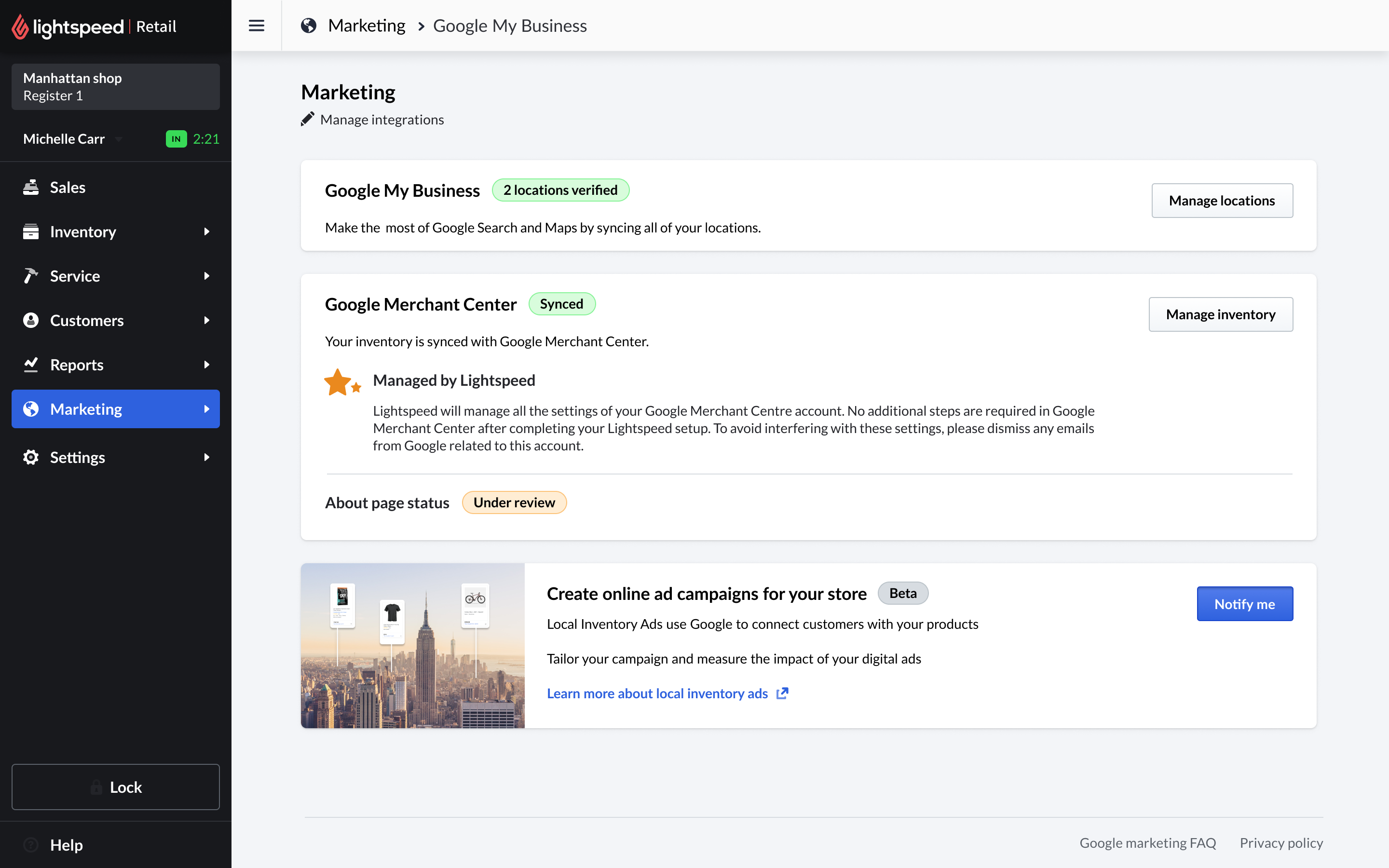
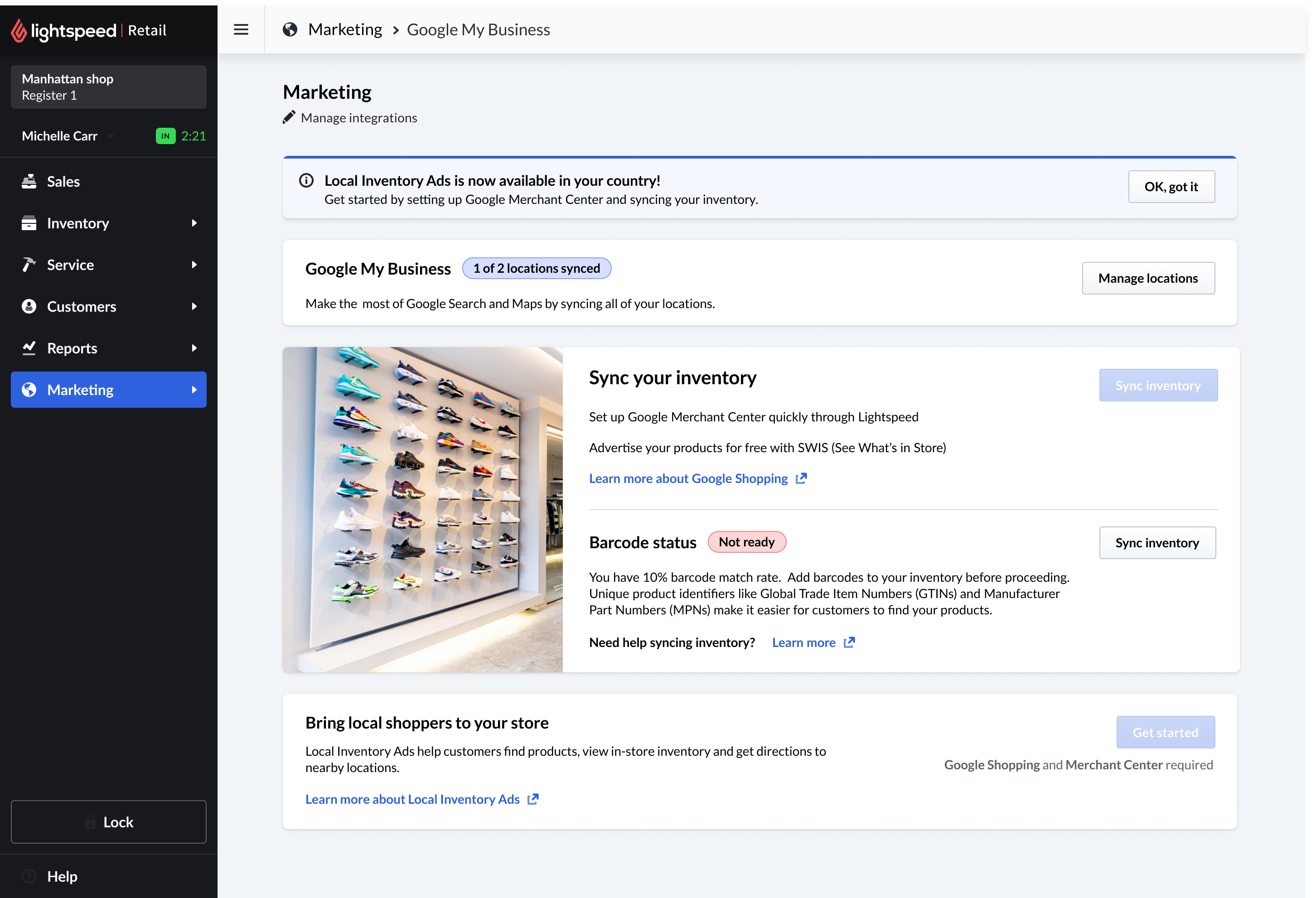
Product and inventory readiness
The experience translated technical feed and inventory requirements into clear readiness states - helping merchants understand what was ready, what needed attention, and why it mattered.
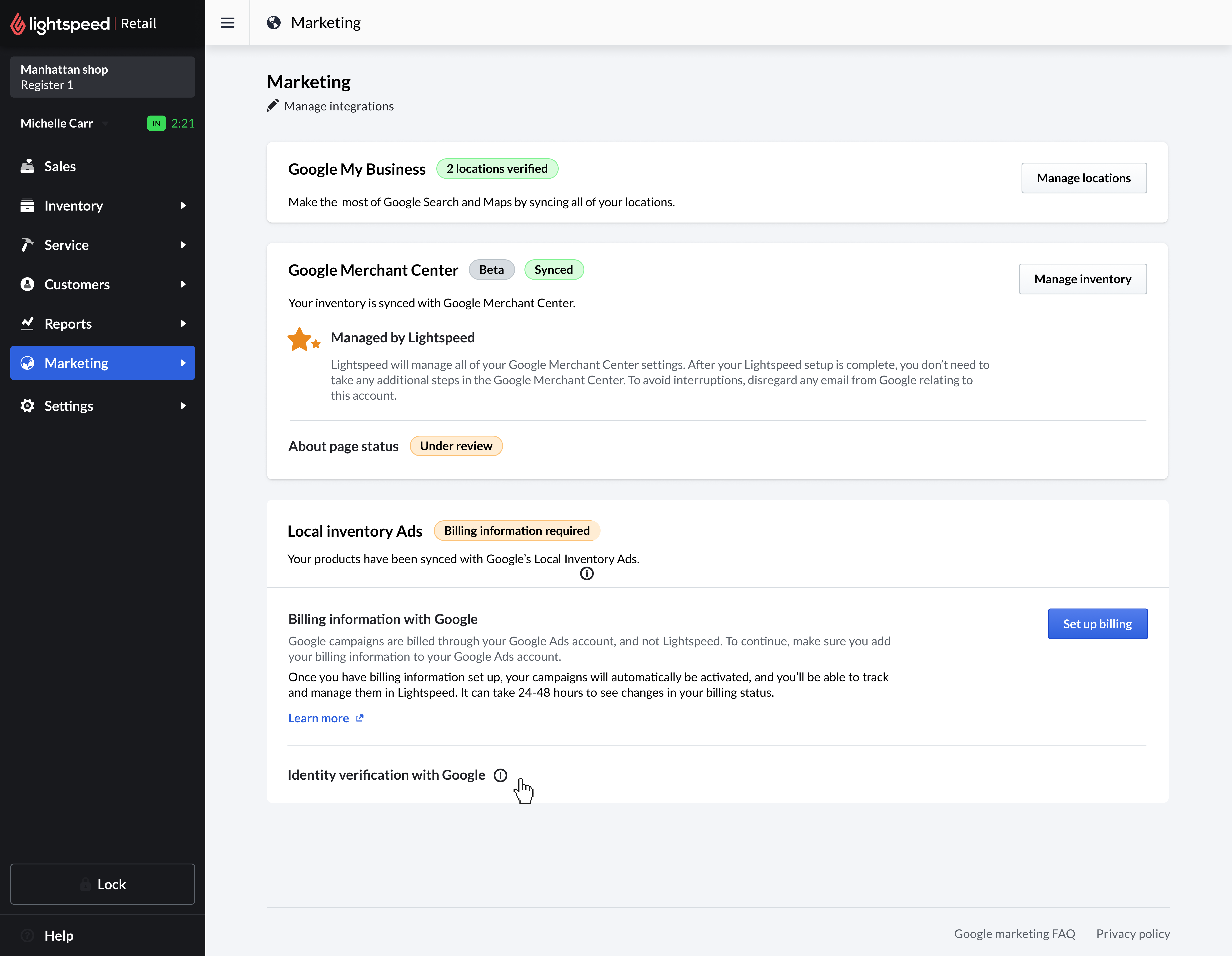
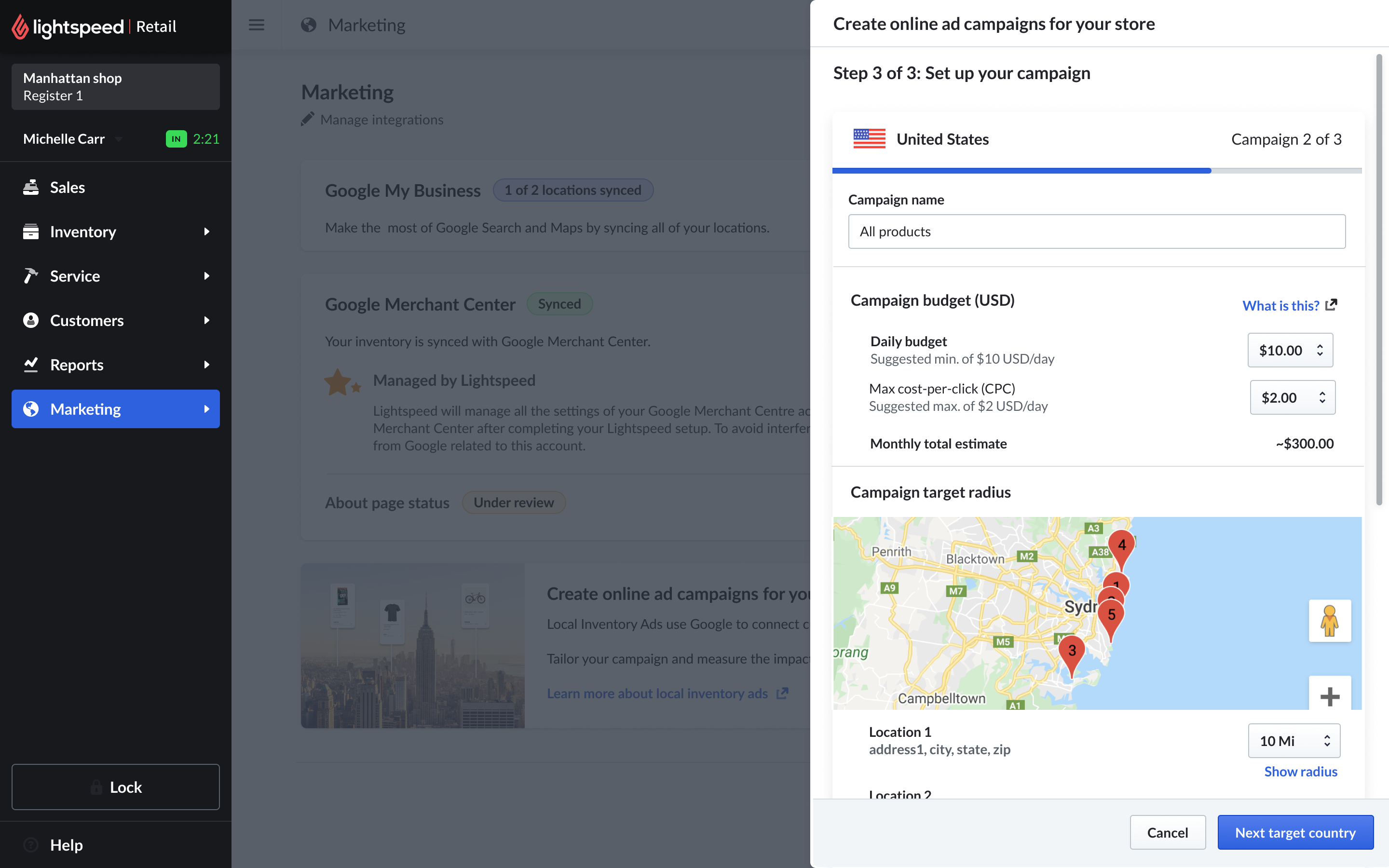
Campaign creation and review
The campaign flow helped merchants review settings, understand requirements, and submit a local inventory campaign with confidence - then track it once live.
I designed the end-to-end merchant experience.
I mapped the flow between Lightspeed POS, Google Business Profile, and Google Merchant Center, designed the onboarding and setup screens, simplified compliance-heavy requirements, and worked across teams to keep the experience clear and trustworthy.
What I designed
- Onboarding and education screens
- Google account connection flow
- Store and product readiness states
- Campaign creation screens
- Review and status experiences
- Error and requirement messaging
Who I collaborated with
- Product management
- Engineering
- Legal
- Google partnership team
- Google compliance reviewers
- Go-to-market stakeholders
More than an operational tool.
This project helped Lightspeed explore a new advertising use case for brick-and-mortar retailers and positioned the POS as a gateway for local product discovery - helping merchants use their existing inventory data to reach nearby shoppers on Google.
A new strategic use case
Validated the POS as a channel for local advertising, not just operations.
A stronger Google partnership
Deepened the relationship and contributed to an early POS-based pilot.
Complexity made simple
A compliance-heavy advertising workflow turned into a guided, trustworthy flow.