Work / Case study 01
Lightspeed · 2020–2021Lightspeed Supplier Market
A live wholesale marketplace built inside the point of sale, designed end-to-end, shipped to beta, and the research that helped inform a $100M+ acquisition.
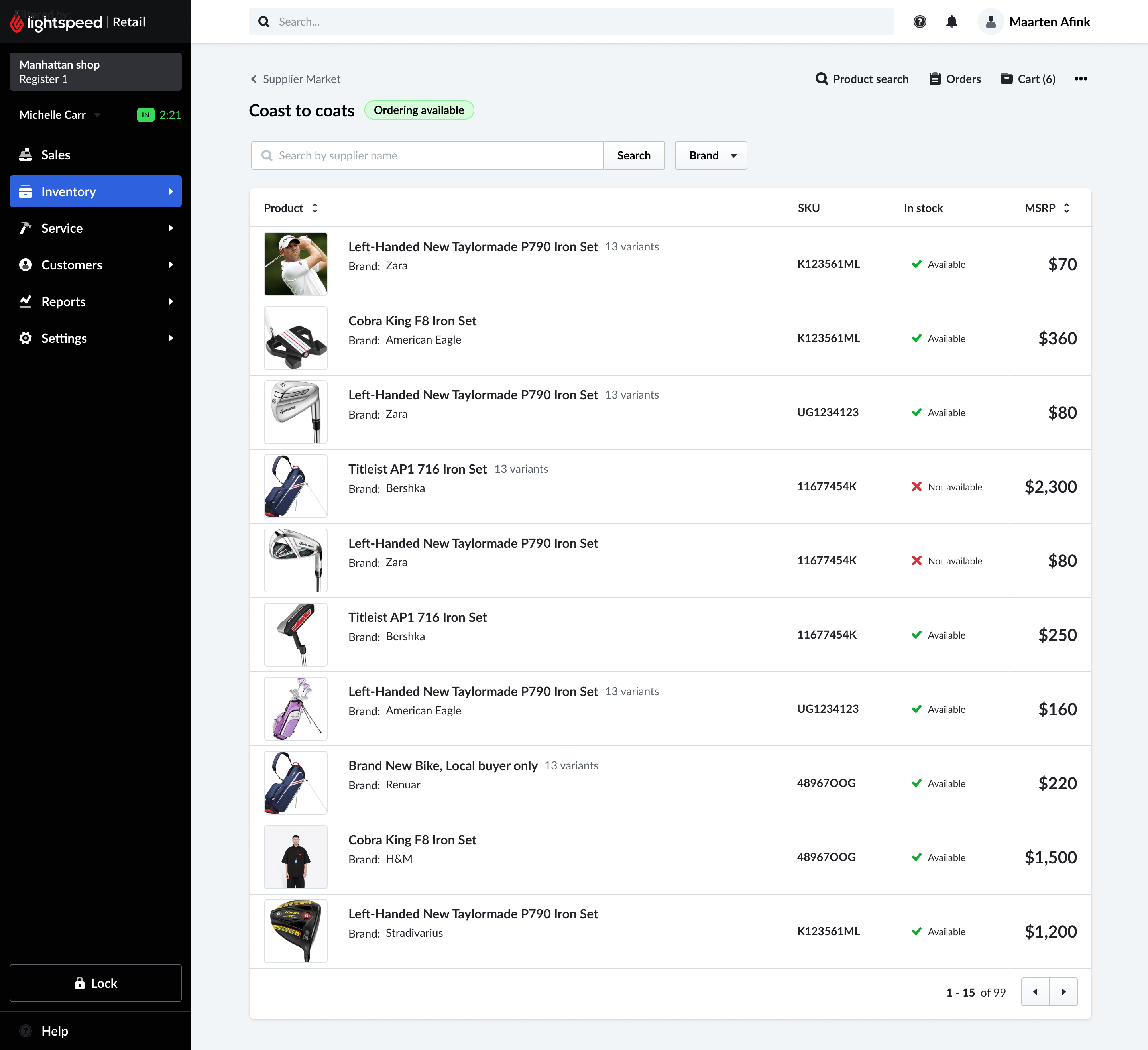
The range of the work at a glance - the merchant-facing Supplier Market, the supplier-side Back Office, and the flow that connects them. Browse it here, or read the full story below.
Outcome at a glance
Merchants couldn't order from suppliers without leaving the POS.
Supplier catalogs were static, disconnected from inventory, and manually managed. Every purchase order meant leaving the point of sale, navigating a separate supplier system, and copying data back by hand - re-entering product images, UPC codes, and attributes one at a time.
It was a workflow no one had fixed. The opportunity: build a live supplier marketplace inside Lightspeed, so merchants could browse, order, and manage inventory in one place.
Replace static catalogs with a connected, orderable marketplace.
Connect to a brand ERP service to import high-quality product data - images, UPC codes, attributes - and let merchants order directly inside the point-of-sale system.
Connect live supplier data
Replace local brand catalogs with a service pulling accurate, real-time product data from brand ERPs.
Import high-quality product content
Bring images, UPC codes, and attributes in automatically - no manual re-entry.
Order inside the POS
Browse, build a cart, and place purchase orders without ever leaving Lightspeed.
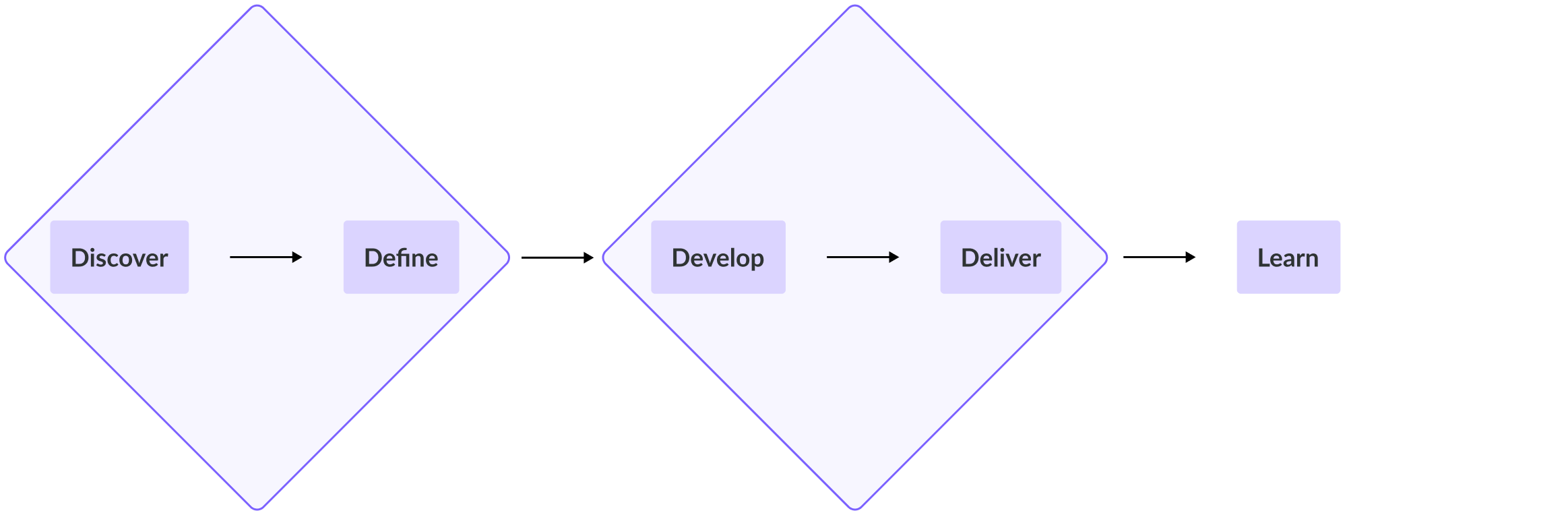
A double-diamond, run with rigor.
I diverged to explore options, converged to define the real problem, diverged again to develop solutions, then converged to deliver. The research generated here outlived the product itself.
Discover
Merchant interviews, support-ticket analysis, and field visits to understand the manual ordering reality.
Define
Framed the supplier-coverage gap precisely enough to influence company strategy.
Develop
Flows, prototypes, and a browse-to-order marketplace built into the POS shell.
Deliver
Shipped to beta, instrumented, and handed to engineering as sprint-sized tickets.

Allison Rivera
Small business owner · Outdoor sports goods store · Montreal · Team of 5–6
Allison uses NuORDER for wholesale ordering and Lightspeed POS for in-store and online sales. Her biggest frustration: the manual, time-consuming process of transferring wholesale orders into her POS - re-entering product images, UPC codes, and attributes by hand.
Pain points
- Manual order transfer between systems
- Re-keying images, UPCs & attributes
- Lost sales while products aren't live
Goals
- Spend time on customers, not data entry
- Get products online faster
- One source of truth for inventory
"I want to spend more time focusing on my customers and less time dealing with manual data entry. The longer it takes to get products online, the more sales I lose."
From flow to screens.
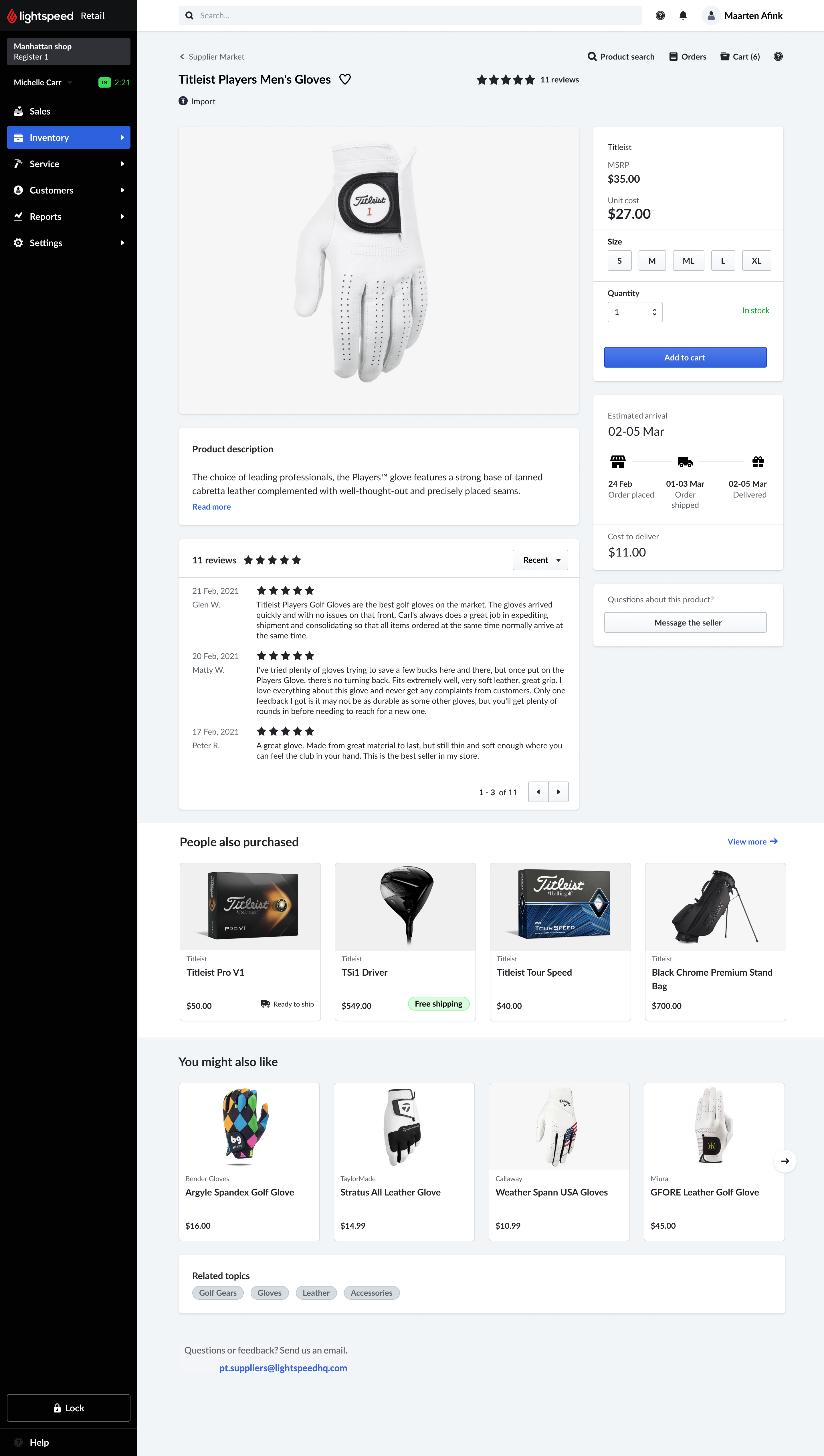
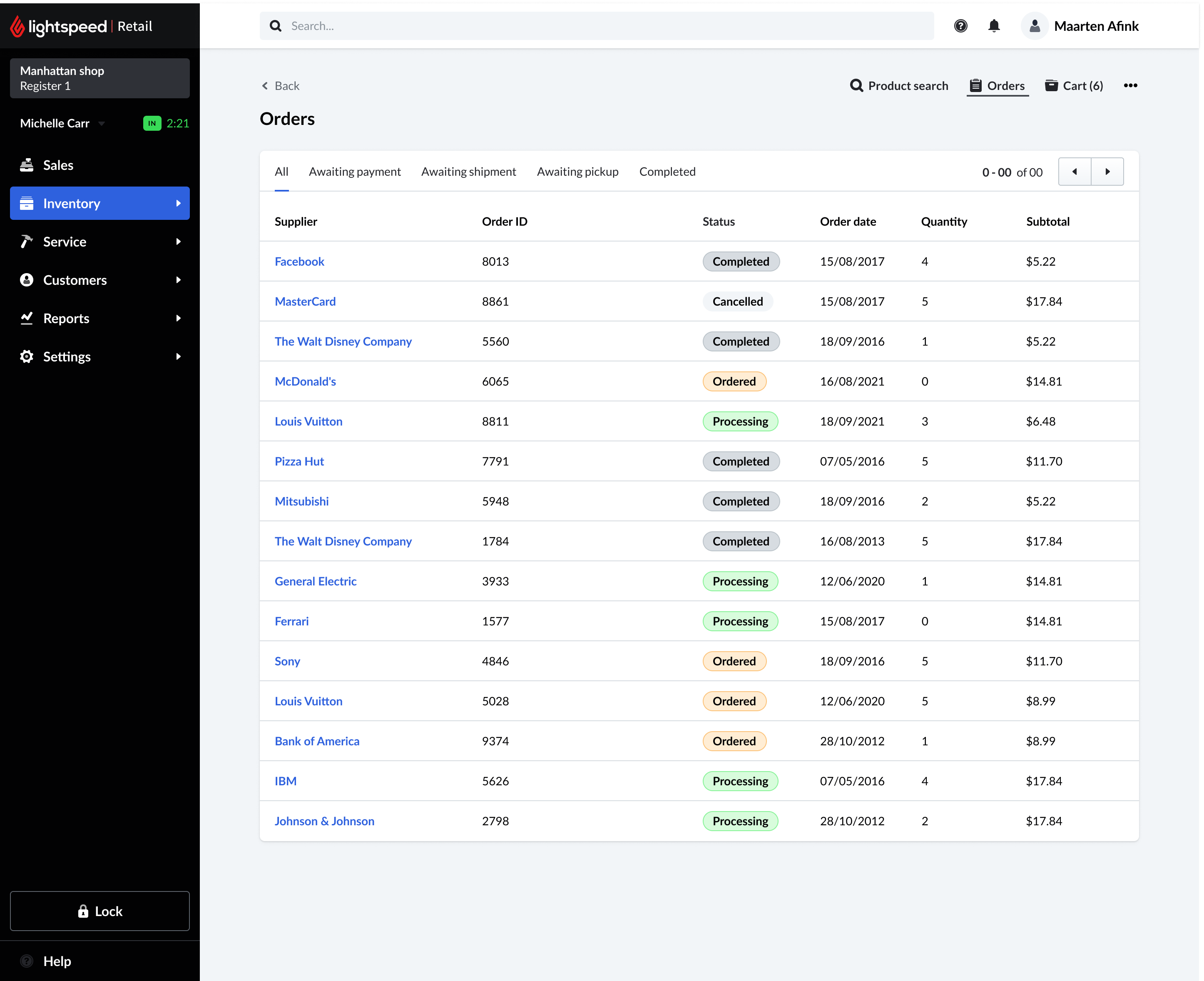
With the journeys mapped, I translated the core flow into the first end-to-end mockups - walking a merchant from their purchase-orders list, into the Supplier Market, through a product, and back out to a freshly created purchase order.
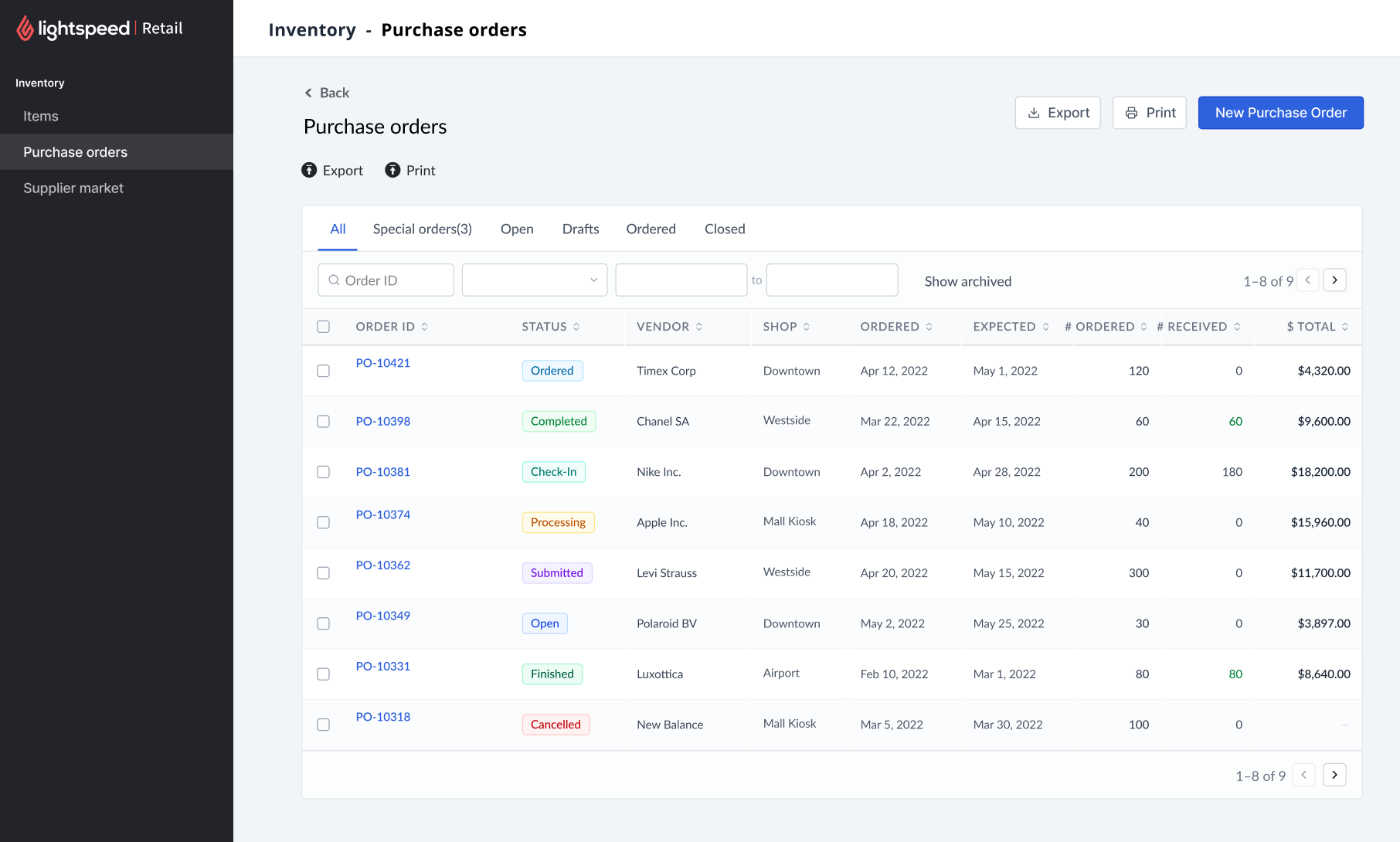
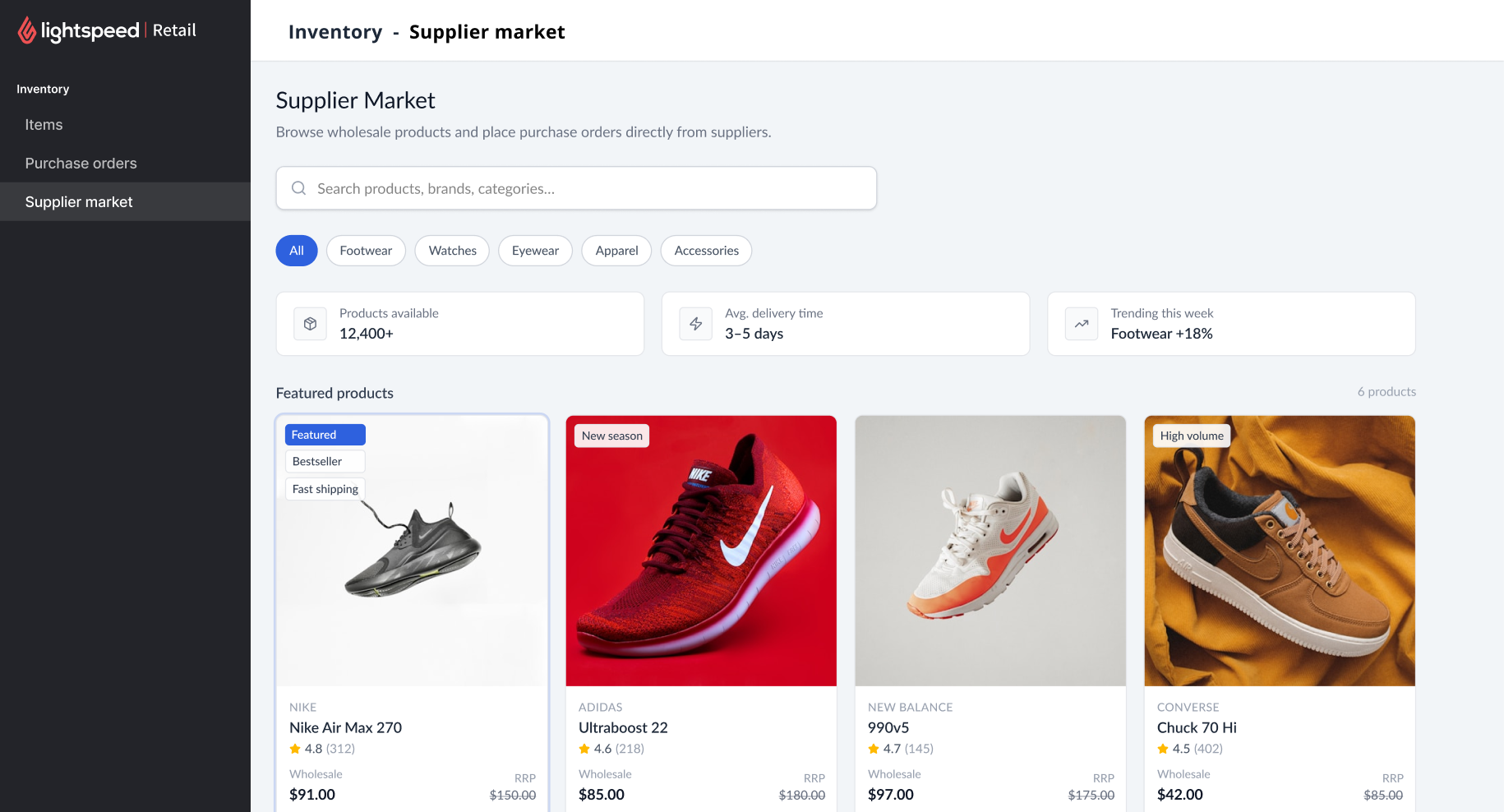
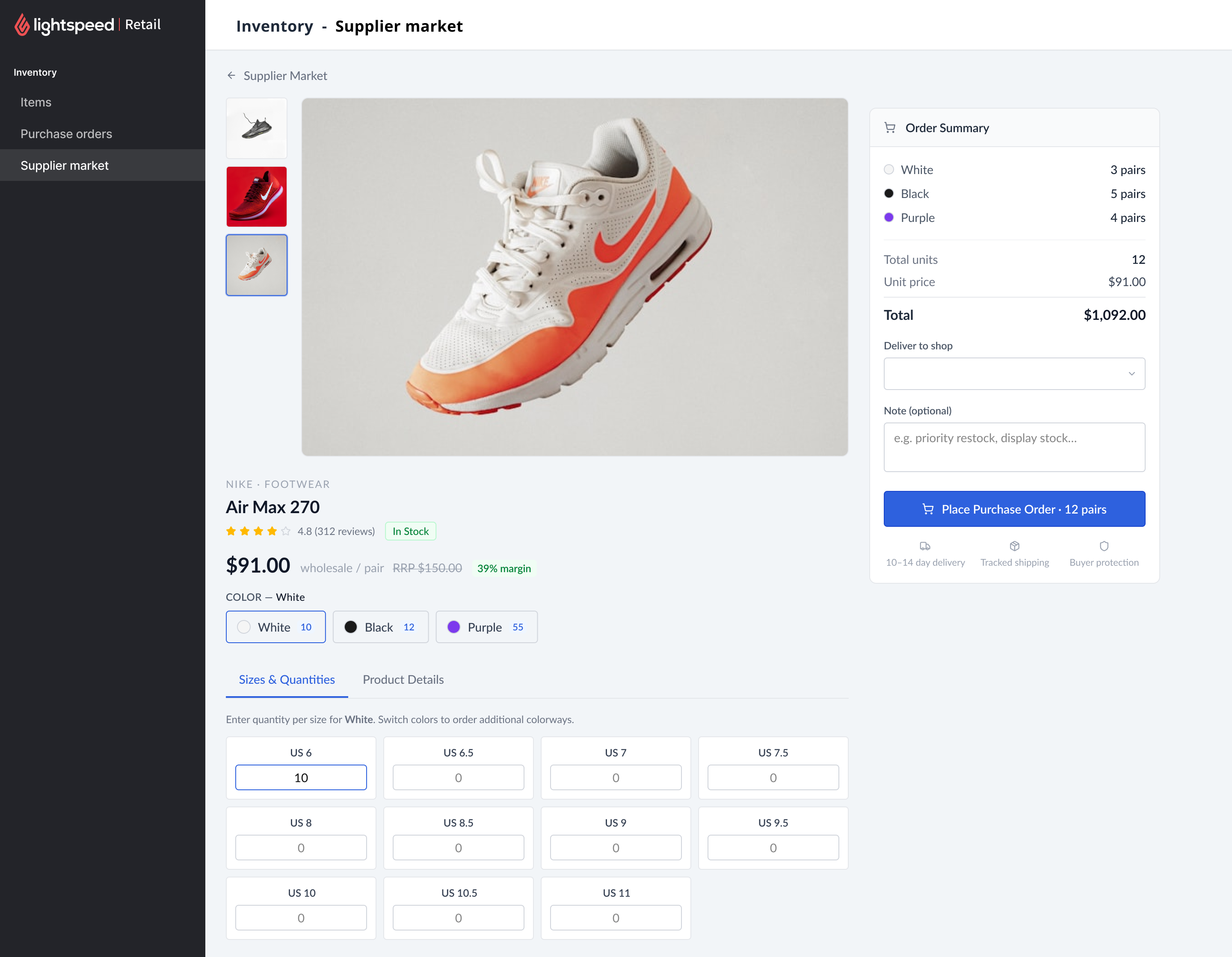
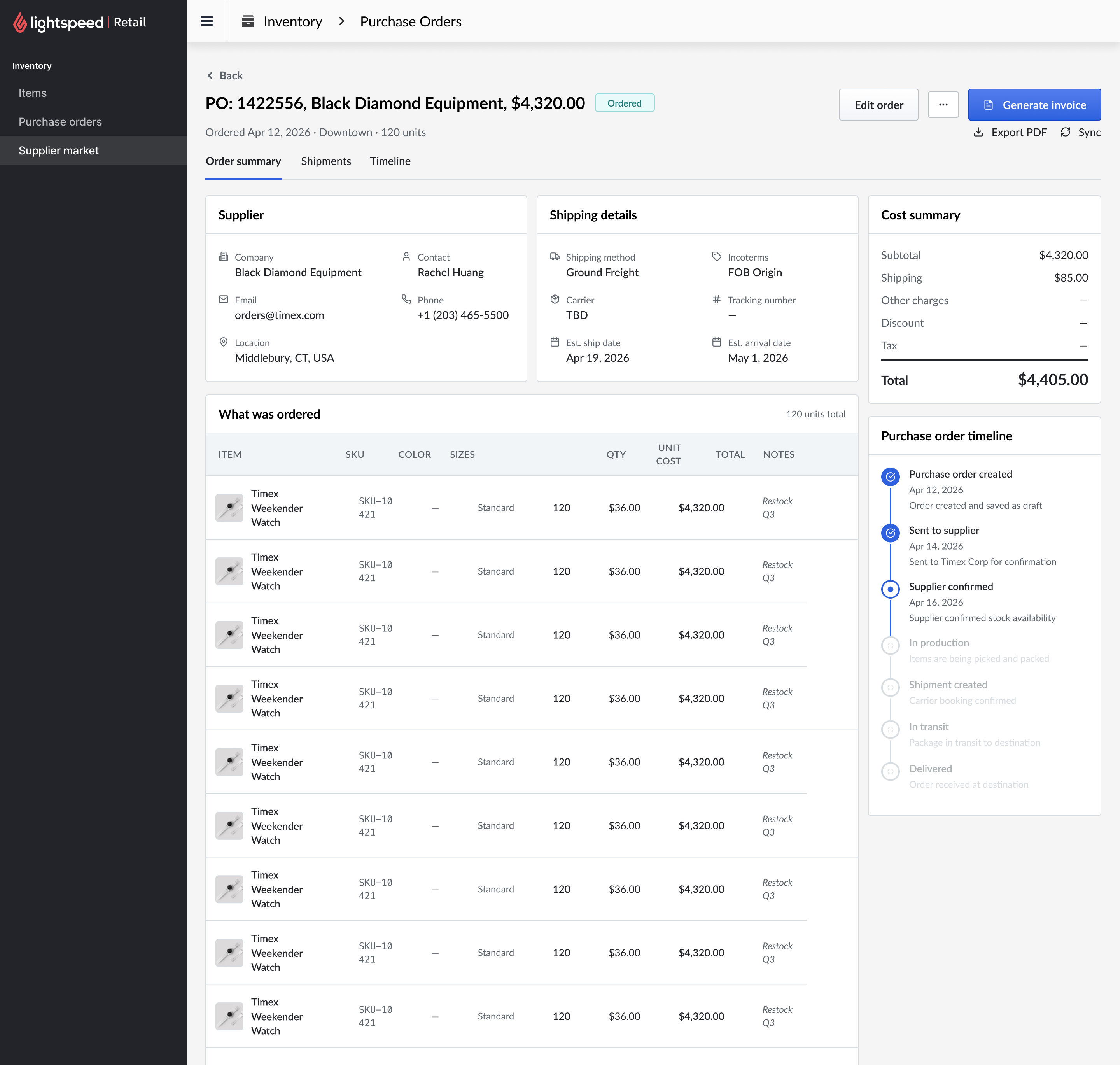
Browse, order, and manage - without leaving the POS.
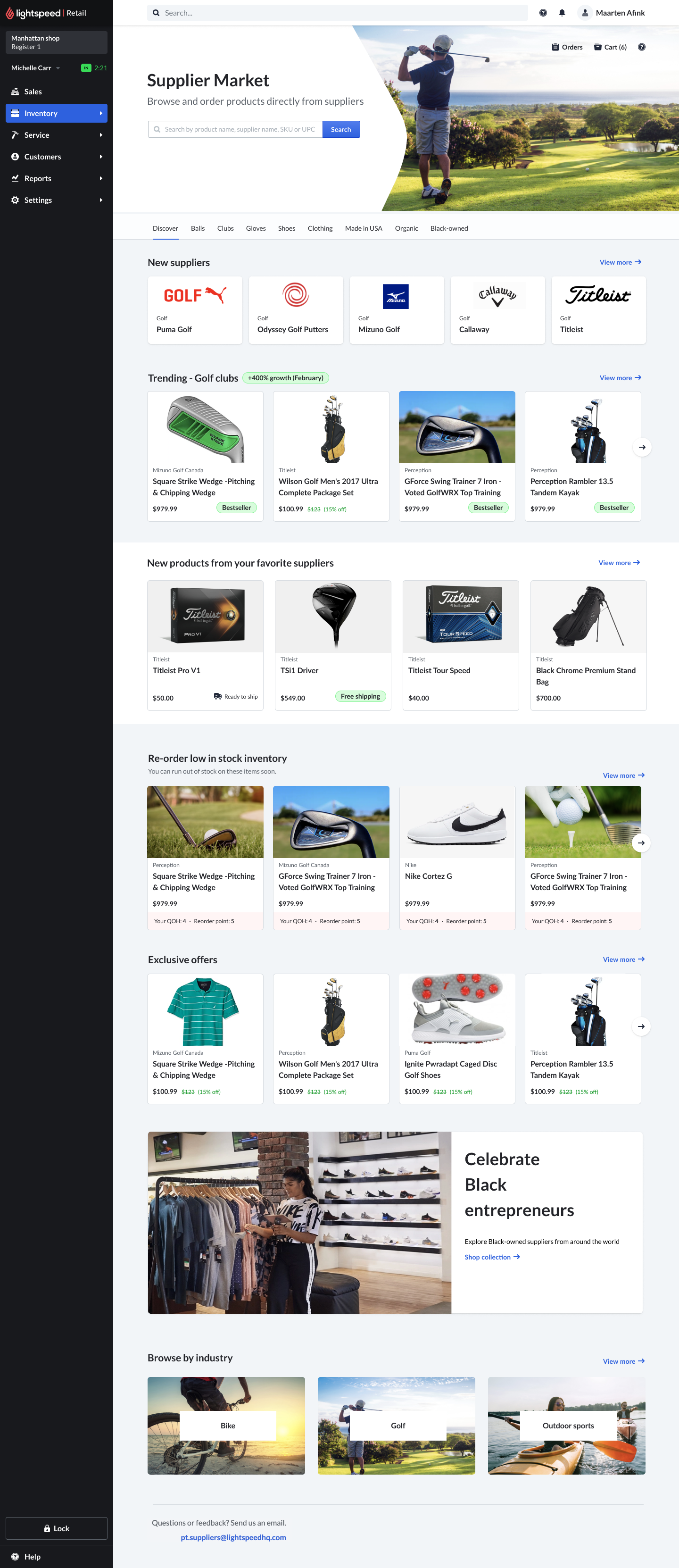
A storefront merchants already trust
The landing page surfaces new suppliers, trending products, low-stock re-orders, and exclusive offers - framed in the merchant's own language and embedded directly in the Lightspeed shell they use all day.
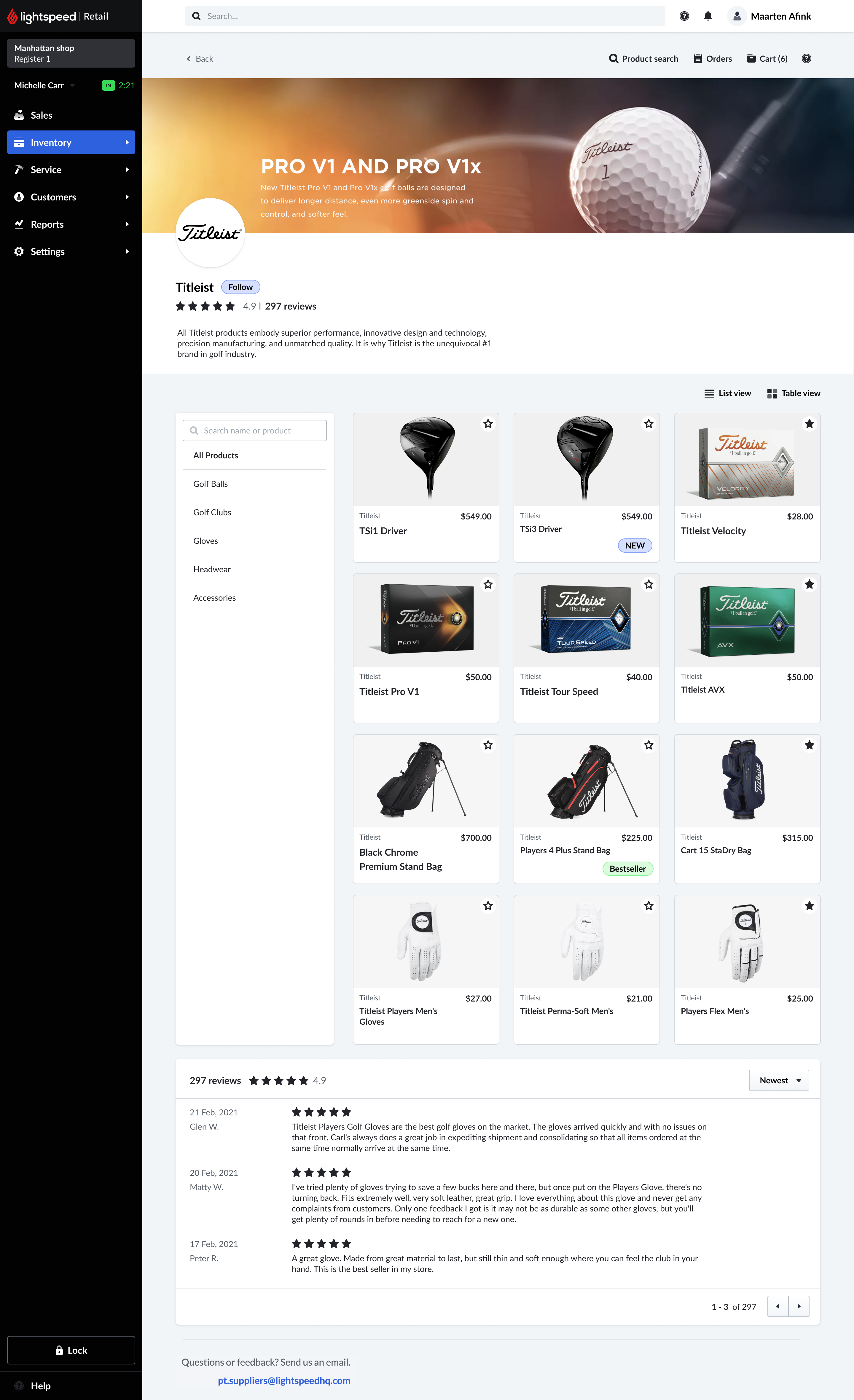
The Supplier Back Office
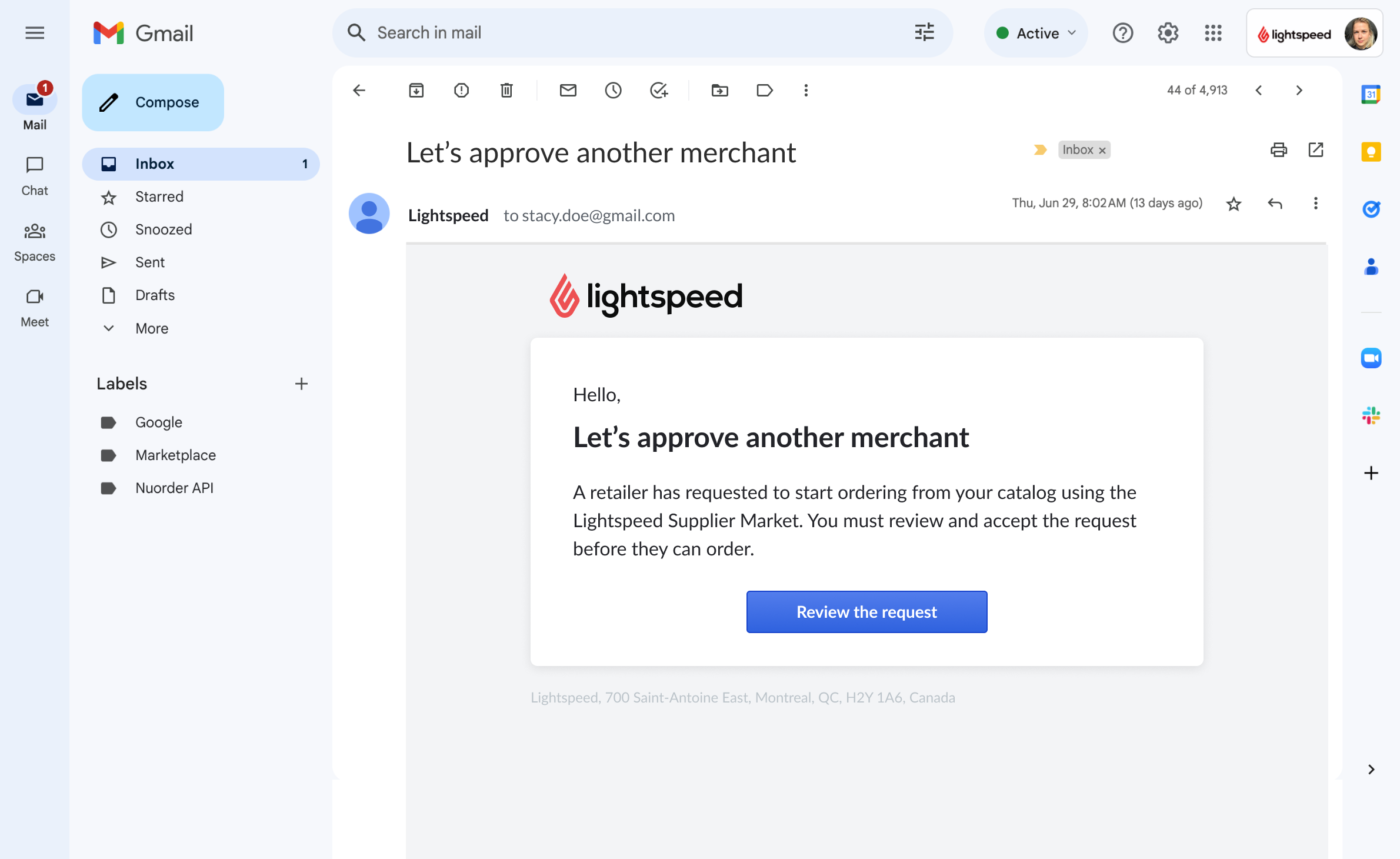
Supplier Market is two-sided. Retailers can only discover and order if suppliers have first brought their catalog in, controlled how products appear, and approved who's allowed to buy. The Back Office is that operational layer - without it, there is no marketplace.
A marketplace is only as good as the catalogs inside it.
Every supplier had to get accurate product data - images, UPCs, pricing, attributes - into the system before a single retailer could order. That onboarding was the bottleneck, and it broke quietly: bad or missing data meant products showed up wrong, or not at all.
Suppliers also ranged enormously in technical maturity - from a one-person brand with a spreadsheet to an enterprise running a full ERP. A single rigid import path would have left most of them out, and manual onboarding could drag on for weeks of email back-and-forth.
Meet suppliers at their level of technical maturity.
Rather than force one integration, the Back Office offers a ladder of connection methods - from a one-off file upload to a live ERP integration - so onboarding never stalls on technical readiness. A managed option, Supplier Connect, can migrate everything in under 30 minutes; but the Back Office had to serve everyone, including suppliers who'd never integrate a thing. Every import is validated on the way in, and suppliers preview exactly how products will appear before they go live.
Manual file upload
No dev workUpload a CSV or JSON catalog by hand. Validated on import, with a downloadable error report to fix and re-upload - the fastest path for suppliers with no technical resources.
SFTP connection
Scheduled syncDrop catalog files on a connection that syncs automatically on a schedule - for suppliers who can export data but don't have engineering time to spare.
API integration
Full automationA direct ERP integration that syncs products and manages orders both ways - the most setup, and the most hands-off once it's live.
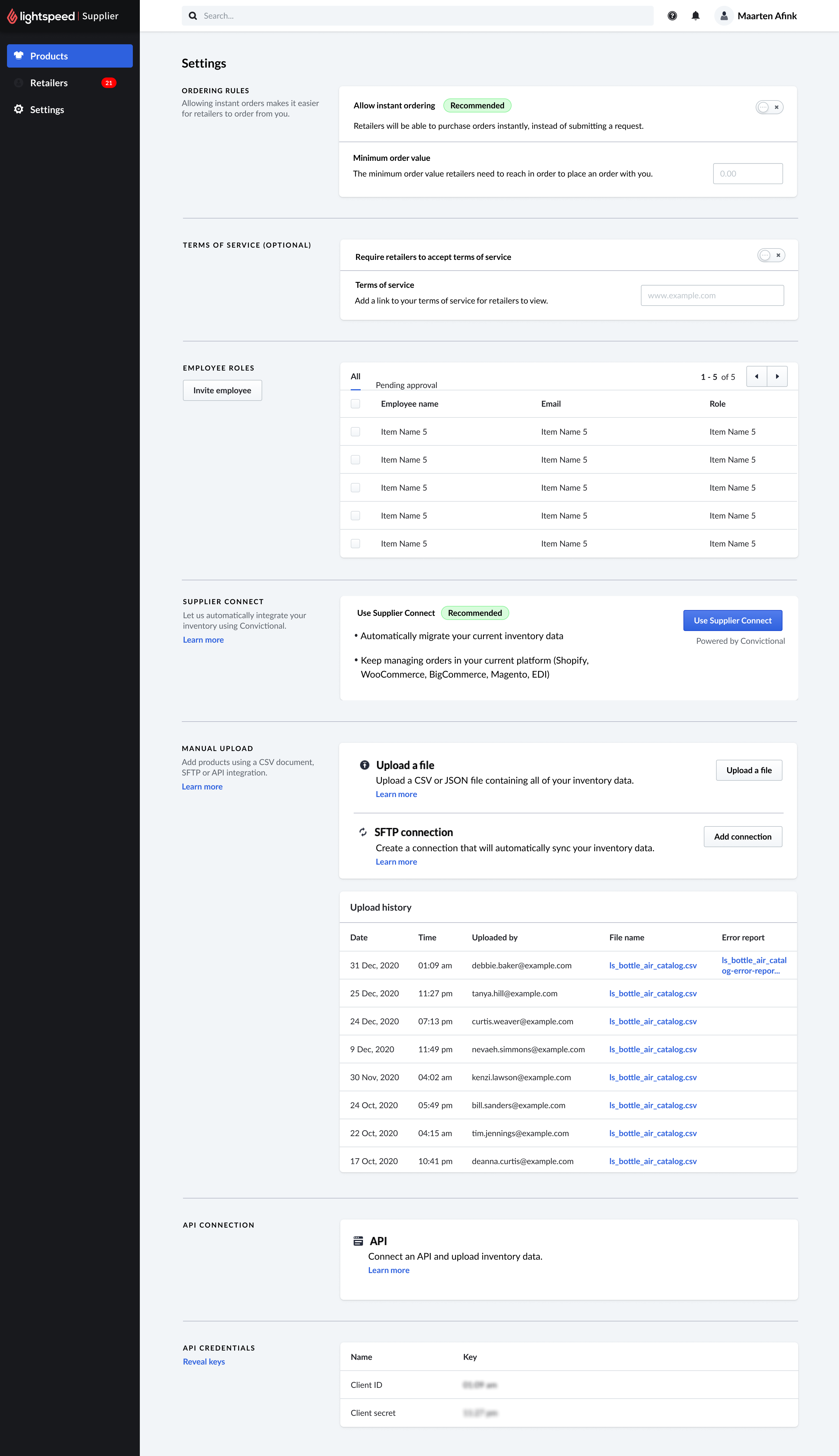
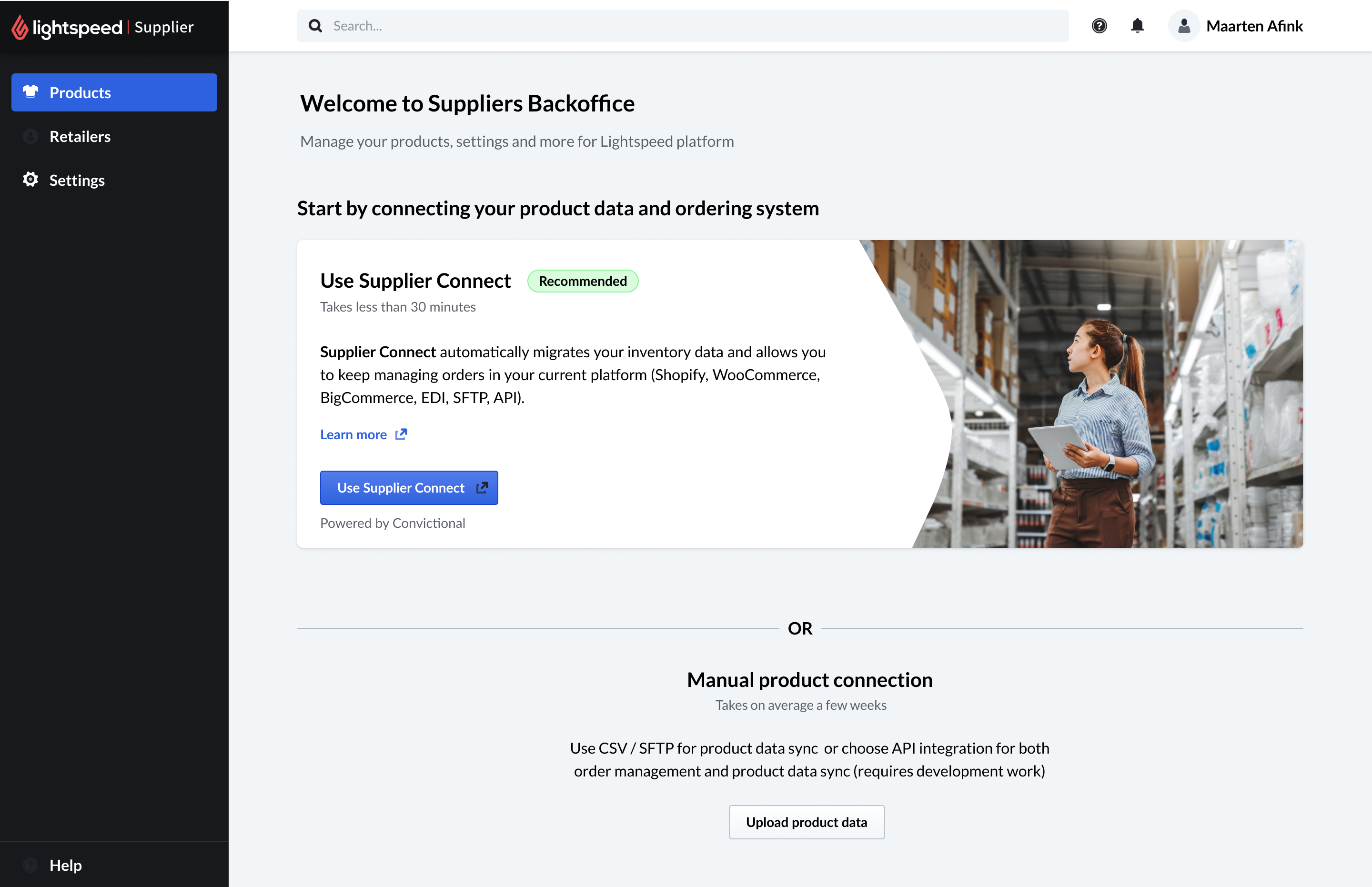
One back office, every level of supplier.
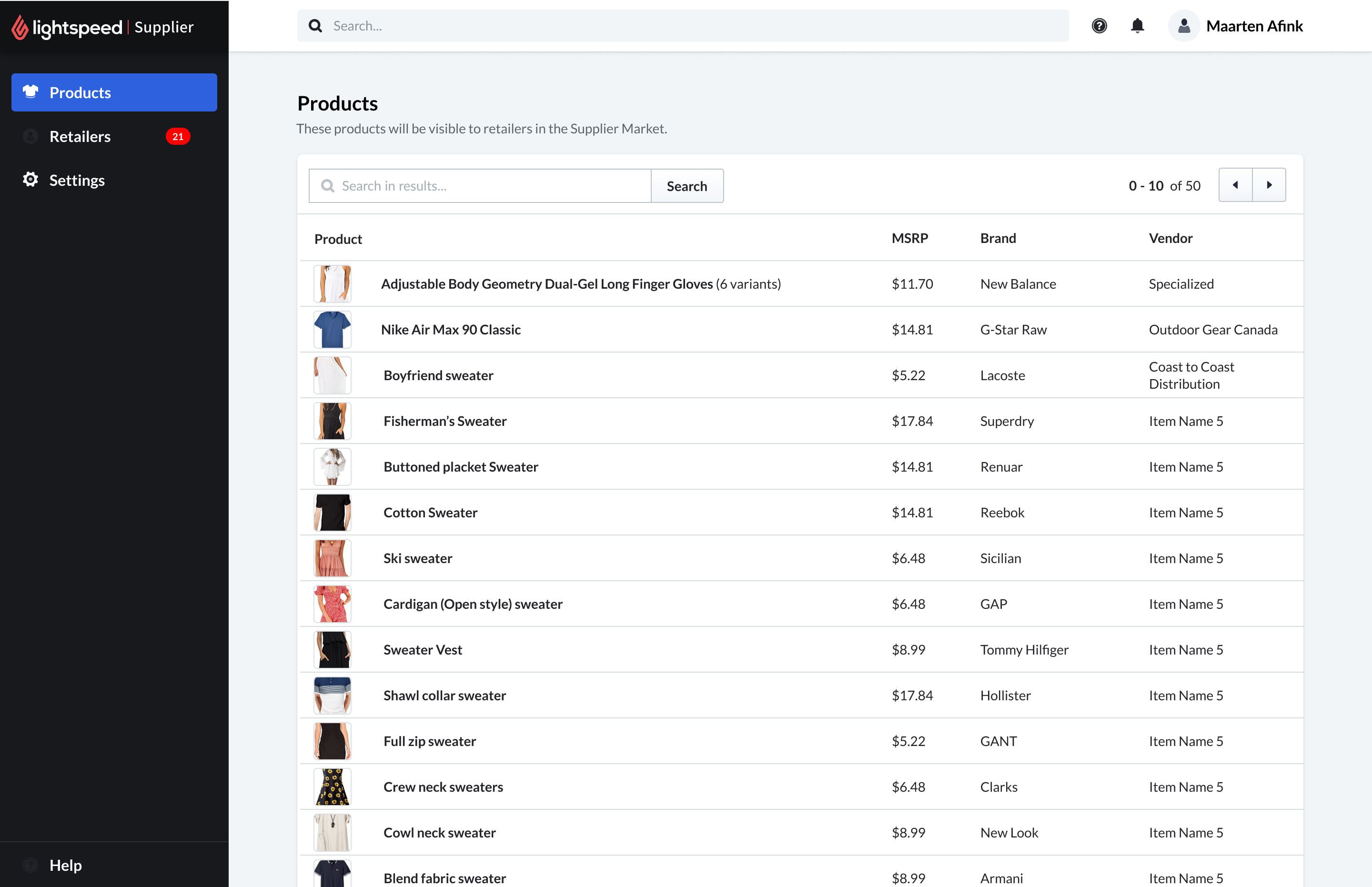
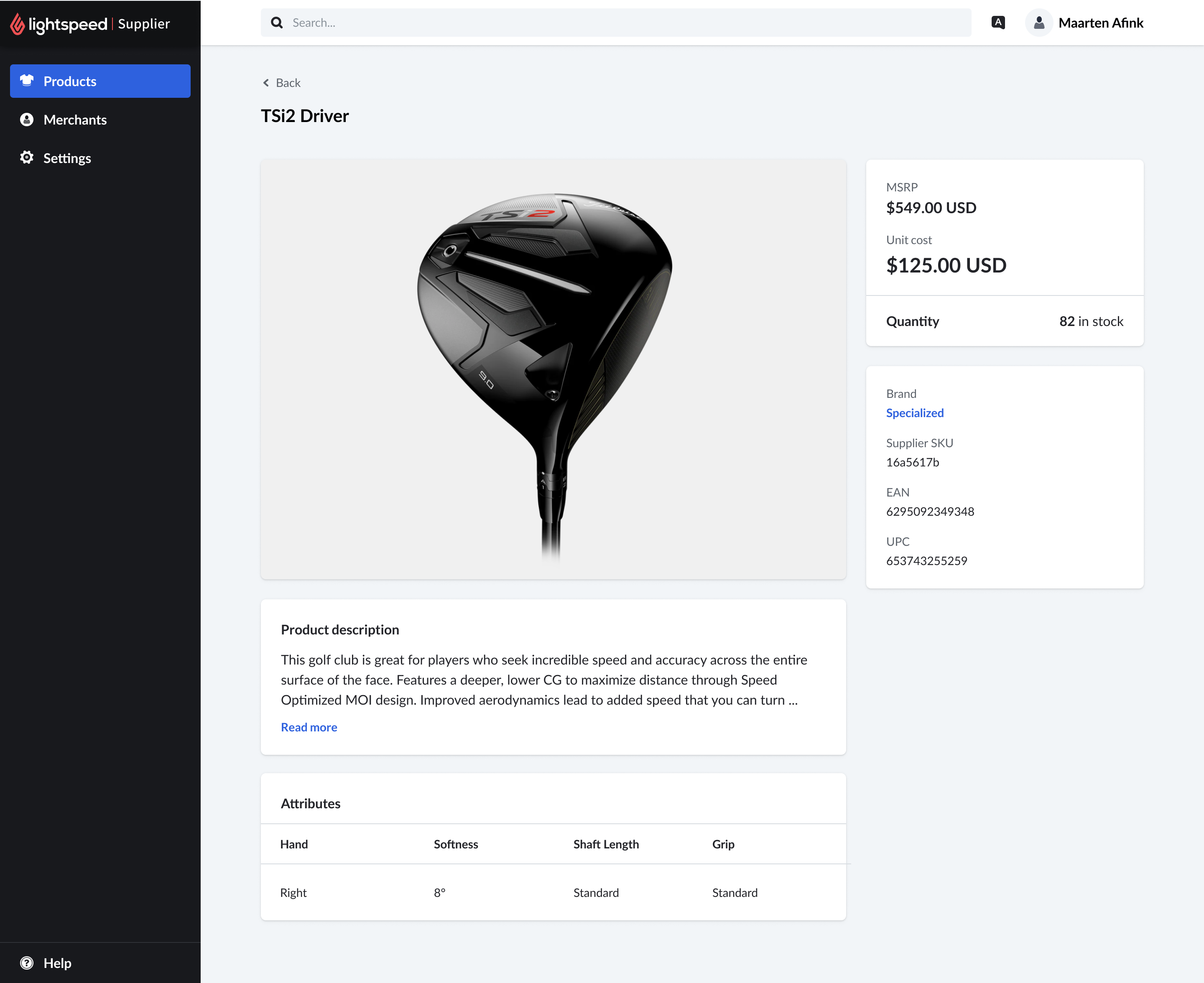
The catalog, exactly as retailers will see it
Once imported, products land in a single list - the same data that will surface in the marketplace. Suppliers can search, page through, and re-sync at any time, so the catalog stays the single source of truth instead of drifting from the ERP.
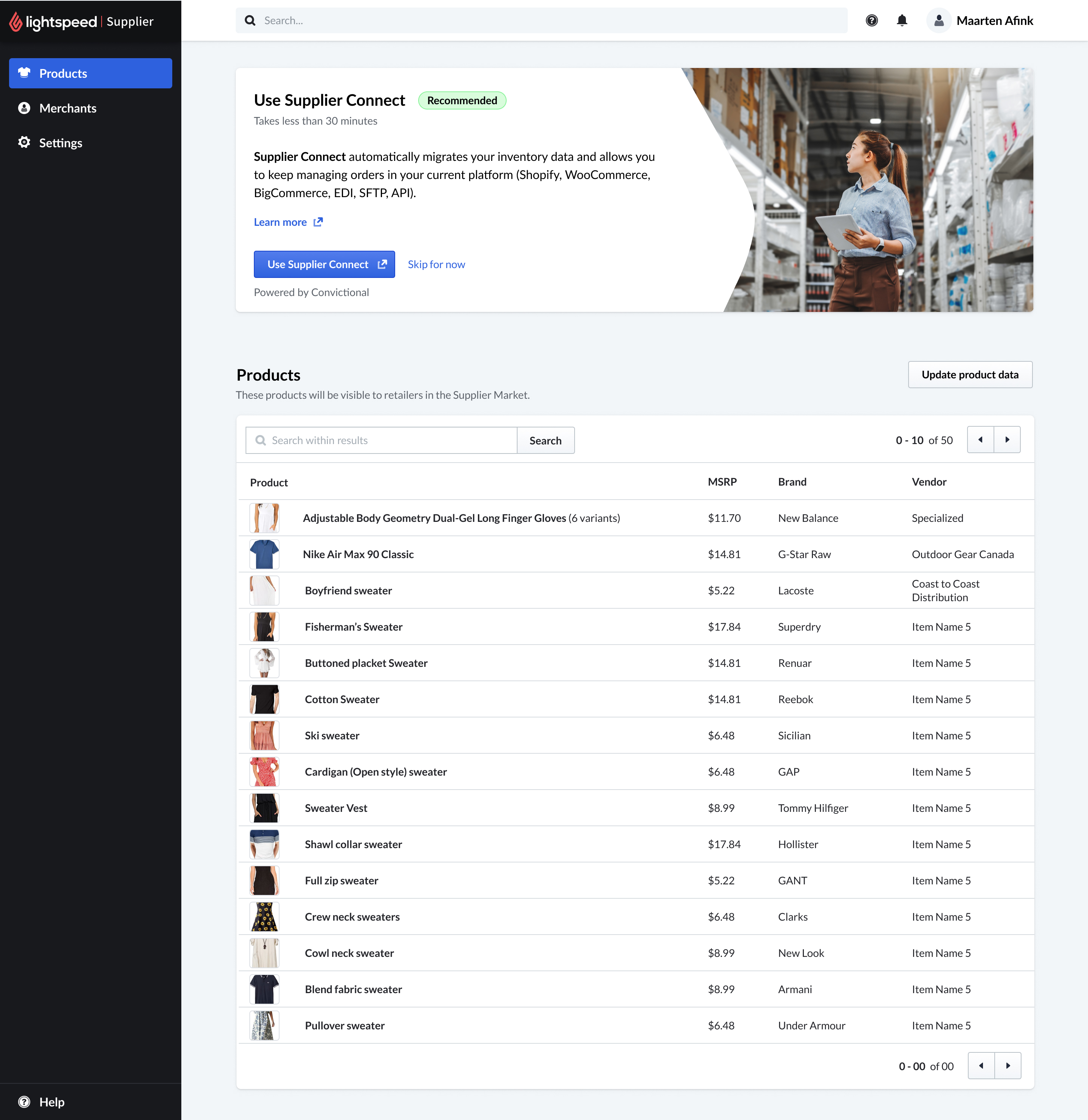
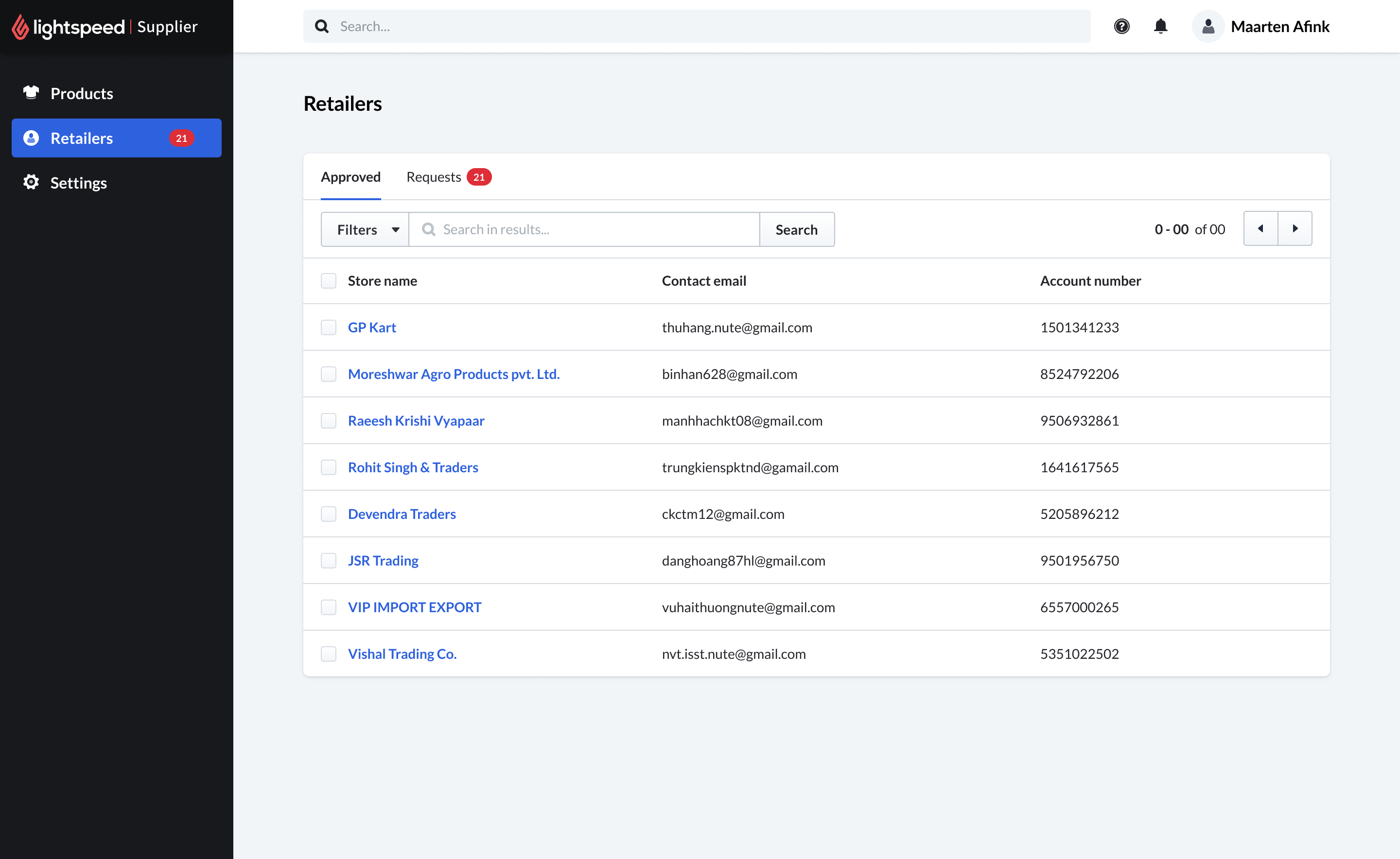
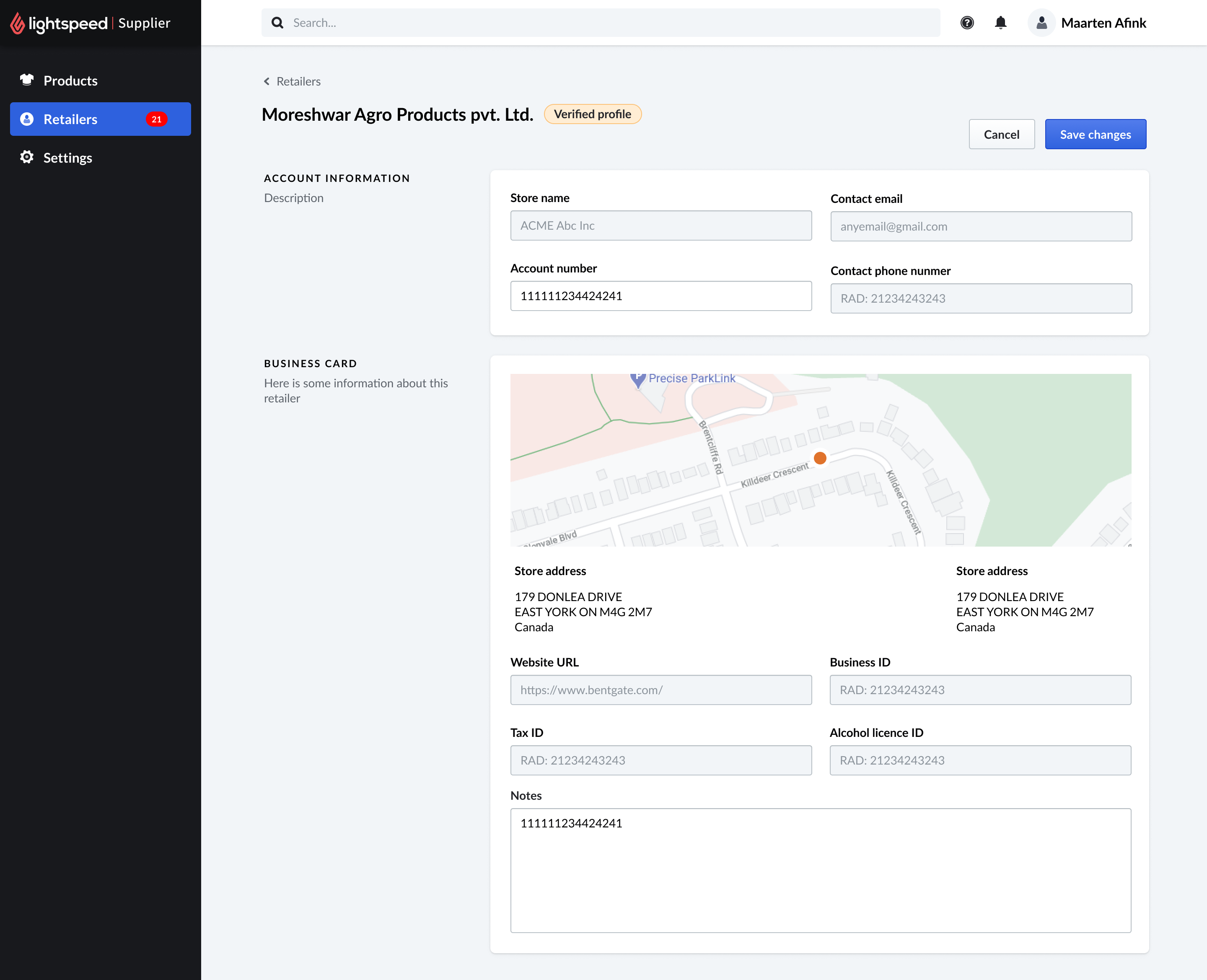
What the Back Office set up
An MVP that became the operational foundation of the marketplace.
- Scalable onboardingEvery supplier, from spreadsheet to ERP, on a path that fits them
- Validated catalogsImports checked on the way in, with errors surfaced to fix and re-upload
- Connections, controlledSuppliers approve retailers - the groundwork for ordering between trusted partners
Separate the fate of a product from the quality of the work.
Supplier Market never launched for GA - but it directly informed a $100M+ acquisition. The research we generated about the supplier-coverage gap was precise enough to influence a company-level strategic decision: Lightspeed saw the problem clearly and acted on it.
This taught me to separate the fate of a product from the quality of the work. Good research does its job even when the product doesn't ship. The team that built Supplier Market created rigor, cross-functional trust, and a clear picture of a problem worth solving.
That picture became the brief for what came next - turning the acquisition into a working integration.
Conducting and analyzing user interviews
I conducted 15+ in-depth interviews with Lightspeed merchants across several retail verticals - including outdoor sports, apparel, and specialty retail.
In parallel, I reviewed Zendesk support tickets and Lightspeed forum discussions related to catalog and supplier functionality, looking for patterns in what merchants were asking for or struggling with.
I synthesized everything using affinity mapping, grouping insights into four main themes that shaped the entire design direction.
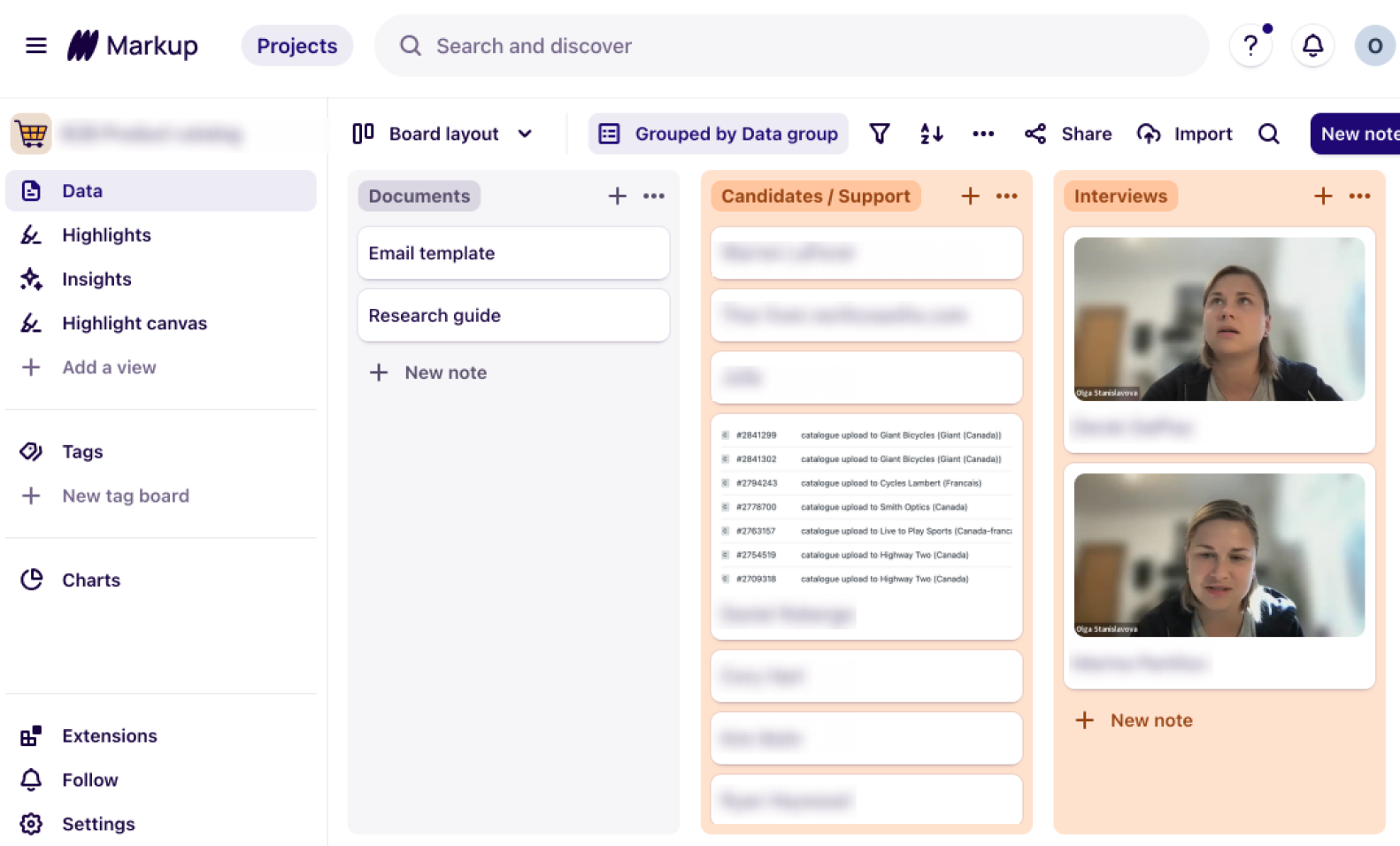
Every input in one place - interview recordings, support-ticket candidates, and research documents, organized in Markup.
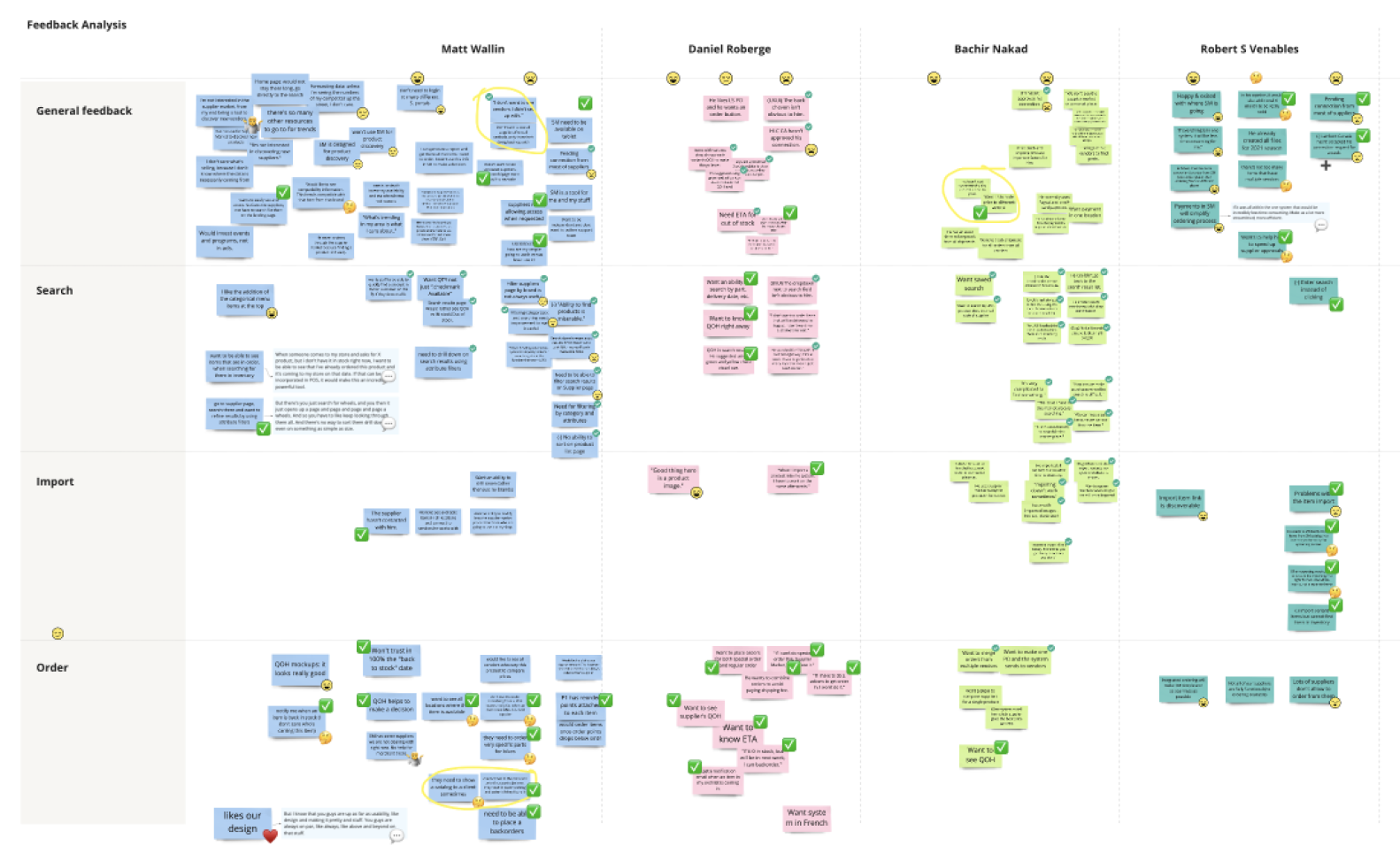
Affinity mapping every observation surfaced four themes - General feedback, Search, Import, and Order - that became the backbone of the design direction. Click to zoom in.
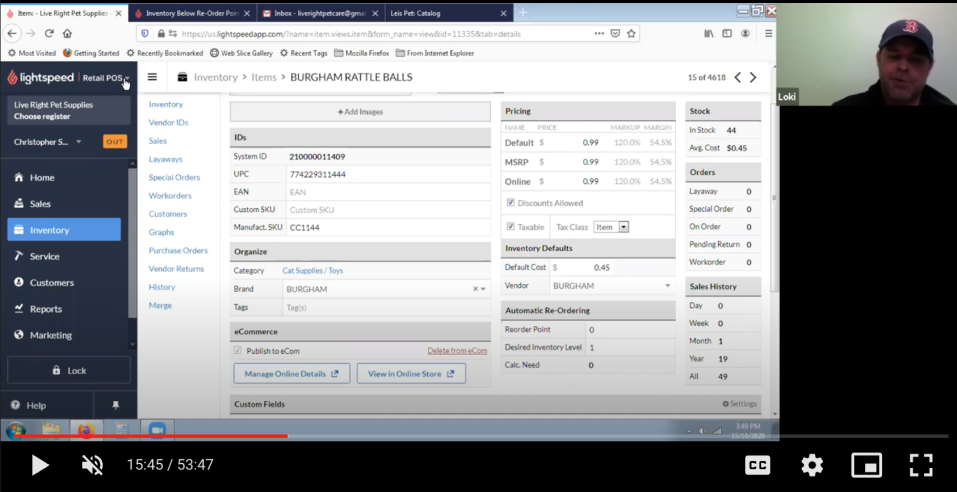
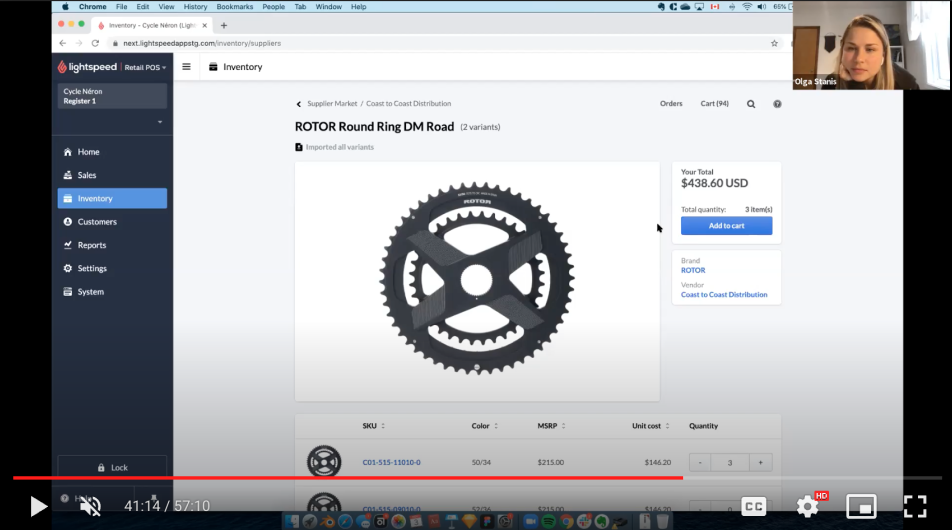
Screenshots from the user-interview recordings:
Analyze and learn - measuring what mattered
With the beta live, we shifted into a continuous feedback loop. I monitored user engagement closely - identifying which features were getting traction, which were being ignored, and where users were dropping off.
Iterative improvements: that data drove iterative improvements to the beta - addressing friction points, doubling down on what was working, and deprioritizing features that weren't resonating.
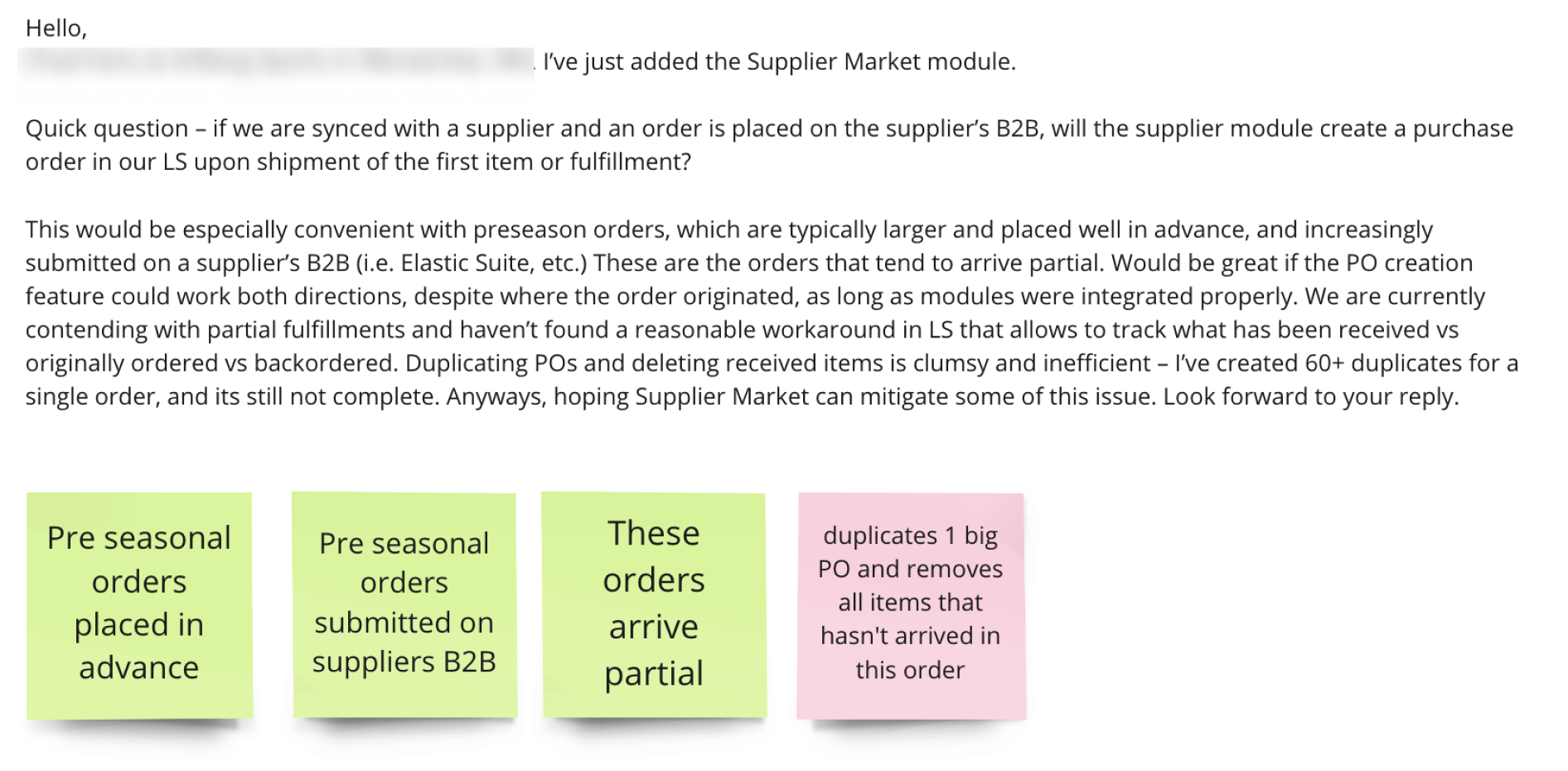
Real beta feedback became data - this merchant's note on preseason orders and partial fulfilments surfaced the purchase-order-duplication pain point, broken into insights.
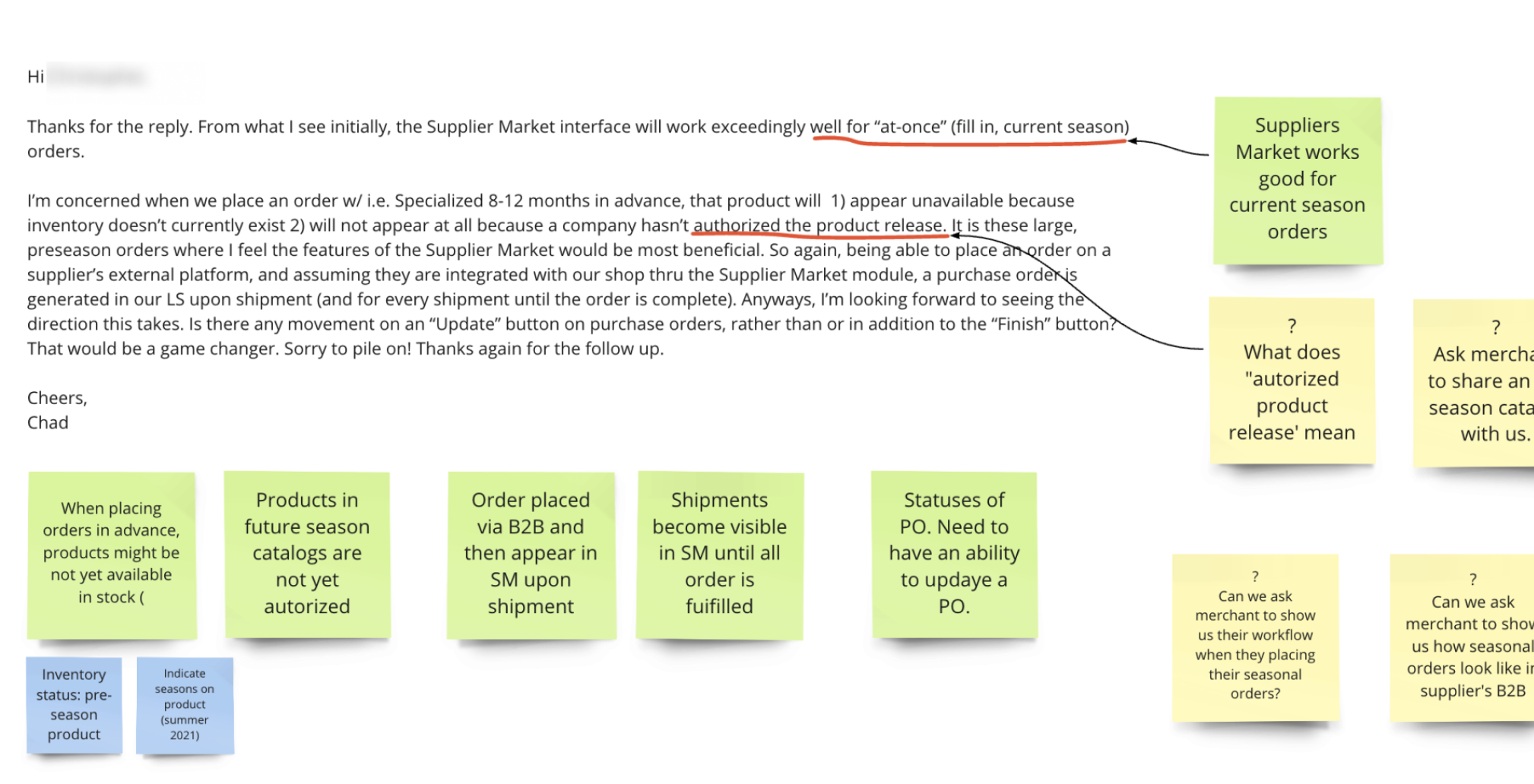
Each thread was tagged with insights (green) and open questions (yellow) - feeding directly into what got prioritized, reworked, or set aside in the next beta iteration.
Analyze and learn - what in-person research revealed
Seeing a merchant interact with the feature in the context of their actual work day - between serving customers, managing stock, and handling daily operations - revealed things that remote testing simply wouldn't have surfaced. The environment changed how they used the product, what they noticed, and what felt natural versus effortful.
The qualitative feedback from beta participants was encouraging. Merchants who used the feature responded positively to the concept - the ability to browse live catalogs with real imagery and order directly was clearly resonating. But a pattern in the data began to surface that would prove to be the critical finding.
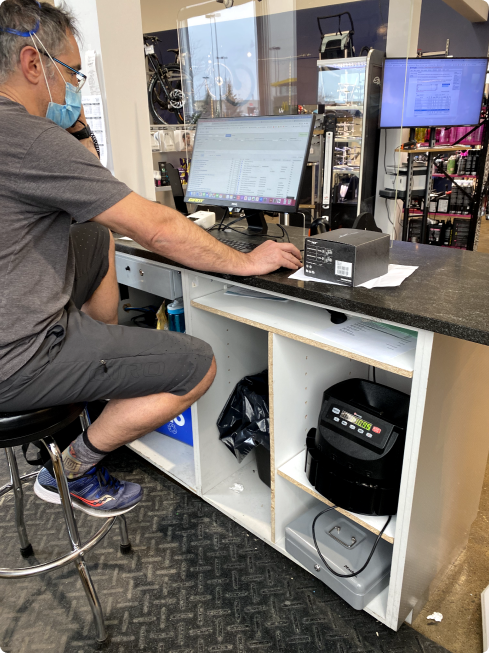
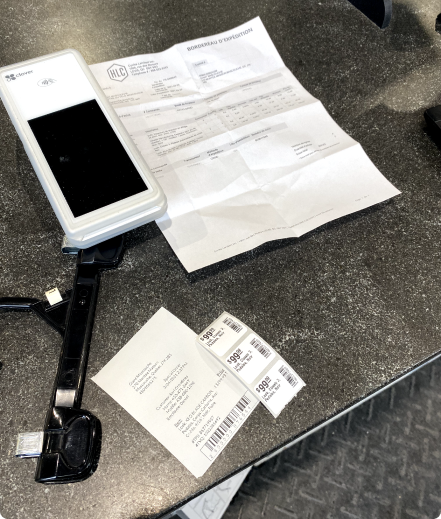
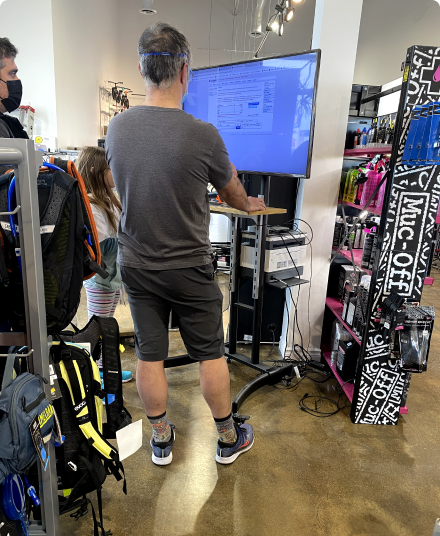
Observing the feature in its real environment - mid-shift, between customers - surfaced behaviors remote testing never would, and set up the project's most important finding.