Work / Case study 03
Lightspeed × NuORDER · 2021–2023B2B Network: connecting wholesale to the point of sale
After Lightspeed acquired NuORDER, two platforms merchants used every day still didn't talk to each other. B2B Network closed the loo, syncing orders, products, and inventory between NuORDER wholesale and the Lightspeed POS.
The full range of the work at a glance - discovery, the order-export flow, the cross-platform sync, status & error states, onboarding, and service blueprints. Browse it here, or read the story below.
A motion study of the bridge in action - one wholesale order flowing out of NuORDER and landing, flagged and ready, inside the Lightspeed point of sale. Press play and scrub through the full sync.
Best viewed full-screen.
Two platforms, one merchant, no connection.
Lightspeed acquired NuORDER for $100M+ to bring wholesale buying into its retail platform. But the two systems were built independently: merchants placed wholesale orders in NuORDER, then re-entered everything into the Lightspeed POS by hand to actually sell it, re-keying products, images, UPCs, and quantities.
I joined the NuORDER team as Design Manager to design the bridge: B2B Network, the integration that would let an order flow from wholesale straight into the point of sale.
NuORDER
Merchants browse brand catalogs and place wholesale purchase orders for the season.
Lightspeed POS
Merchants sell in-store and online, needing every product live, priced, and in stock.
To frame the work, I mapped how a merchant replenishes stock today, end to end, across both platforms. The journey runs from deciding what to order, through NuORDER wholesale, an email handoff, and back into the Lightspeed POS to receive it. Every platform switch and bit of manual memory in this map is exactly what B2B Network set out to remove.
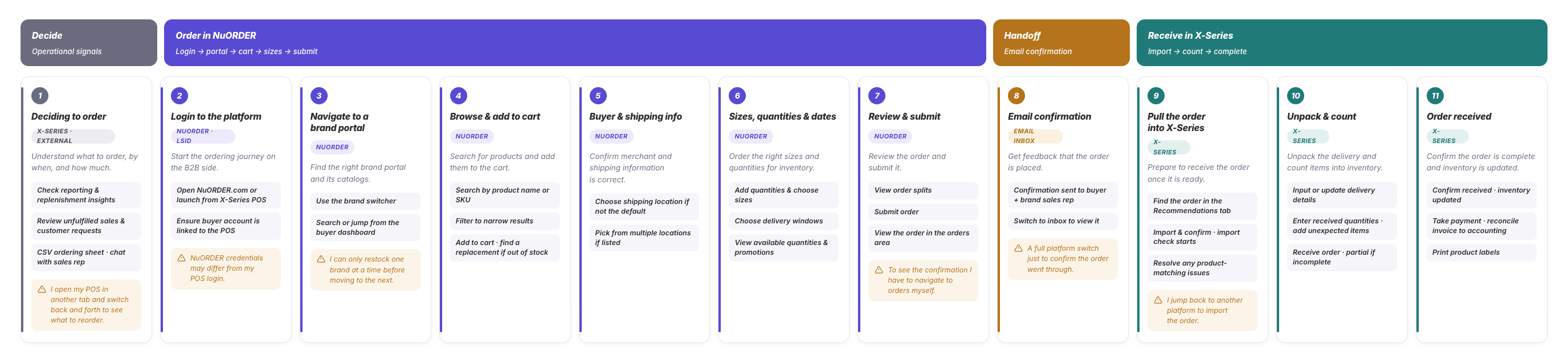
The end-to-end journey, color-coded by platform: wholesale (NuORDER), the email handoff, and the point of sale (X-Series). Open the full interactive journey →
Export from the tool merchants already know.
The whole export happens inside NuORDER. No new interface, no separate tool. Merchants select their order, verify exactly what's being exported, and confirm.
The key design moment is conflict detection: before anything is created, the system separates matched items from new ones. So duplicate products never get created in the POS.
Select
Pick the order to push, right from the NuORDER orders list.
Verify
Review what will be created vs. updated, matched and new items, side by side.
Confirm
Export with confidence. No duplicates, no surprises in the POS.
Export to POS can be kicked off from either place a merchant already works, bulk-selecting from the orders list, or from inside a single order.
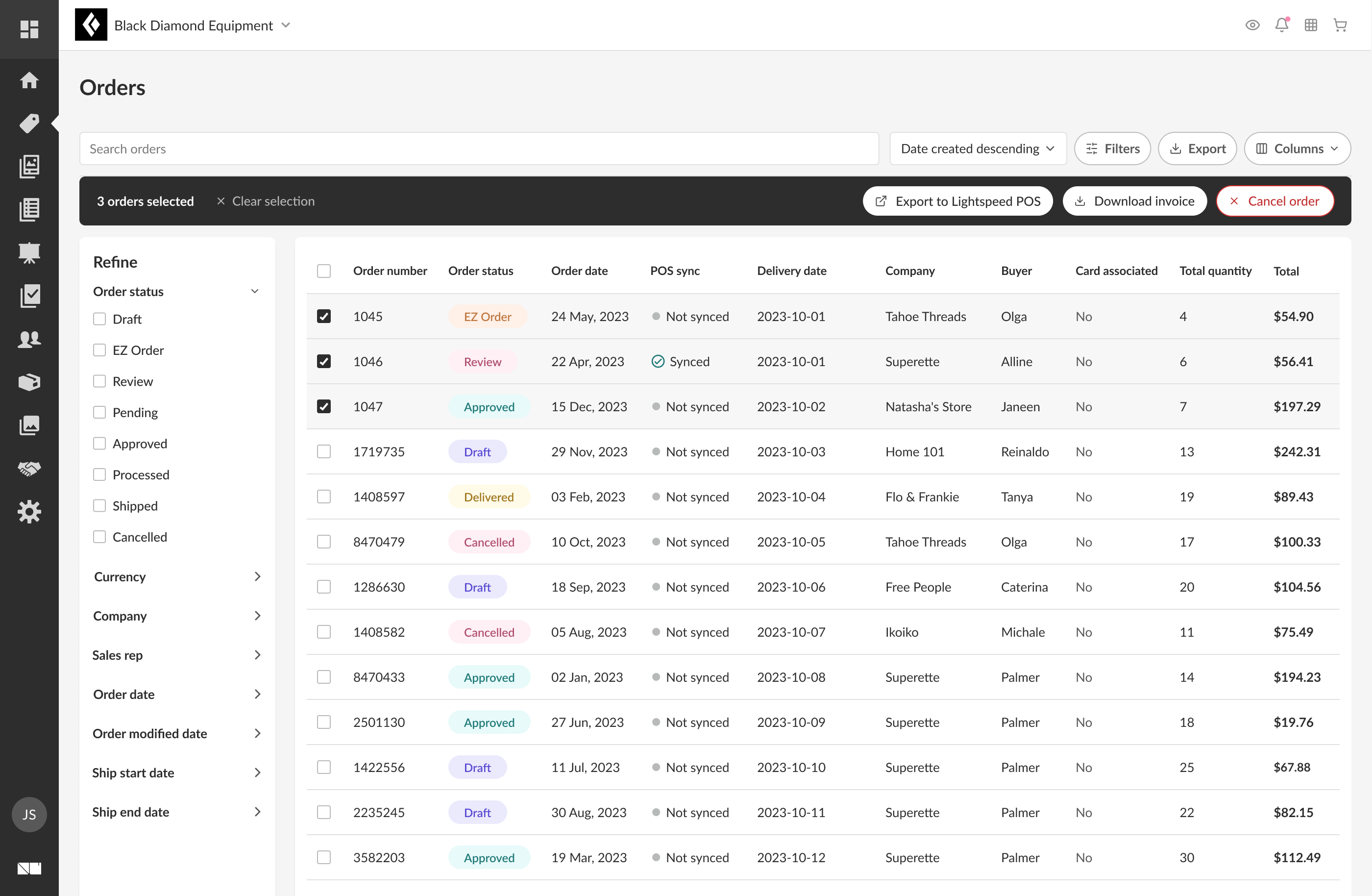
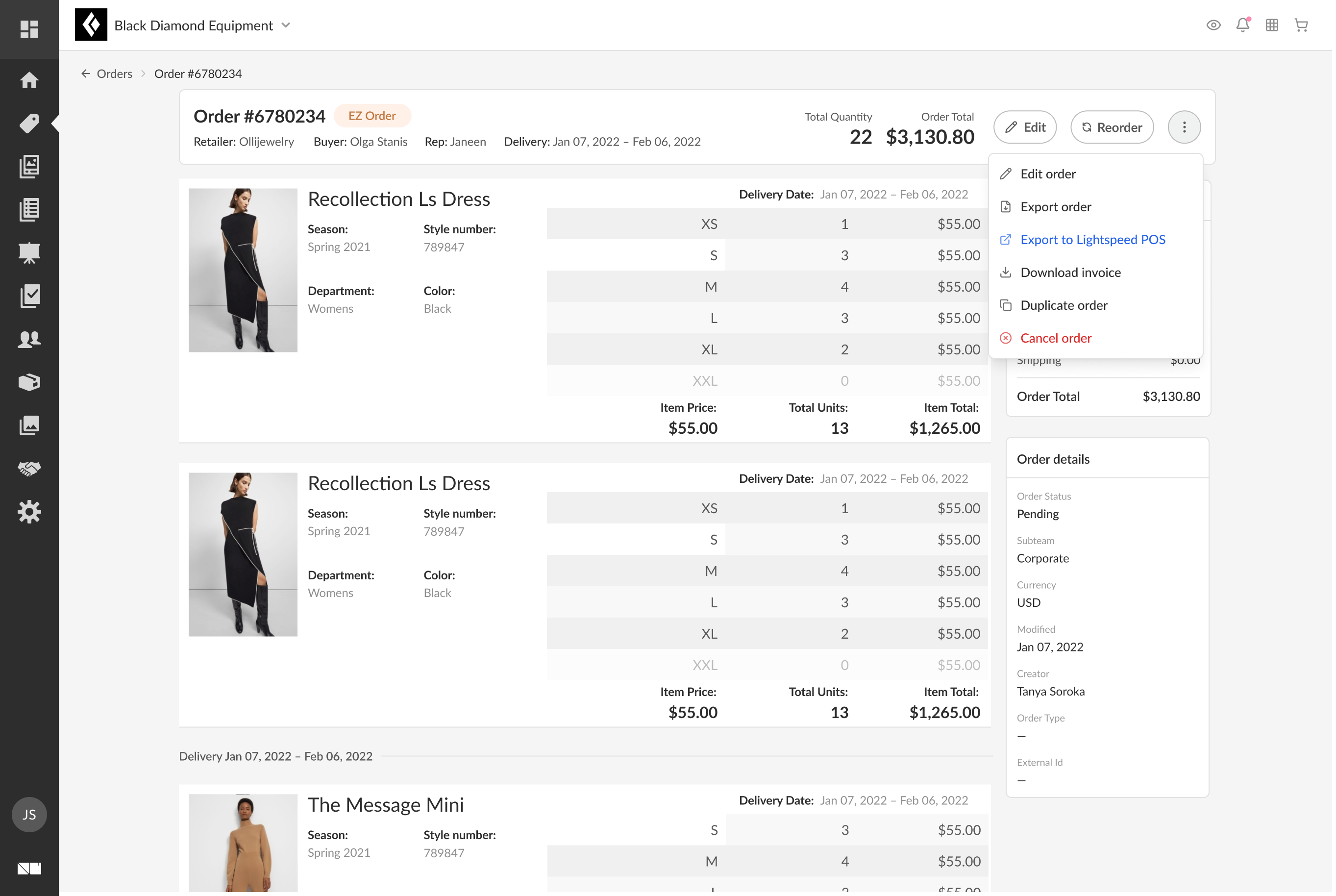
POS-sync status is visible at a glance on the list and export is reachable from both the list and any single order.
The same review experience adapts to how the export was started. Supporting different cases, multiple orders at once from the list, or a single order from its details page. Either way, the merchant sees matched vs. new items before anything is created.
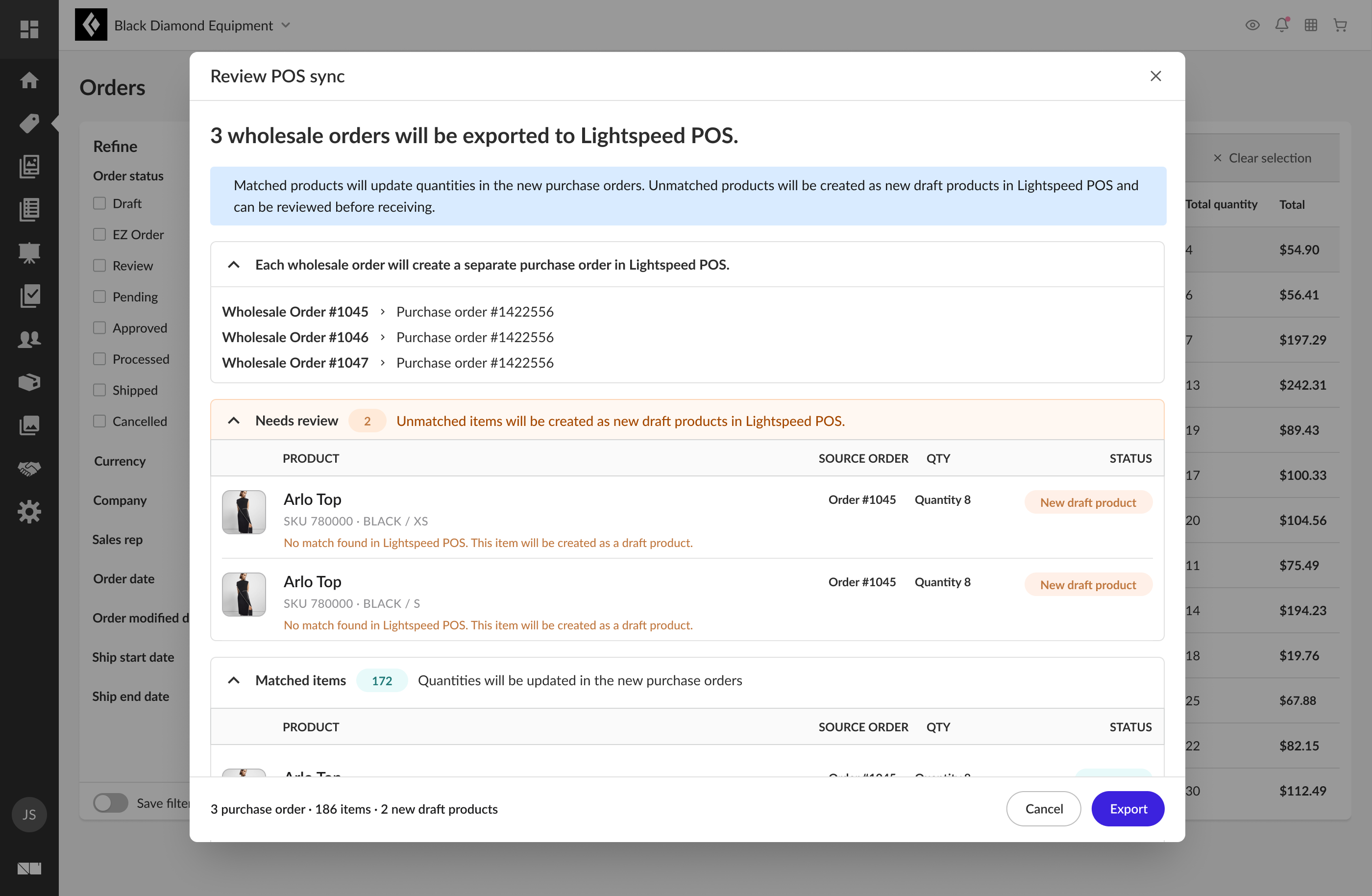
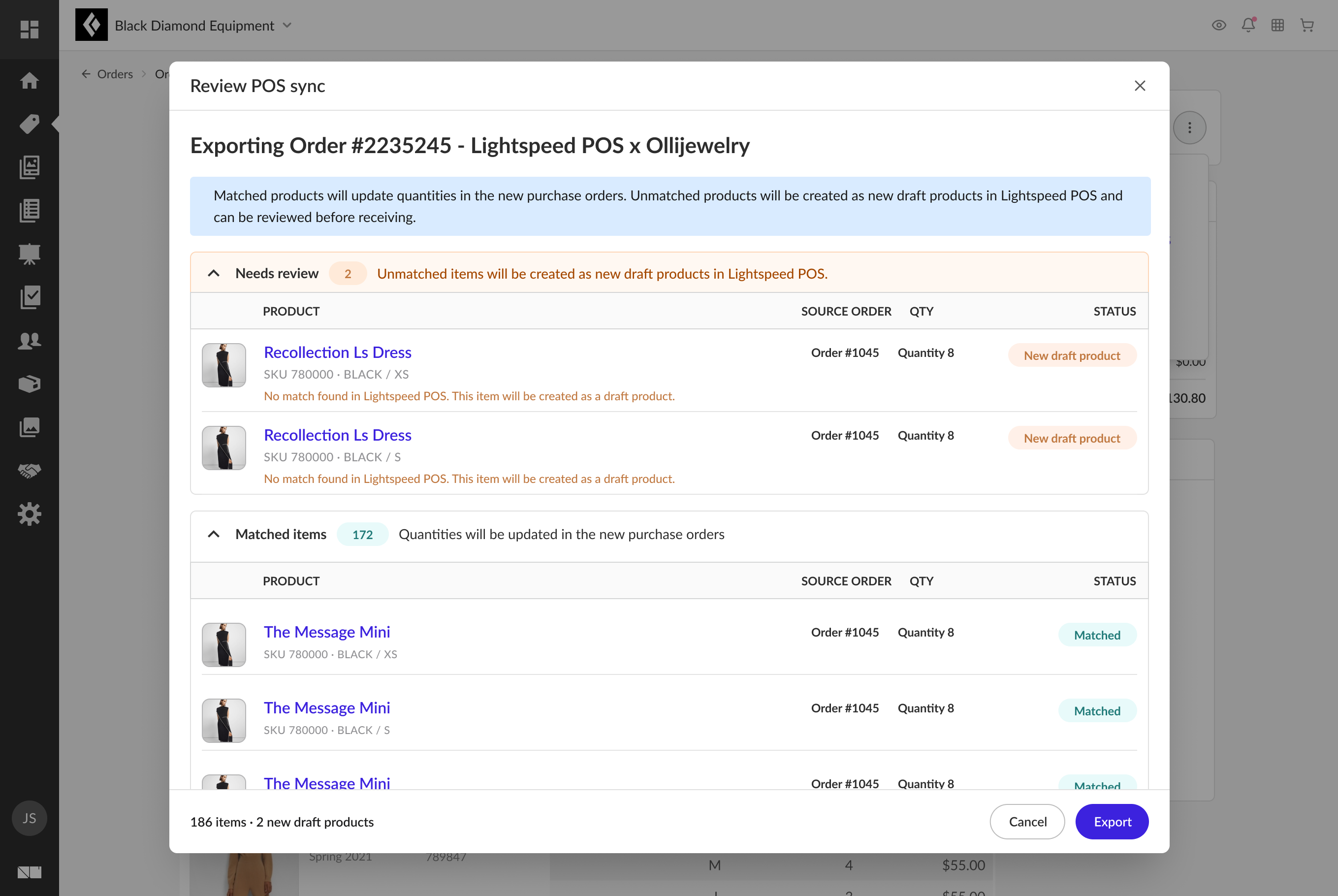
Multi-order exports add an order-to-purchase-order mapping at the top; single-order exports name the order in the title. The conflict-detection groups, Needs review vs. Matched, are identical in both.
One action, the whole order moves.
The heart of B2B Network is the POS sync. A merchant reviews their wholesale orders and triggers a single sync, and the system does the reconciliation they used to do by hand:
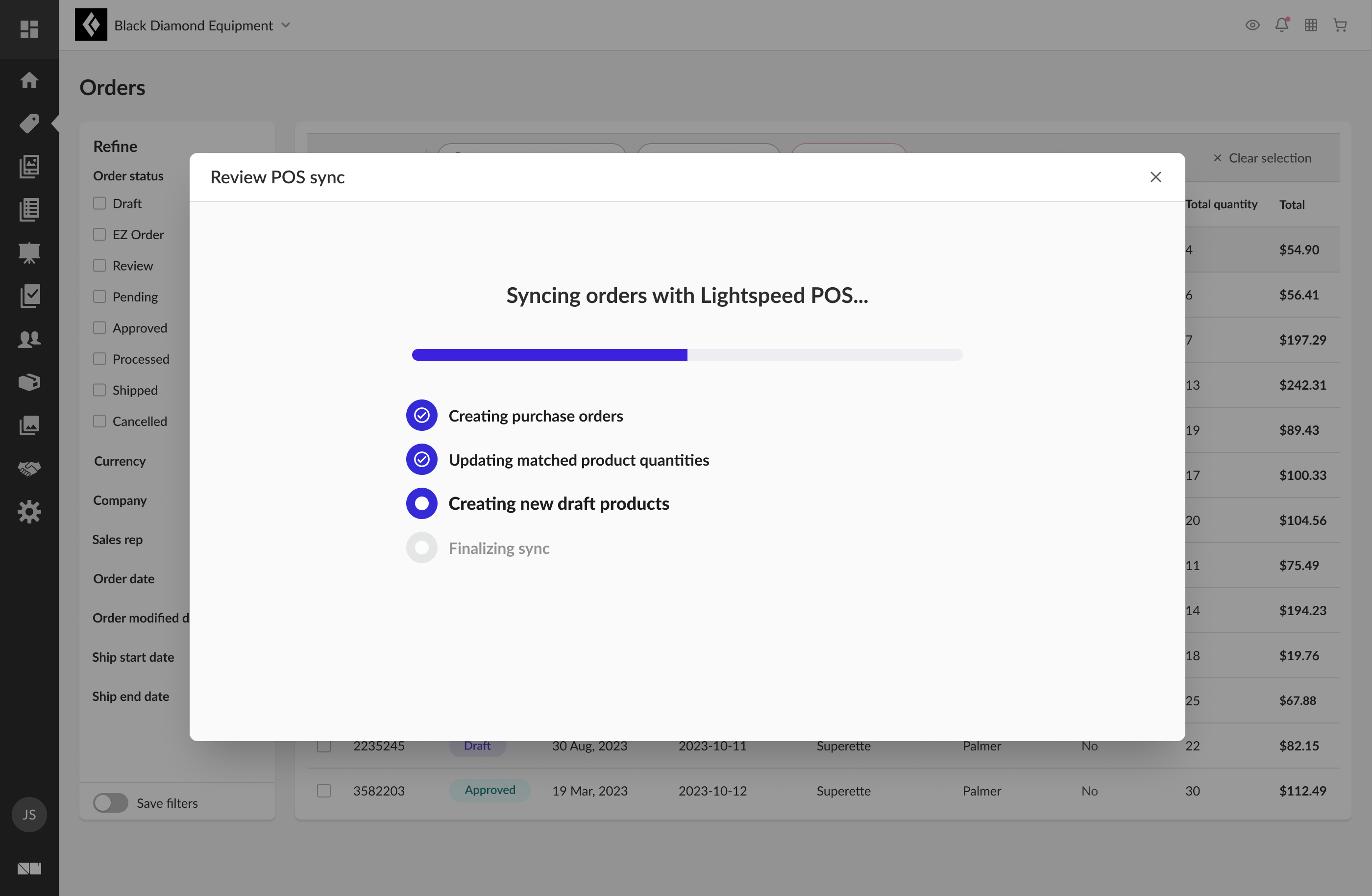
Creating purchase orders
Each wholesale order becomes a purchase order in the POS. No re-keying needed.
Updating matched product quantities
Products that already exist in the POS get their incoming quantities updated automatically.
Creating new draft products
Anything that isn't matched is created as a draft product, with its wholesale data attached, ready to publish.
Finalizing sync
The merchant is alerted when it's done! No babysitting a long-running job.
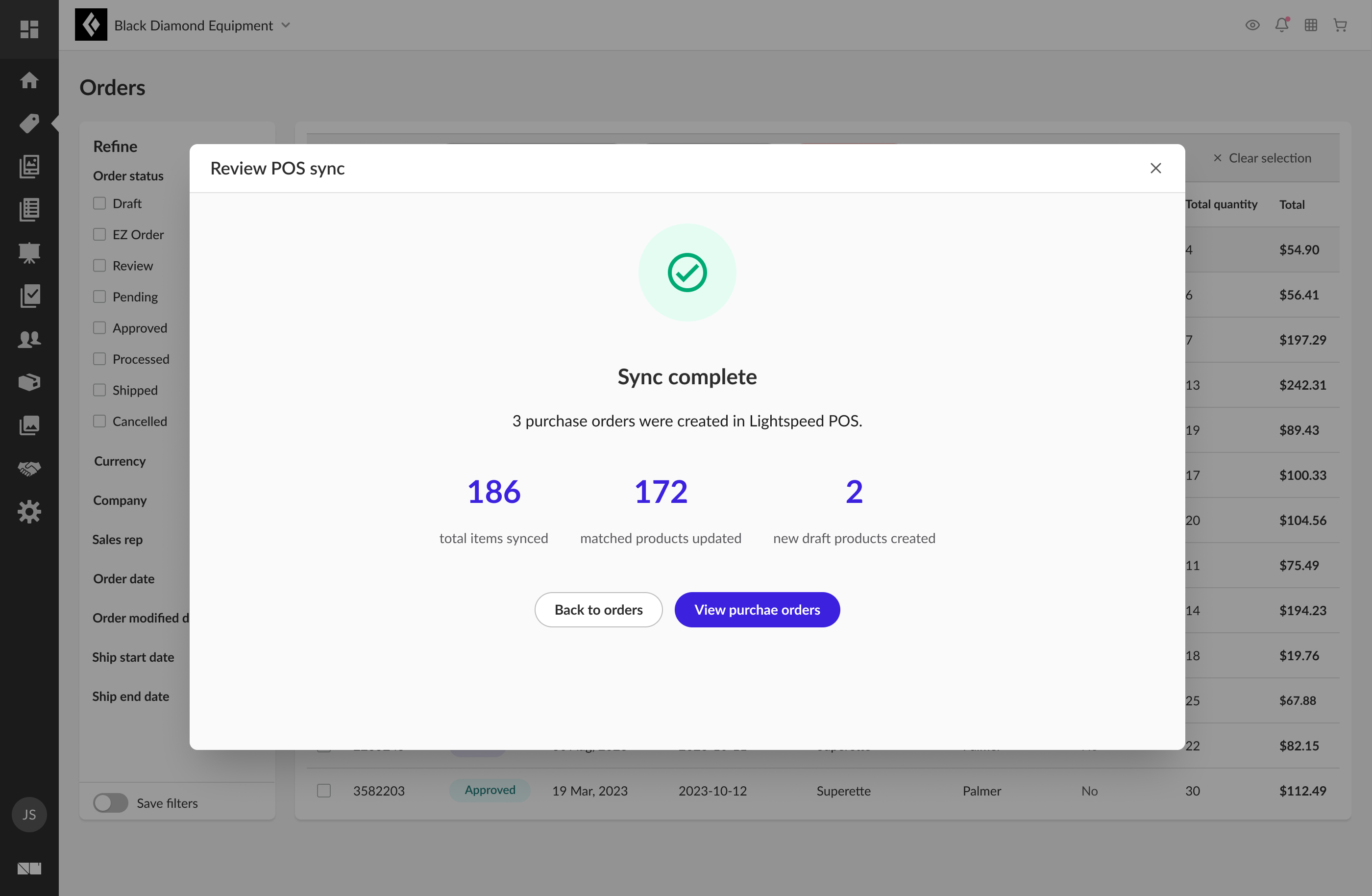
On completion, the merchant gets a countable summary: items synced, products updated, drafts created and a direct path to the new purchase orders.
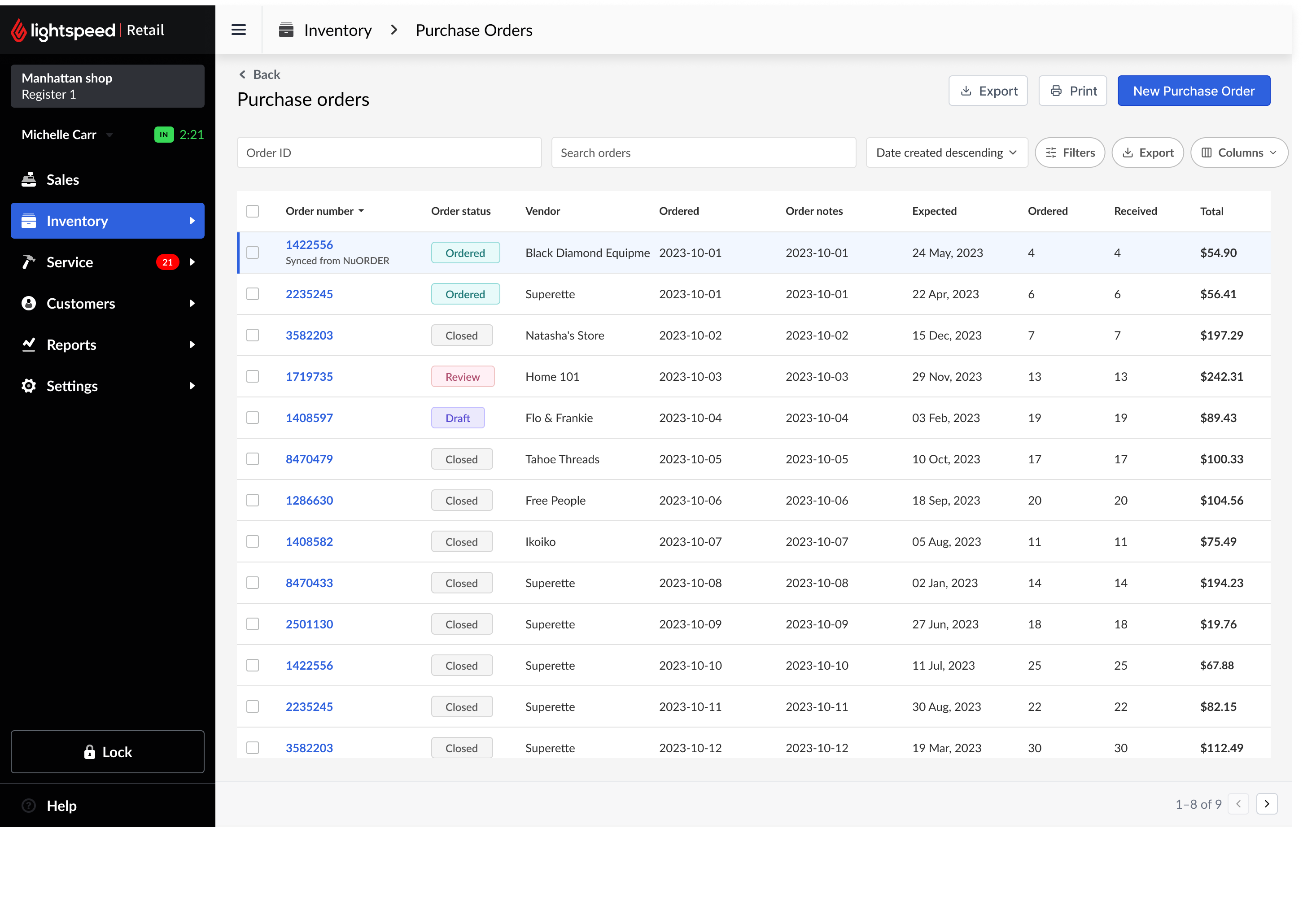
Following "View purchase orders" lands the merchant on the Lightspeed POS side: the freshly synced order sits at the top, highlighted and tagged Synced from NuORDER, so the handoff between the two systems is unmistakable.
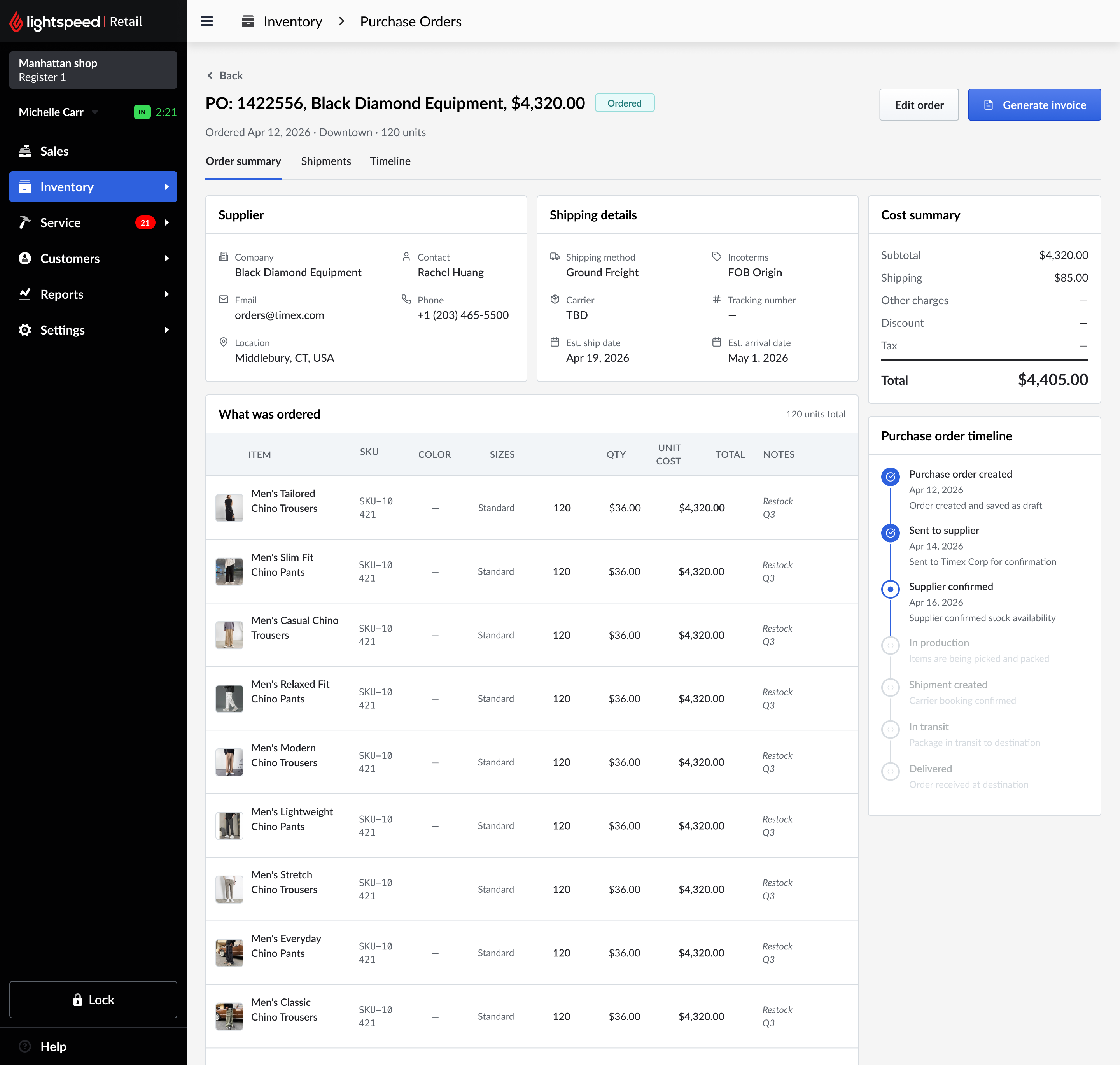
Because the order stays connected (POS ↔ NuORDER ↔ the brand's ERP) the merchant can open the synced PO and see live order status: shipping details, carrier, tracking, and a milestone timeline from created through delivered, without leaving Lightspeed.
Make the invisible legible.
Syncing across two enterprise systems isn't instant, and it isn't guaranteed. The design challenge was to make a slow, sometimes-failing background process feel trustworthy.
Every order carries a clear POS-sync status, so a merchant always knows what made it across, what's still in flight, and what needs attention, without opening a support ticket.
Merchants won't discover an integration on their own.
With the sync live, the next design problem was adoption. Merchants needed a prompt at the right moment, in the right place, on both platforms.
I designed an in-app onboarding guide (built with Appcues), introduced contextually on the Lightspeed POS and NuORDER sides, walking merchants through connecting their accounts and running their first sync.
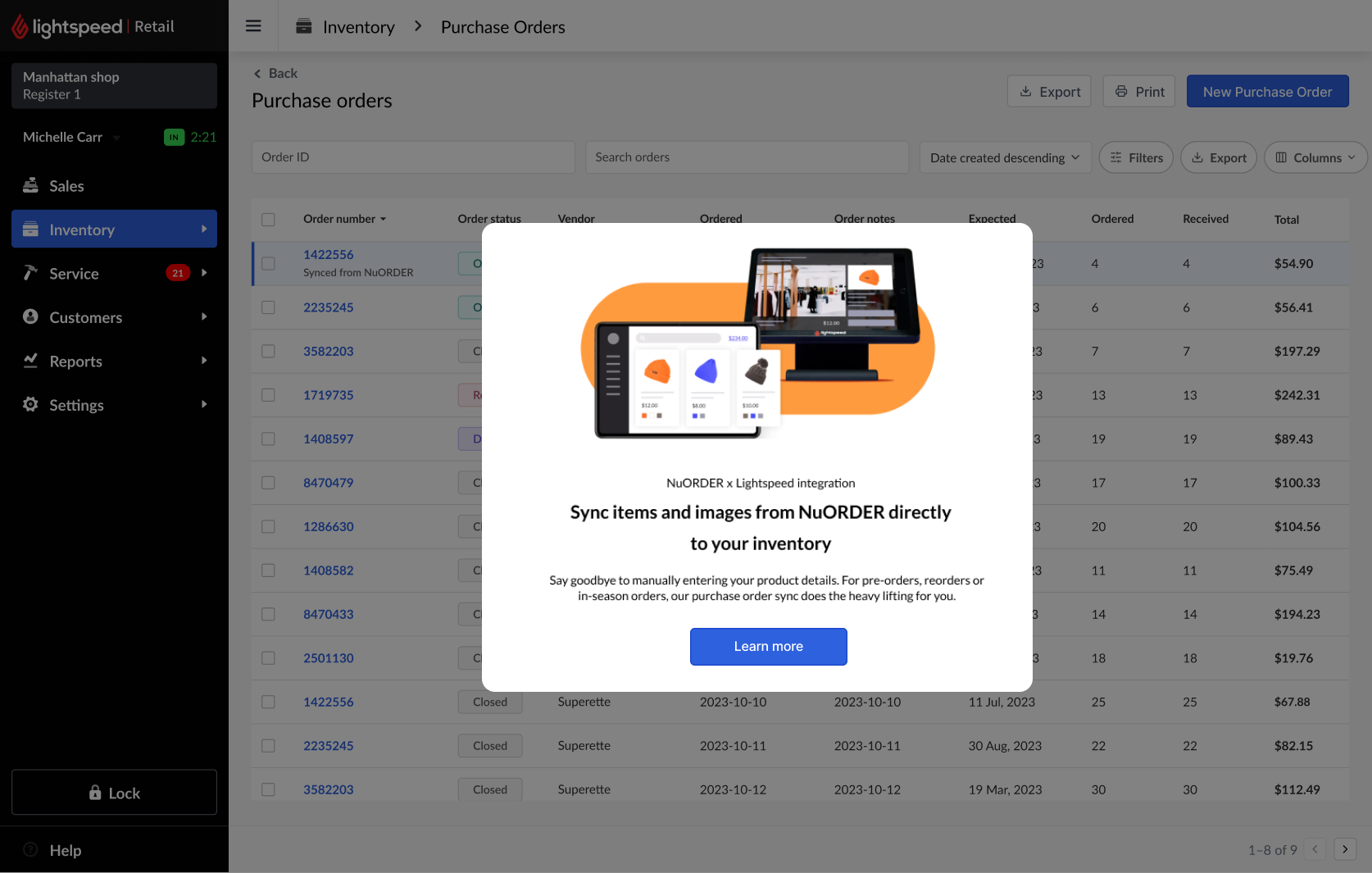
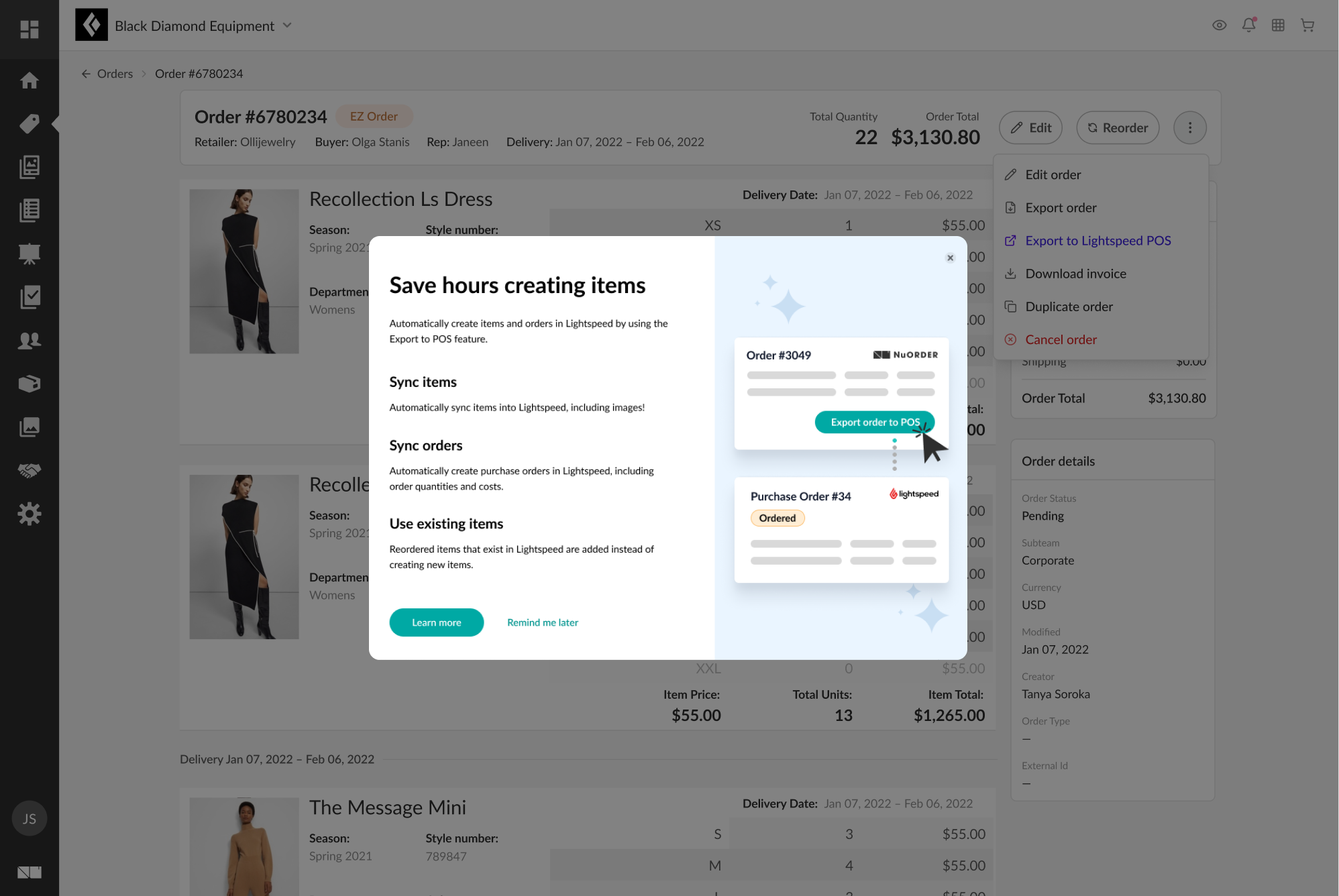
Proof of concept validated beyond the original platform. After Lightspeed acquired Vend, the B2B Network integration model was extended to the Vend POS, making it a repeatable pattern across Lightspeed's product portfolio.
Shipping is the beginning, not the end.
I followed this problem across two companies, two platforms, and several years from the first Supplier Market interviews to a shipped integration that grew 60× in nine months. That continuity is rare, and it taught me what it means to be embedded in a long-term product vision rather than moving between disconnected projects.
The most valuable work happened after launch: understanding why merchants dropped off, designing the onboarding that fixed it, and making a slow background sync feel trustworthy. The design didn't stop when the feature went live, it just changed form.
Post-acquisition integration of Lightspeed and NuORDER
The flow we designed takes merchants from discovering the integration inside Lightspeed POS, through account linking using their existing credentials, to a confirmed connection. All without creating new accounts or leaving their familiar environment.
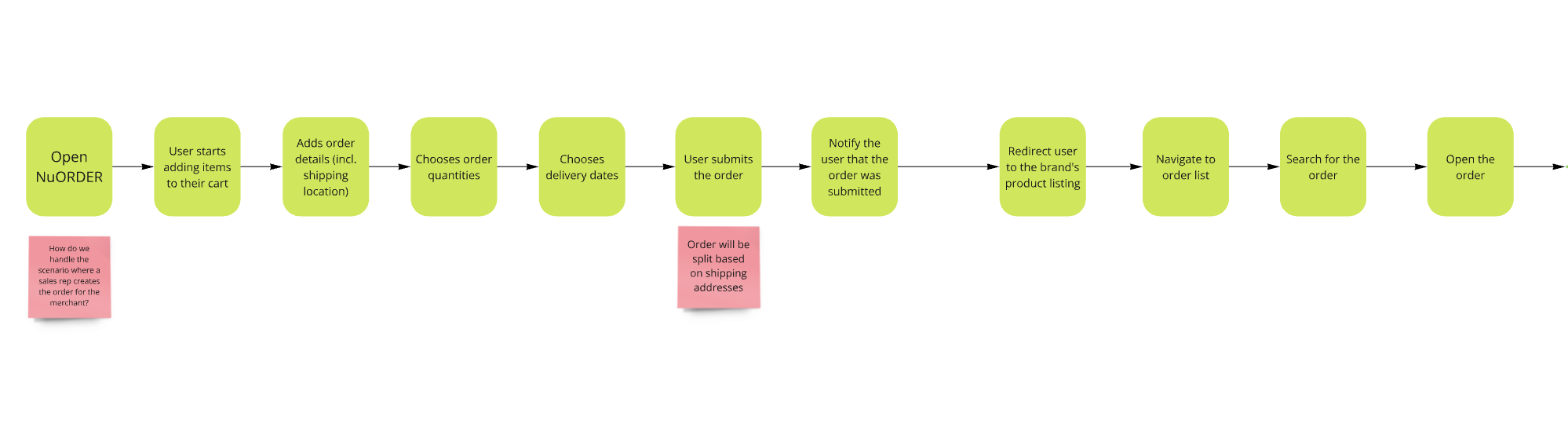
Part 1: placing the wholesale order in NuORDER, through to opening it.
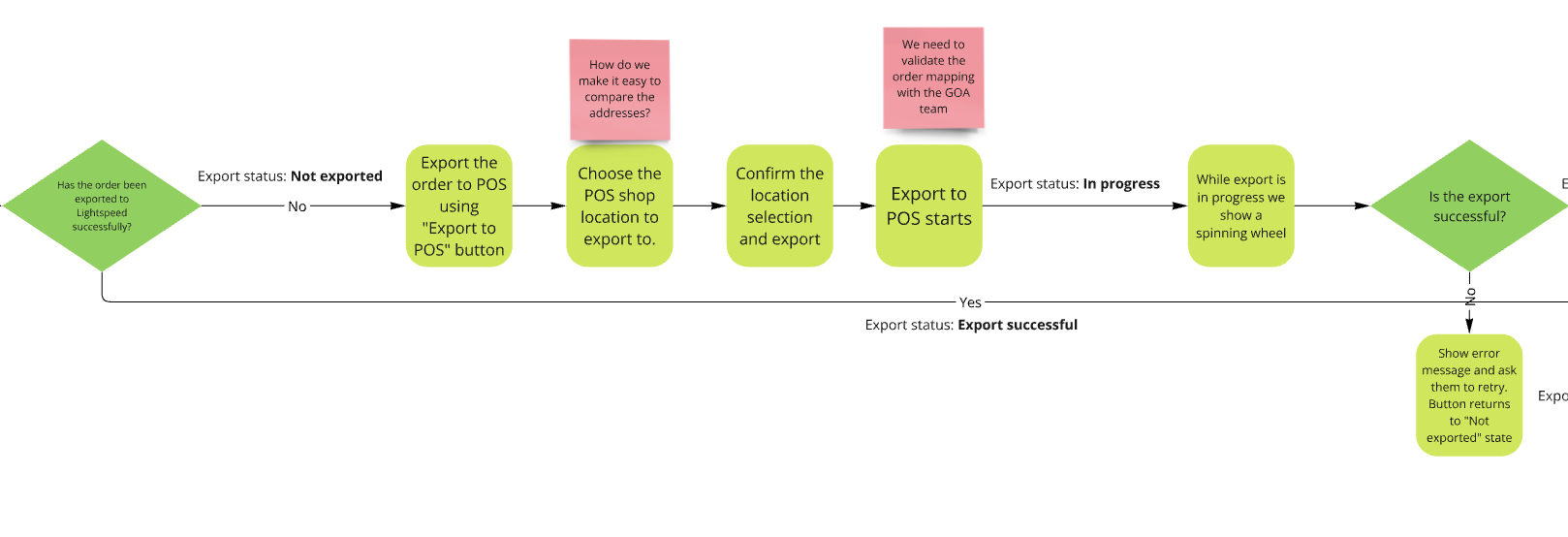
Part 2: exporting to POS, including the in-progress, success, and error/retry states.
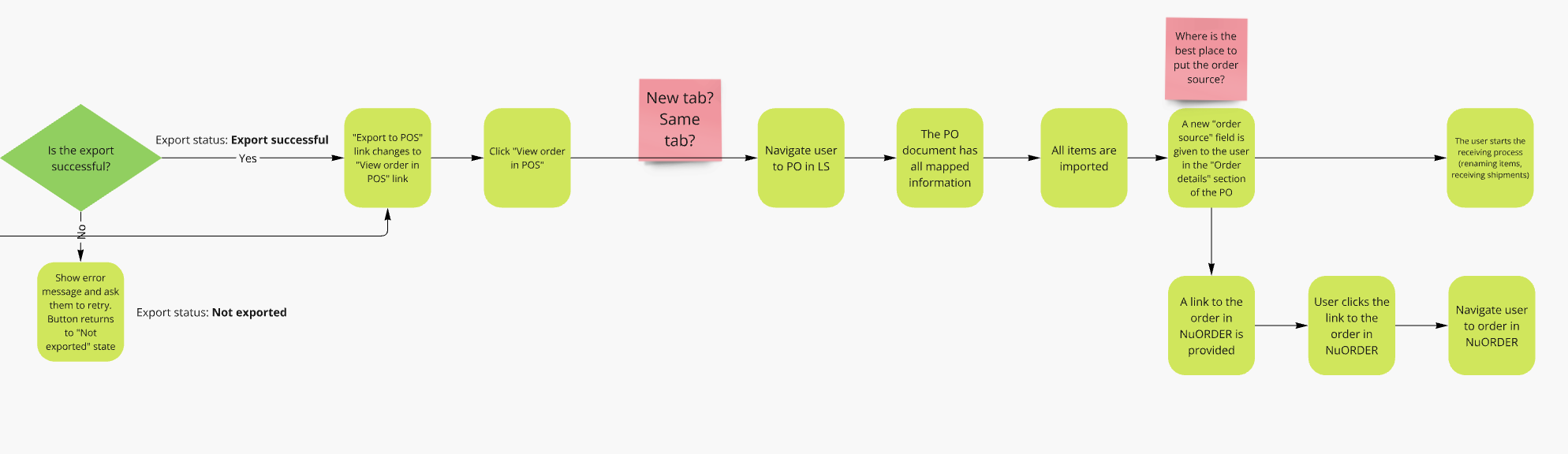
Part 3: viewing the synced PO in Lightspeed, with an order-source link back to NuORDER.